
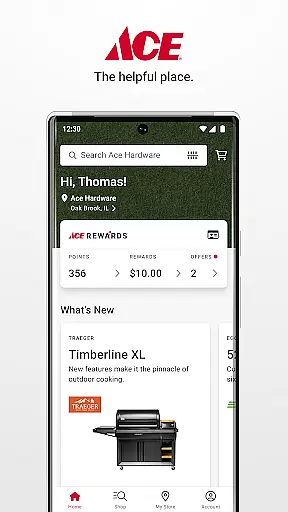
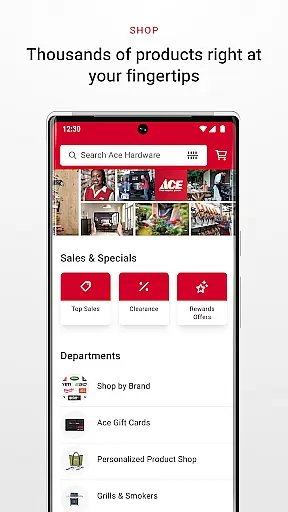
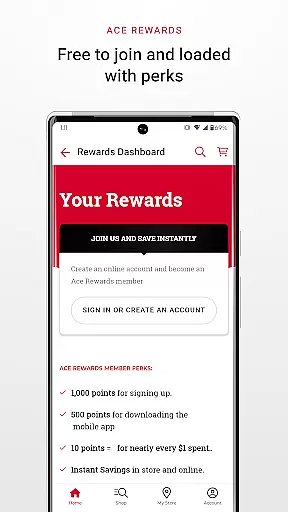
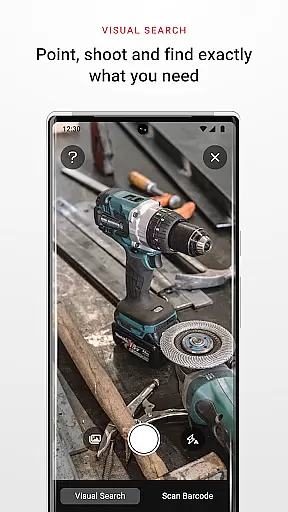
Ace Hardware is a comprehensive shopping and rewards application designed to elevate your retail experience. The app provides users with an all-in-one platform to manage their Ace Rewards account, shop thousands of products, and access exclusive deals. With features like store locator, purchase history tracking, and digital wallet integration, it ensures convenience and personalization.
Users can earn points through multiple avenues, track their rewards progress, and even receive personalized product recommendations. The app also facilitates easy store contact through one-click calling and mapping, while offering detailed insights into local ads, store events, and available services. Whether you're a DIY enthusiast or a professional contractor, this app streamlines your hardware shopping journey.
The true value lies in its ability to consolidate shopping, rewards management, and store information into a single interface. By downloading the app and linking your Ace Rewards account, you can receive a $10 bonus coupon, making your initial experience both rewarding and cost-effective.
Ace Hardware app stands out with its robust feature set tailored for seamless shopping and rewards management. One of its key highlights is the centralized dashboard that displays your Ace Rewards status, monthly offers, and exclusive deals for Premier members. This makes it easier than ever to take advantage of membership benefits.
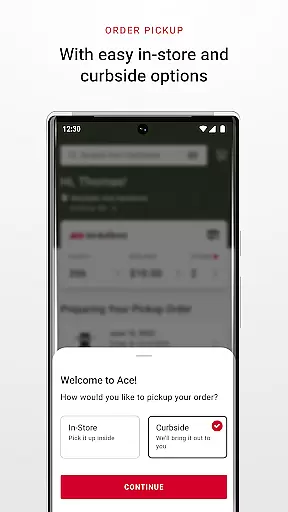
The app's shopping section allows you to browse thousands of products across various categories such as grills, power tools, and home improvement items. You can choose flexible fulfillment options including in-store pickup, curbside pickup, or home delivery. Additionally, features like digital wallet integration, purchase history tracking, and My Products storage provide added convenience for managing warranties, paint colors, and spare parts.
Another notable aspect is the enhanced communication capabilities. Users can easily contact their preferred store through one-click calling, view localized ads, and stay updated on store events and services. These features collectively create a more engaging and efficient shopping experience, setting Ace Hardware apart from other retail apps.
Ace Hardware offers an extensive range of products, catering to various needs from home improvement essentials to specialized tools. The app's well-organized categories make it easy for users to navigate through thousands of items including grills, power tools, and more.
The shopping experience is enhanced by the app's intuitive interface that allows customers to filter and sort products based on their preferences. Whether you're a DIY enthusiast or a professional tradesperson, you'll find the necessary equipment and supplies conveniently categorized for effortless selection.
By providing detailed product descriptions and specifications, Ace Hardware ensures that shoppers can make informed decisions. This transparency not only builds trust but also helps in selecting the right product for each unique requirement.
Moreover, the app provides personalized recommendations, guiding users towards products that align with their interests and past purchases. This tailored approach enhances customer satisfaction and encourages exploration within the vast inventory available at Ace Hardware.
One of the key features of the Ace Hardware app is its commitment to pricing transparency. Users can easily view prices and compare them across different products, ensuring they get the best deal possible. The app also highlights exclusive member deals and discounts, which are updated regularly to provide ongoing value.
In addition to clear pricing, the app offers a price match guarantee, reinforcing the brand's dedication to competitive pricing. Customers can shop with confidence knowing they won't find better prices elsewhere for the same quality products.
The app further supports cost savings through its rewards program. Members earn points on every purchase, which can be redeemed for future savings. This system not only promotes loyalty but also provides tangible financial benefits to regular shoppers.
Lastly, Ace Hardware ensures there are no hidden fees by clearly displaying all costs associated with each purchase optionu2014whether it's in-store pickup, curbside pickup, or delivery. This openness empowers consumers to choose the most economical and convenient method for their needs.
User-friendly interface
Comprehensive rewards program
Flexible shopping options
Convenient store locator
Exclusive member deals
Limited to Ace stores
Initial download bonus is one-time
Some features require account linking
Premium features for Premier members only
Occasional app performance issues

World’s simplest mobile payment solution for machines.
 4.50
4.50
Buy shoes, apparel, and luxury items. Shop and discover the latest sneakers!
4.40
Shop fashion, shoes, home, designer handbags, beauty & more on the Belk app.
4.00
The deals you love & beyond!
4.50
Play store promo codes for apps + Appsfree + app sales + paid app sales
4.40
Earn Cashback and maximize your savings when you shop and book your travel plans
3.90
Easily split payments online & in-store. Buy now & pay later with Zip.
4.80
Online shopping & digital coupons. Deals & local weekly ad in your myDG account
4.70
Lowe’s Knows Home Improvement
4.70
Pet food, pharmacy, toys, apparel & more. Shop and save on pet care with Chewy.
4.90
Envío en 24h con las mejores oportunidades: electrodomésticos, electrónicos y +
4.80
New styles & exclusive offers
4.80
Shop shoes, sneakers, activewear, and clothes from the adidas shopping app
4.80
ALDI is your home for low prices on high-quality groceries and products.
4.70
Earn rewards when you shop, play games, and order online. Live rewarded.
4.70
Shop daily deals, browse best sellers, and have a laugh along the way.
4.50
Grooming, Training & Shopping
3.80
Save money. Live in style!
3.80
Shop and save from anywhere.
3.60
Explore Temu's marketplace offering unbeatable prices on millions of products. Discover features, shipping details, and whether this budget shopping app is worth it.



User Reviews