
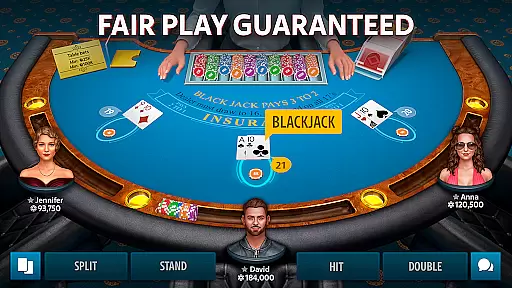






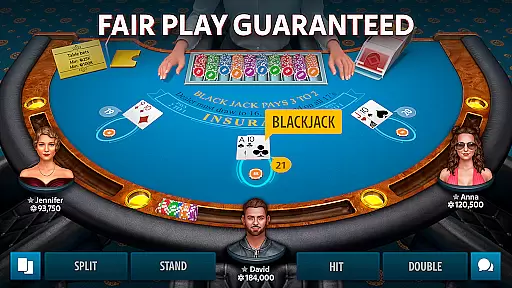






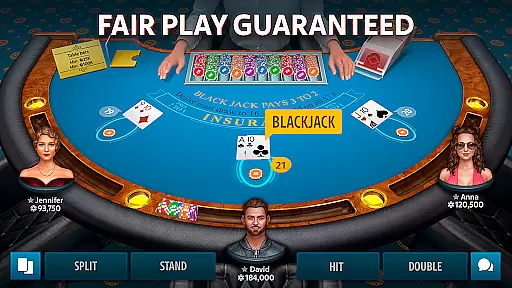






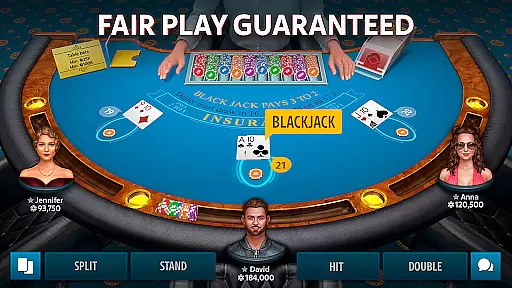






Blackjack 21: Blackjackist is a premier destination for blackjack enthusiasts worldwide, offering an authentic and immersive free-to-play experience. This app stands out with its cutting-edge 3D graphics and smooth animations that replicate the atmosphere of high-stakes casino blackjack rooms. Whether you are a seasoned pro or a beginner, this platform provides the perfect environment to enjoy and enhance your blackjack skills while competing in real-time with players globally.
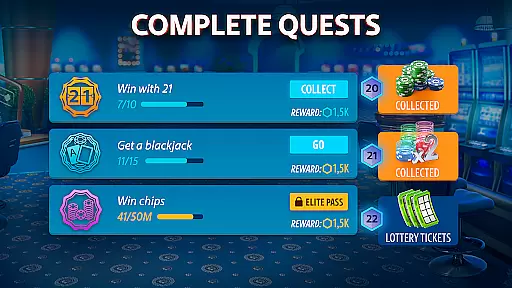
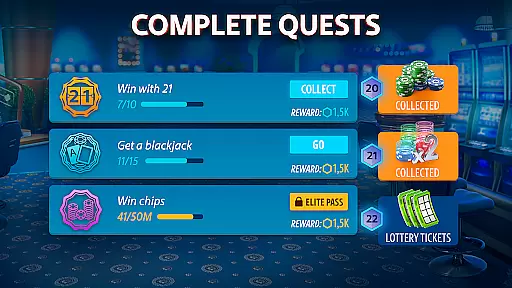
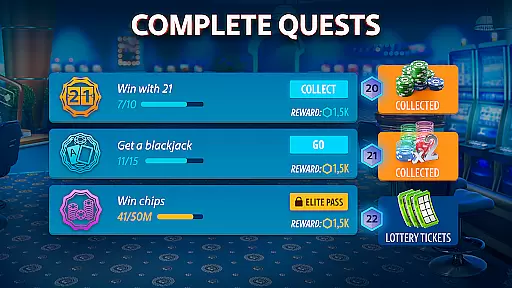
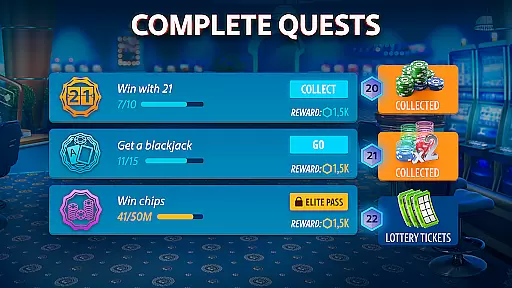
The app goes beyond just classic blackjack by offering daily bonuses, tournaments, side bets, and social features. Players can enjoy generous daily chip bonuses, participate in various tournaments catering to all skill levels, and make side bets to win big. Additionally, the in-game chat allows users to connect with fellow blackjack enthusiasts, sharing strategies and experiences. With customizable avatars, profile options, and a secure gaming environment, Blackjack 21: Blackjackist ensures a comprehensive and fair play experience.
Blackjack 21: Blackjackist offers a rich set of features designed to provide an unparalleled blackjack experience. The app's standout feature is its realistic 3D blackjack tables, which use advanced graphics and animations to create an immersive casino atmosphere. These tables cater to both beginners and experienced players, ensuring everyone can enjoy the thrill of blackjack. Furthermore, the app includes a simple-to-follow tutorial mode, making it easy for newcomers to learn the ropes and start their blackjack journey.
Beyond the core gameplay, the app offers engaging tournaments such as Boost Blackjack and Elimination competitions, allowing players to test their skills and climb leaderboards. Side betting options like Hi-Lo, Lucky Queens, and Bust Out add an extra layer of excitement, enabling players to win even if they lose a game. Social features include an in-game chat to meet new people and share strategies, while the VIP program provides exclusive benefits like special bonuses and premium support. With additional games like poker, roulette, slots, and baccarat, Blackjack 21: Blackjackist delivers a complete casino experience.
Random Number Generation (RNG) is at the core of any card game, ensuring that each hand dealt is entirely random and unpredictable. In Blackjack 21: Blackjackist, advanced RNG algorithms are employed to maintain the integrity of every game. This technology guarantees that neither players nor the house can predict or manipulate the outcome, creating a fair gaming environment for all participants.
The certification process further validates the reliability of the RNG system. Independent auditing agencies regularly assess and verify the randomness of the dealt cards. These rigorous evaluations ensure compliance with industry standards, providing players with the confidence that they are engaging in a genuine game of chance. Such measures reinforce trust and encourage continued play.
For users, this means peace of mind while enjoying their favorite card game. Knowing that each session is governed by certified RNG protocols assures players that their experience mirrors that of a real-world casino. The absence of bias or manipulation allows players to focus on honing their skills and strategies without concern for unfair advantages or tampering.
Smooth and responsive controls are essential for an immersive card gaming experience. Blackjack 21: Blackjackist prioritizes control fluidity, ensuring that every tap, swipe, and action translates seamlessly into gameplay. Players can place bets, hit, stand, or make side bets without experiencing frustrating delays or unresponsive commands, allowing them to stay engaged and focused on their strategy.
Input latency is meticulously managed to provide real-time feedback during critical moments of gameplay. Whether participating in fast-paced tournaments or casual games, users will appreciate the immediate response times that keep the action flowing smoothly. This attention to detail enhances the overall enjoyment and prevents disruptions that could otherwise detract from the gaming experience.
By optimizing both control fluidity and minimizing input latency, Blackjack 21: Blackjackist delivers a polished and professional-grade interface. Gamers can rely on precise interactions that mimic the tactile sensation of handling physical cards and chips. As a result, even newcomers to blackjack can quickly adapt to the digital format, enjoying a frustration-free introduction to one of the most popular card games worldwide.
User-friendly interface
Realistic 3D graphics
Daily free chips
Variety of tournaments
Secure gaming environment
In-app purchases can be costly
Contains advertisements
Limited real-money gambling
Internet connection required
Some features locked behind VIP

Reiner Knizia's classic card game, Masters Gallery
 4.60
4.60
A sleek, addictive Solitaire experience made for the modern player.
4.60
Collect sets and runs but don't give away a card your opponent needs!
4.60
Always ready: the partnership trick-taking card game with so many rule options!
4.60
Classic Solitaire: A smart mix of fun, relaxation, and brain training!
4.90
Classic, Original, Klondike Solitaire Game with Large Cards!
4.90
Craft and plan your strategy with Vault of the Void's dynamic deckbuilding!
4.40
Challenge your deck building skills in this RPG cardventure!
4.50
When Poker Meets Solitaire
4.70
Solitaire Games: Play fun card games and boost your IQ!
4.80
Card-based yatzy duels!
4.80
The most popular cribbage app available; all of the options, none of the fluff!
4.80
Train your brain with relaxing classic solitaire game and have endless fun!
4.70
Swipe left, swipe right, be the King.
4.50
Deckbuilding Dungeon Crawl
4.30
Lyric Party tests your knowledge of your favorite hit songs.
4.20
The card-crafting deck-builder by AEG
3.50
Sinister solitaire. Four cards, one fate.
4.5
The Trading Card Game of Hunter's Gambit, Online!
4.0


User Reviews