
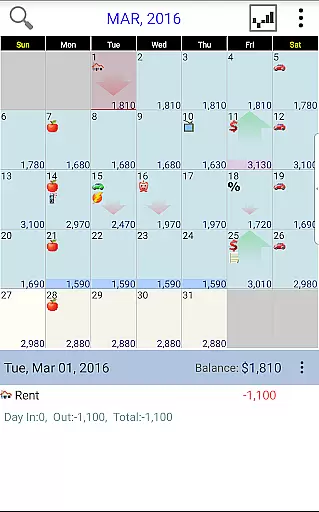
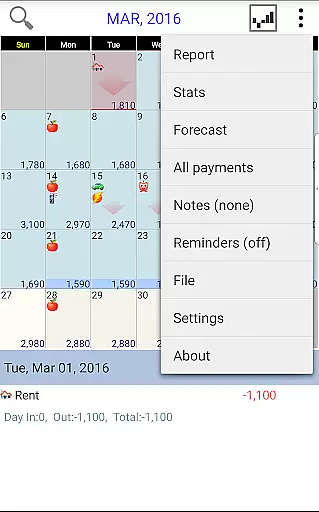
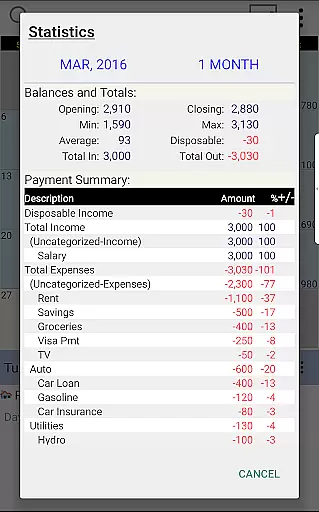
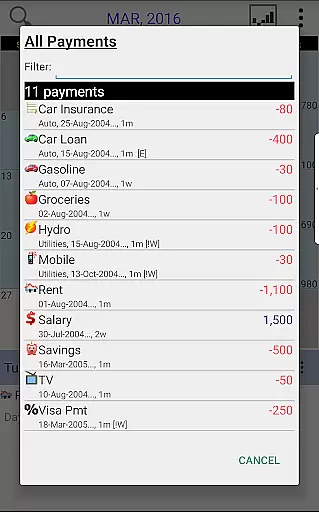
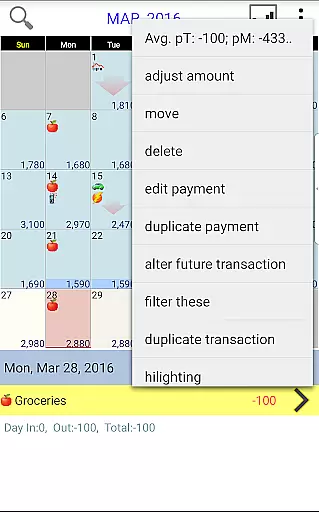
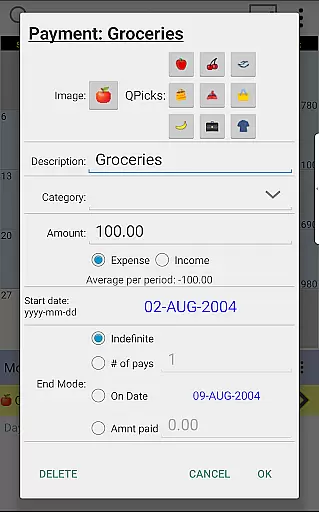
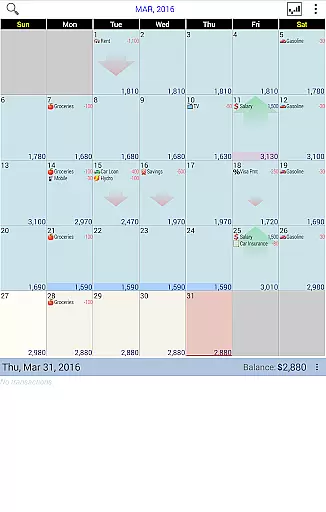
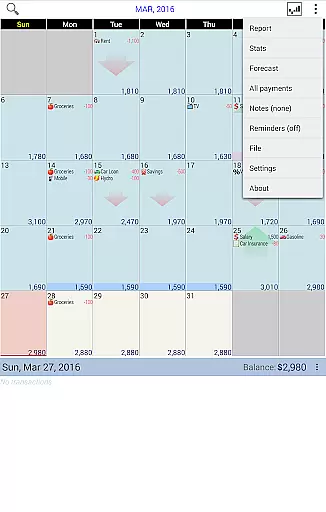
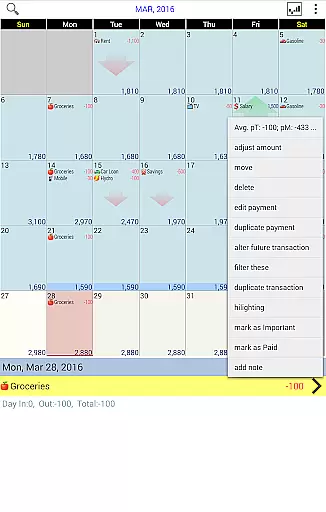
Budget Calendar is a comprehensive financial planning tool designed to simplify budget management through an intuitive calendar-based interface. Unlike traditional ledger systems, this Finance app visualizes all transactions directly on a calendar, providing users with a clear overview of their financial commitments. Each payment entry can be customized with unique icons for easy identification, and transactions can be easily rescheduled by simply moving them to different dates.
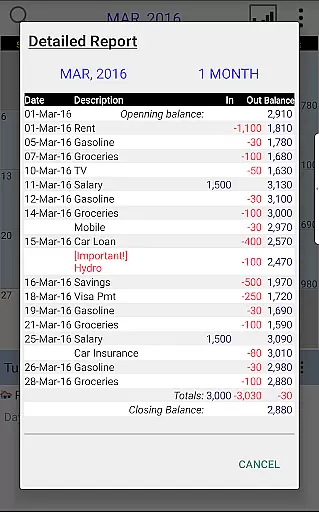
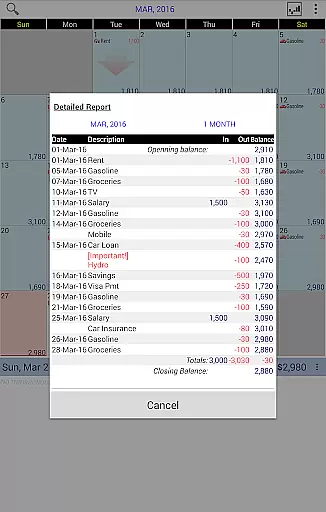
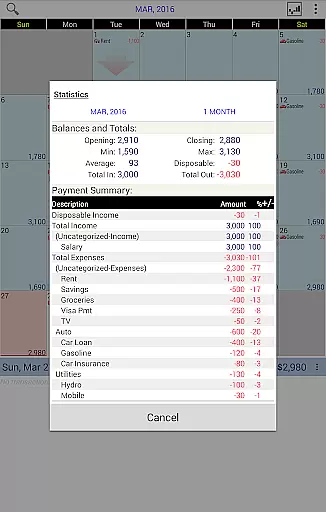
The application offers robust reporting features that allow users to generate detailed statistics for single or multiple months. Users can adjust their budget balance to reflect their actual account status, ensuring accurate financial tracking. With cross-platform compatibility between smartphone and desktop versions (available as separate purchases), Budget Calendar enables seamless synchronization across devices using Google Drive. This feature ensures that your financial data is always up-to-date and accessible wherever you are.
Budget Calendar stands out in the Finance category through its innovative calendar-based transaction management system. The app's core functionality revolves around a visually-oriented calendar interface where users can view, organize, and reschedule their financial transactions with remarkable ease. Each transaction can be marked with distinctive icons, making it simple to identify different types of payments at a glance.
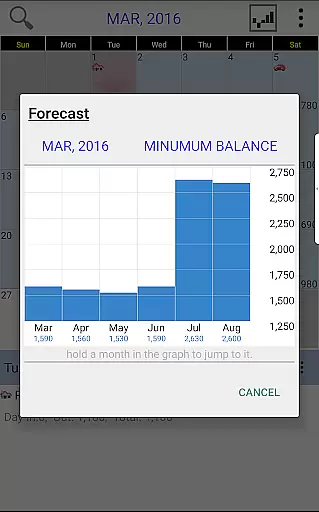
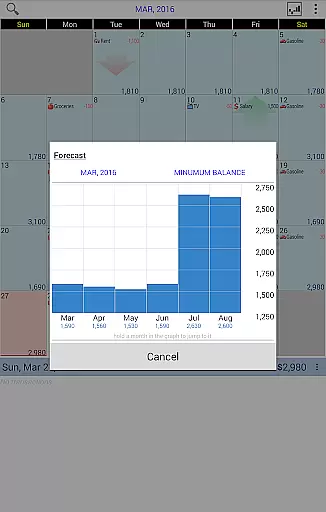
The application provides powerful analytical tools that generate comprehensive reports and statistics for any selected time period. These insights help users make informed financial decisions and better plan for future expenses. The smart balance adjustment feature allows users to synchronize their budgeted amounts with actual account balances, maintaining precise financial records. Additionally, the app supports cross-platform synchronization through Google Drive, enabling real-time updates between mobile devices and desktop computers.
What sets Budget Calendar apart is its user-friendly approach to budget management combined with professional-grade features. The TRIAL desktop version lets users explore the app's capabilities before committing to purchase, while the consistent file format across platforms ensures smooth transition between devices. This combination of accessibility, functionality, and flexibility makes Budget Calendar a valuable tool for anyone seeking to maintain better control over their financial planning.
Budget Calendar ensures robust account and fund security through multiple layers of protection. The application employs advanced encryption protocols to safeguard your financial data, ensuring that all transactions are securely stored and transmitted.
One of the standout features is its secure syncing capability with Google Drive, allowing users to safely back up their data across multiple devices without compromising security. This means you can access your budget information from both your smartphone and desktop versions seamlessly while maintaining a high level of data integrity.
In addition, Budget Calendar provides users with the ability to adjust their budget balance to match actual balances, adding an extra layer of financial accuracy and control. This feature not only enhances security but also empowers users to manage their funds more effectively.
By focusing on these critical aspects of security, Budget Calendar offers peace of mind to its users, knowing that their sensitive financial information is protected against unauthorized access and potential threats.
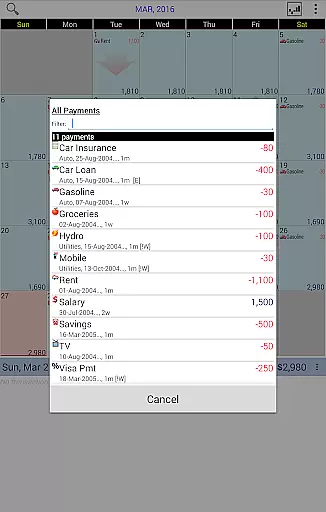
The transaction experience in Budget Calendar is designed to be intuitive and user-friendly, setting it apart from other budget applications that rely on complicated ledger systems. Each transaction is visually represented on a calendar, making it easy for users to see their financial activities at a glance.
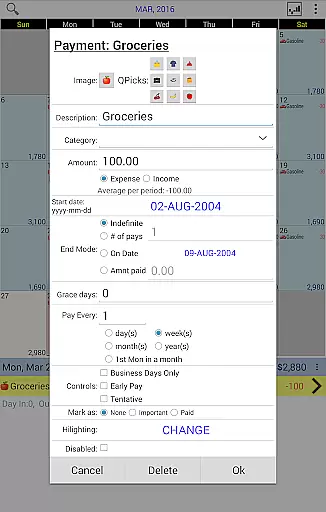
Each payment entry can have a unique icon, which adds a personalized touch and makes it easier to identify different types of expenses quickly. Users also have the flexibility to move transactions to different days, allowing them to fit their planning needs better and visualize future spending patterns effortlessly.
Budget Calendar goes beyond basic transaction logging by providing clear statistics and reports for one or more months. This comprehensive view helps users understand their spending habits and make informed financial decisions based on accurate data representation.
Overall, the seamless integration of visual tools, flexible scheduling options, and detailed reporting creates a superior transaction experience that empowers users to take control of their finances efficiently.
User-friendly calendar interface
Customizable transaction icons
Powerful reporting tools
Cross-platform sync via Google Drive
Accurate balance tracking
Separate desktop purchase required
Limited free trial options
Occasional sync issues reported
No automatic transaction import
Subscription fees apply

Secure, simple money transfer app. Send money to Mexico and worldwide fast.
 4.80
4.80
Bill Manager is a simple app to help you keep track of your upcoming bills.
4.5
Pay rent on your schedule.
4.70
Get a cash advance instantly. File taxes & cover unexpected bills in minutes.
4.60
Money transfer made easy. Send money to friends and family with great rates.
4.70
BTC, Crypto, Stocks & Options.
4.20
Earn cash back. Build credit.
4.60
Banking, Budgeting & Investing
4.60
Join 12M+ users. Instant cash advances, personal loans, build credit, save money
4.80
BA Financial Calculator PRO – Perfect for CFA/FRM/CPA and finance professionals
4.90
Early payday cash advance up to $150 a day with a max of $1,000 per pay period
4.70
Pay, bank & build credit.
4.70
Over 180 currencies conversion rates with live exchange rates and offline mode.
4.60
Real-time tracking: Stocks, Indices, Futures, Commodities, ETF, & Funds prices.
4.60
The PayPal app is the secure way to send and receive money, shop and pay in 4.
4.20
Bank better with our new app
3.80
Bitcoin gpu app helps you remote mine using your cell phone easily .
3.60
StockTiles lets you view prices & charts of your favorite stock assets
2.30
SuperQi, Your all-in-one Super App.
1.30


User Reviews