
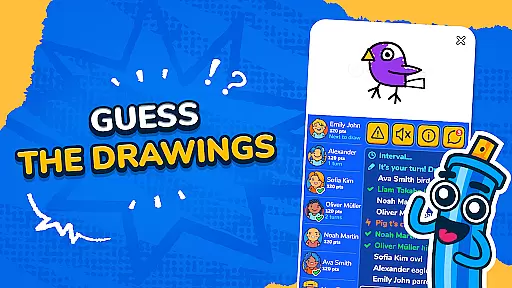
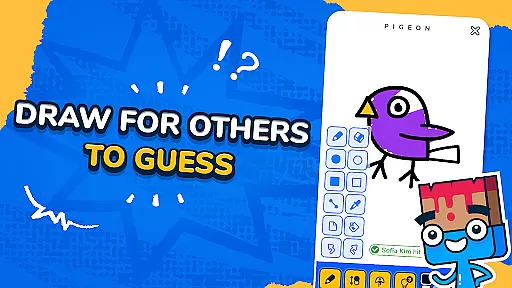
Gartic.io is a multiplayer drawing and guessing game that brings fun to players of all ages. In each round, one player takes the role of the artist while others try to guess what is being drawn. The game offers various themes to choose from, allowing for creative freedom in how you express your artistic skills.
With support for up to 50 players in a single room, Gartic.io is perfect for parties or casual get-togethers with friends. Its simple yet engaging gameplay makes it accessible on both mobile devices and desktop platforms. Whether you're sketching out clues or racing to guess the answer, this app delivers hours of entertainment value.
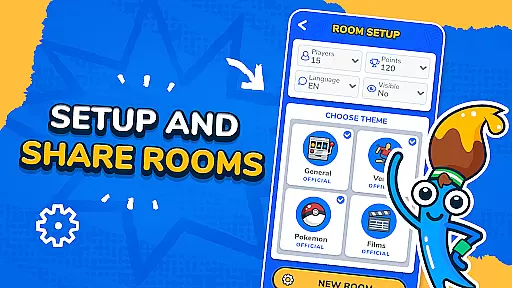
Gartic.io stands out with its dynamic gameplay where every round presents a new challenge. Players can pick from multiple word options to draw, ensuring variety and replayability. The app also allows users to create custom rooms, making it ideal for private gatherings or events.
Additional features include a point system that determines the winner based on who reaches the target score first. You can personalize your experience by choosing different themes and settings within the game. With intuitive controls and smooth performance across devices, Gartic.io ensures an enjoyable experience whether you're playing casually or competitively.
In Gartic.io, the authenticity and accuracy of questions are crucial for an engaging experience. The game provides a variety of words for players to draw, ensuring that each round presents a new challenge.
The app's design encourages creativity by offering diverse themes, which keeps the content fresh and unpredictable. This randomness in word selection enhances replayability and ensures that players remain engaged over time.
Players can trust that the words provided for drawing are carefully curated to maintain a balance between difficulty and guessability. This careful selection process guarantees that every session is both challenging and enjoyable.
By focusing on question authenticity and accuracy, Gartic.io creates a reliable and entertaining environment where players can fully immerse themselves in the joy of guessing and drawing without worrying about unfair or misleading prompts.
Gartic.io excels in adapting difficulty levels to suit a wide range of players. The game dynamically adjusts based on player performance, ensuring that everyone, regardless of skill level, can participate and enjoy.
With its flexible room creation feature, users can customize games by setting specific themes or rules. This allows for tailored difficulty settings that cater to different groups, from casual players to more competitive ones.
The app supports up to 50 players in a single room, making it versatile for various social settings. Whether it's a small gathering or a large party, Gartic.io scales its difficulty to accommodate all participants effectively.
This adaptive difficulty system not only enhances user engagement but also promotes inclusivity, allowing friends of all artistic abilities to join in the fun and compete on equal footing.
Engaging gameplay
Multiplayer support
Variety of themes
User-friendly interface
Creative freedom
Limited advanced tools
Occasional lag
Ads between games
No offline mode
Basic graphics

Party Lab: Expose your friends with dirty exposed games! Party in my dorm (PIMD)
 4.30
4.30
Guess whose photo is shown!
4.50
America’s Favorite Quiz Show® in the palm of your hand! Play for Free now!
4.40
Texting trivia word game! Type the longest word and save yourself from sharks!
4.10
Imagine being thrown out somewhere in the world. Can you find where you are?
4.50
Join in the Trivia Madness! And answer fun quiz questions!
4.40
Jigsaw puzzles for adults. Gorgeous HD puzzles collection to relieve stress.
4.80
Find 5 popular answers. Guess what people say to fill in the blanks. Guess Up!
4.80
Trivia Night... This ain’t yo mama’s trivia game.
3.60
Escape the Noise. Rediscover Simplicity.
4.90
Can you guess all the logos? Try our fun addictive logo game trivia now!
4.80
Test your geography IQ by guessing over 1,000 flags and maps of countries.
4.70
Play Trivia, compete with your nemeses, and turn a good night into a great one.
4.70
Try the latest word game! Find the 5 popular words that people think of.
4.70
Last one standing wins!
4.50
Guess the Answer! Play This or That, Trivia Games, and test IQ in fun challenges
4.50
Fill The Bottles By Sorting The Colored Water, Water Sort & Color Sort Game.
4.40
Fast typing race: type text & run. Win the running battle. Epic qwerty 3D runner
4.30
The biggest and fourthiest title features five and a half hilarious party games.
4.0


User Reviews