
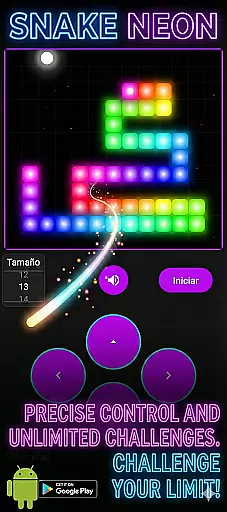


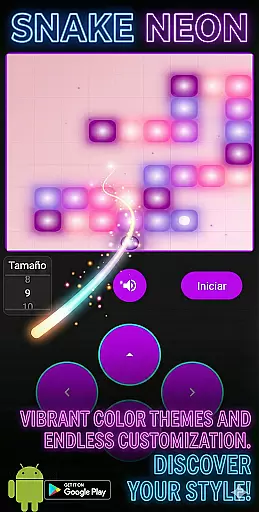
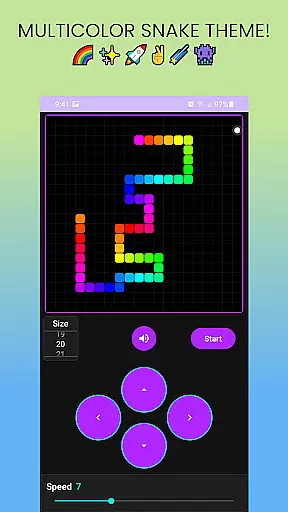

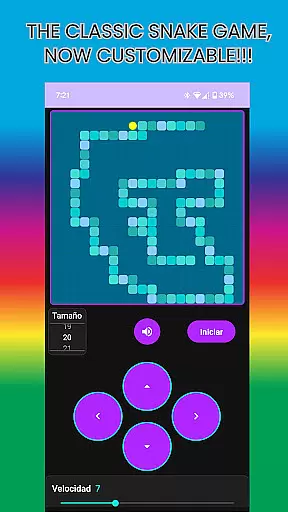
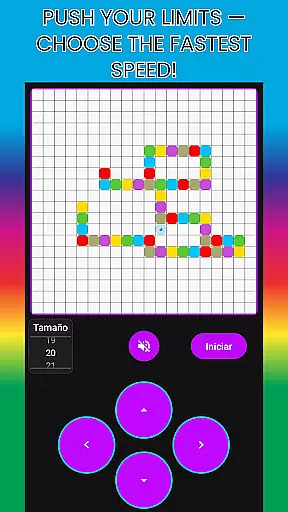
Snake: 5 Cent Game! brings the classic snake gameplay into the modern era with a vibrant neon twist. This casual game reimagines the nostalgic experience by incorporating glowing visuals and customizable features, making it both familiar and refreshingly new.
Players can enjoy adjustable speed settings and custom board sizes, allowing for personalized difficulty levels. Whether you're seeking a quick gaming break or a visually captivating experience, this app offers endless entertainment at an unbeatable price of just 5 cents.
Snake: 5 Cent Game! stands out with its retro-futuristic design and stunning neon effects that create an immersive visual experience. The game allows players to customize their journey through adjustable speed controls, ranging from relaxed to fast-paced gameplay.
In addition to speed customization, users can modify the board size to suit their skill level, whether they prefer an easy or challenging experience. With its hypnotic retro vibe and vibrant colors, this game provides a perfect blend of nostalgia and innovation, offering hours of addictive fun in a modernized format.
At the heart of Snake: 5 Cent Game! lies its core gameplay, which is both simple and engaging. The game revives the classic snake mechanics with a modern twist, ensuring that players can easily grasp the controls while still finding it challenging.
The adjustable speed feature allows users to tailor their experience, whether they prefer a leisurely pace or an adrenaline-pumping challenge. This flexibility caters to both casual gamers looking for a quick break and those seeking to test their reflexes.
Custom board sizes add another layer of personalization, enabling players to modify the difficulty level according to their skill set. This ensures that everyone from beginners to seasoned pros can enjoy the game at a fitting intensity.
Snake: 5 Cent Game! offers remarkable session length flexibility, making it ideal for various gaming scenarios. Whether you have a few minutes to spare or want to settle in for a longer gaming session, this game adapts to your schedule seamlessly.
Its design supports short, engaging bursts of play, perfect for filling brief moments of downtime throughout the day. This makes it an excellent choice for busy individuals who need quick stress-relief breaks without committing too much time.
Despite its simplicity, the game provides enough depth to keep players entertained during extended periods as well. With customizable options and vibrant visuals, each session remains fresh and exciting, encouraging repeated play.
Stunning neon visuals
Customizable speed
Adjustable board size
Quick gaming sessions
Affordable price
Limited game modes
No multiplayer option
Simple graphics only
Short replay value
Few customization options

How does a p fall?
 3.70
3.70
11 classic games featuring Freddi Fish, Pajama Sam, Putt-Putt, and Spy Fox.
3.80
Protect nature, fight pests and harness the power of compost in Garden Invasion
4.0
Funny Italian Brainrot games for antistress. Unwind with Italian Meme games.
4.70
Control Global Flights, Test Your ATC Skills!
4.30
Click your way to a fortune in Treasure Chest Clicker!
4.40
A companion app for score tracking while playing My Cows! on a roadtrip
4.2
Manage a fish tank of guppies and other aquarium creatures
4.60
Zen Koi Pro features single player offline play, and shiny rare koi!
4.70
Start with a simple lemon stand and grow into a business tycoon!
5.00
Sort 3D items into boxes and clear the board in this fun, relaxing puzzle game!
4.80
No internet. Play Fun Mini Puzzles, Color Blocks & Cards, 2 Player, Boys & Girls
4.50
Enjoy an endless treasure hunt journey! Beat bosses in this arcade shooter game
4.50
Defeat your enemies by creating a larger army of bullets!
4.40
Build bridges till the winning stage!
4.20
The SPY Corps needs your help! Spy Fox need’s you!
4.10
Manage car traffic by building roads and cities in this highway simulator game
3.70
Heads or tails? Coin Flipper in an idle game about flipping coins!
3.60
In My Favorites, a fun game where you choose what are your favorites.
4.0


User Reviews