
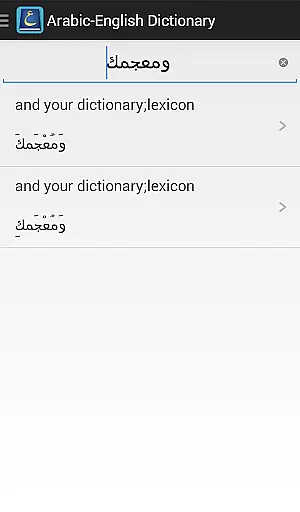
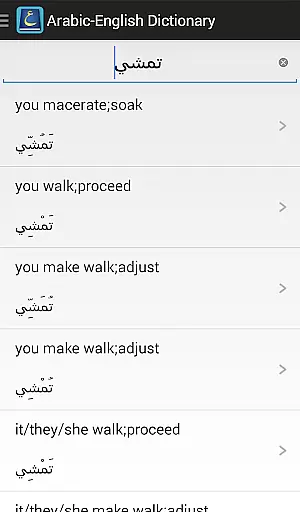
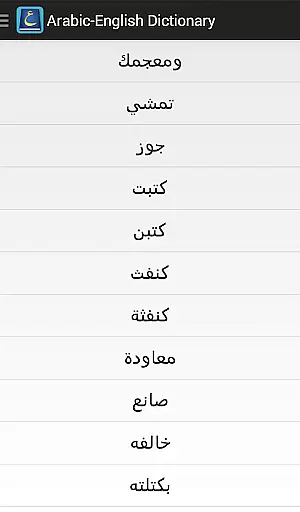
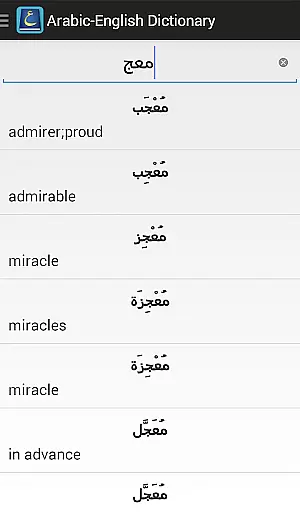
The Aratools Arabic-English Dictionary is a comprehensive bilingual dictionary designed for both Arabic language learners and media consumers. It provides English translations of Modern Standard Arabic words, handling extensive Arabic morphology with over 80,000 stems included in its database.
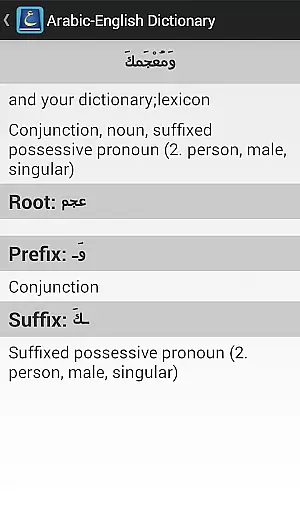
One standout feature is its ability to display prefix and suffix morphology, along with part-of-speech (POS) and root information. This makes it an invaluable tool for understanding complex Arabic vocabulary structures. Whether you're studying Arabic or engaging with Arabic media sources, this app offers a rich and user-friendly experience.
The Aratools Arabic-English Dictionary stands out with its advanced morphological capabilities. The app supports prefix and suffix analysis, making it easier to break down and understand the structure of Arabic words. Additionally, each entry includes detailed POS and root information, which is crucial for mastering the language.
With over 80,000 stems, the dictionary boasts a vast vocabulary that caters to various levels of language proficiency. Its media-friendly design ensures smooth integration with digital resources, enhancing the learning experience. However, users should note that the app requires a separate Arabic keyboard configuration, which might involve additional setup steps.
When evaluating an Arabic-English dictionary app, the size and authenticity of its content library are crucial factors. The Aratools Arabic-English Dictionary boasts an impressive collection of over 80,000 stems, providing users with a comprehensive resource for Modern Standard Arabic translations.
This extensive vocabulary database covers a wide range of Arabic morphology, including detailed prefix and suffix information. Each entry is carefully curated to ensure accuracy and legitimacy, making it a reliable tool for both casual users and serious language learners.
The dictionary's rich content is further enhanced by its inclusion of part-of-speech (POS) and root information for each entry. This level of detail demonstrates the app's commitment to providing authoritative language resources while maintaining proper copyright practices.
For a bilingual dictionary app, format compatibility plays a vital role in user experience. The Aratools Arabic-English Dictionary requires a separate Arabic keyboard input, which indicates its support for proper Arabic character encoding and text input standards.
While the app doesn't explicitly mention support for various e-book formats, its focus on Modern Standard Arabic media compatibility ensures that users can work with standard Arabic text formats effectively. The requirement for a dedicated Arabic keyboard actually enhances its compatibility with various Arabic text sources.
It's worth noting that the app maintains compatibility with Google Play's standard installation protocols and Android system requirements. This ensures smooth integration with most modern Android devices while maintaining consistent performance across different hardware configurations.
Comprehensive word database
User-friendly interface
Advanced morphological tools
Ideal for language learners
Rich vocabulary content
Requires separate keyboard
Limited offline functionality
No voice pronunciation
Interface can feel outdated
Occasional translation errors

Contains the 365 daily readings and everything other thing needed for catholics
 4.70
4.70
“I am the Lorax. I speak for the trees.”
4.80
7 Languages, Google, Wiki, Vocabulary.com, Cambridge & Urban Dictionary!
4.50
Read the romance stories on the go. Take my breath away, The Spoiled Girl
4.30
Battle Royale Chapter 5 Season 2 HD Wallpapers Emotes Skins and BattlePass
3.00
Werewolf novels & romance stories in audiobooks for book lovers! Werewolf storie
4.60
Learn Thai with 195,000+ entries, crisp Thai sounds, big text; works offline.
4.80
Research your family history to explore ancestors and search for your heritage
4.50
Fast loot guide for ARC Raiders. Simple tips, stats, maps, and item details.
4.4
Offline dictionary for learning Cantonese as a second language
4.90
Daily rosary and gospel reflections for catholic
4.90
My Bible offers a comprehensive app by providing offline access, daily verses.
4.80
Powerful Bible study tools linked to every verse in an easy-to-use Bible reader!
4.60
F9 Cookbook Mobile App
4.60
Read the Quran in Arabic alongside its translation, with color coded Tajweed.
4.50
Mirror Bible - eye-opening paraphrase translation of the NT by Francois du Toit
4.30
“There was one last piece of cake. My little sister said ‘Me too!’”
4.00
CleverBook Pro makes the popular guide for the game even better!
4.00
Enjoy your favorite books
3.50


User Reviews