
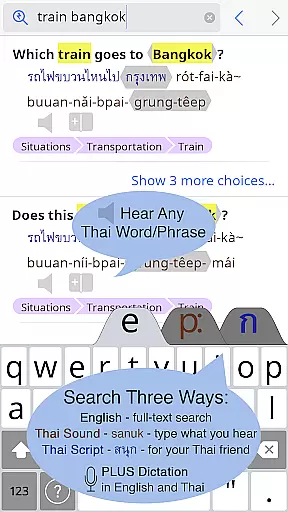
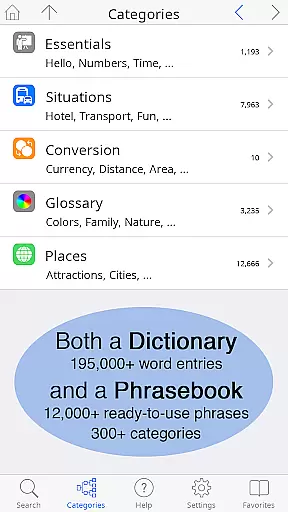
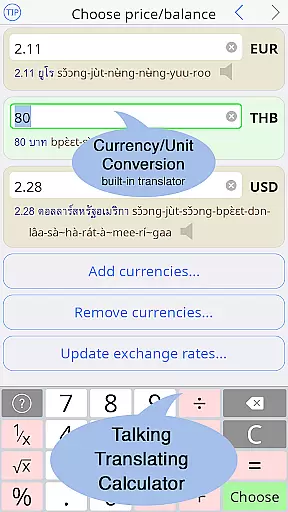
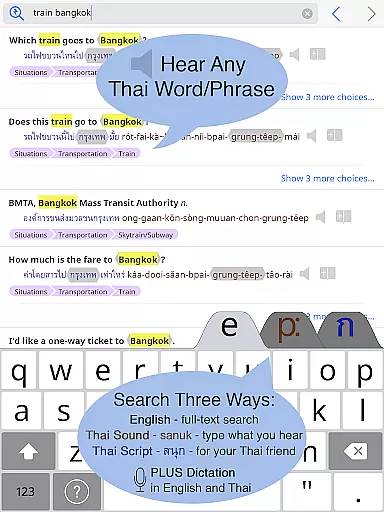
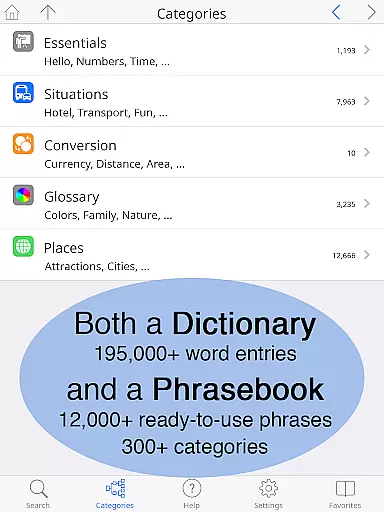
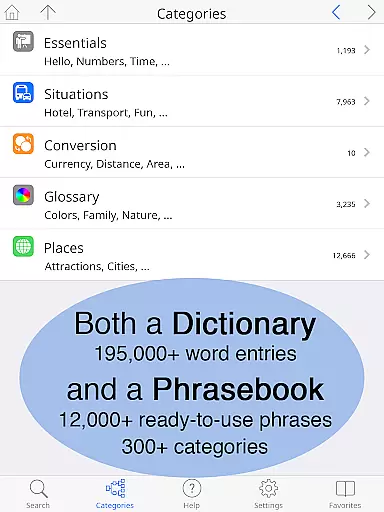
Thai <> English Dictionary is an essential tool for anyone traveling to Thailand, working with Thai speakers, or studying the language. With over 195,000 entries and 250,000 translations, it offers comprehensive coverage of Thai and English vocabulary. The app features a built-in phrasebook with 300+ categories and 12,000+ ready-to-use phrases, all fully searchable. Clear native sound recordings are available for every Thai word, even offline, making it perfect for use in areas without internet connectivity.
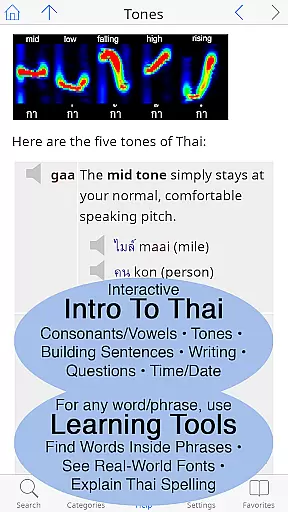
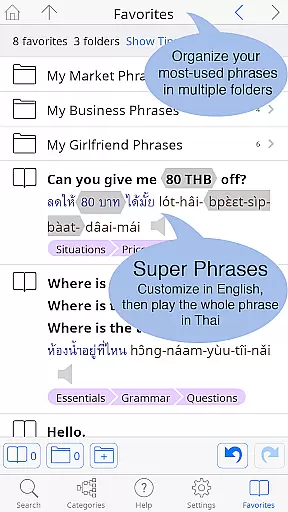
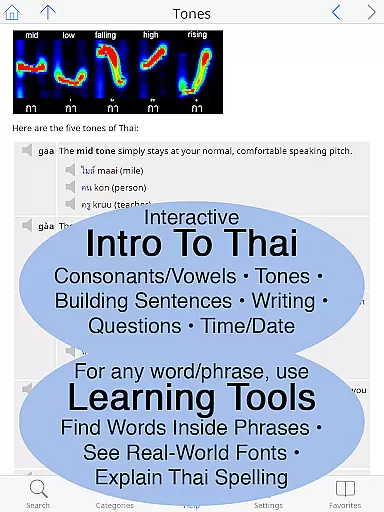
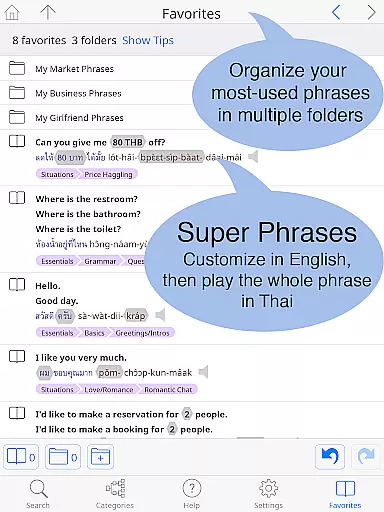
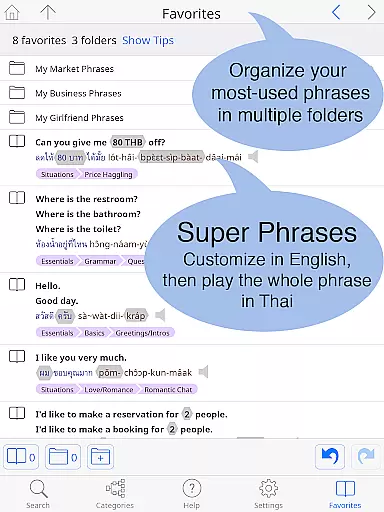
The dictionary is specifically crafted for English speakers learning Thai. It includes pronunciation guides in 12 different systems alongside Thai script, allowing users to look up words by sound. A customizable Favorites screen helps organize important words and phrases into multiple folders. Additional resources include a guide to speaking and writing Thai, detailed grammar coverage, and unique learning tools that break down Thai words into their component parts. Whether you're a beginner or advanced learner, this app provides invaluable support for mastering the Thai language.
This dictionary app stands out with its extensive content and innovative features designed for effective language learning. It contains over 195,000 entries with more than 250,000 translations, providing rich vocabulary resources. The built-in phrasebook covers everyday situations across 300+ categories, featuring 12,000+ practical phrases presented in a two-way conversational format. Each Thai entry includes high-quality native speaker recordings, accessible even without an internet connection, ensuring accurate pronunciation guidance.
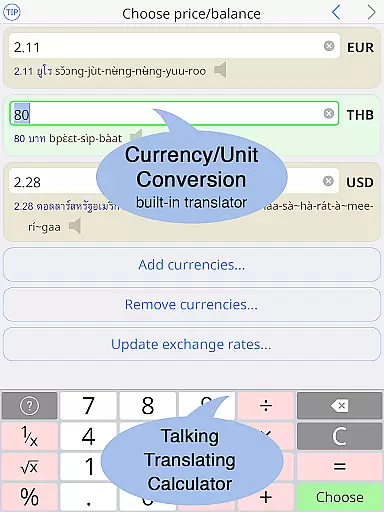
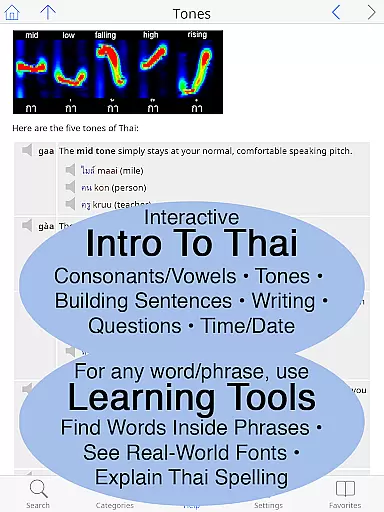
Unique learning tools enhance the user experience significantly. Users can explore the composition of Thai words, view them in multiple real-world fonts, and access detailed breakdowns of pronunciation and spelling. The app supports 12 popular pronunciation guide systems, catering to different learning preferences. Its customizable interface allows adjusting text size and choosing between standard or big-key Thai keyboards. These features collectively create an optimal environment for both casual learners and serious students of the Thai language.
When it comes to digital dictionaries, the size of the e-book library and the authenticity of copyrights are crucial factors. The Thai <> English Dictionary boasts an impressive collection of 195,000+ entries, with over 250,000 translations, ensuring comprehensive coverage for users. This extensive library includes not only word-to-word translations but also a built-in phrasebook with 300+ categories and 12,000+ ready-to-use customizable phrases.
The app guarantees copyright authenticity by providing high-quality sound recordings for every Thai word, even available offline. These recordings are studio-quality, made by native speakers, ensuring accurate pronunciation guidance without any risk of copyright infringement. Users can trust that all content is legally obtained and reliable, making this dictionary a credible tool for language learning.
Moreover, the app's commitment to copyright compliance extends to its written content. Unlike other dictionaries that may rely on low-quality internet data, this app's entries are meticulously crafted by Paiboon Publishing. With considerations for learners' needs, the dictionary supports 12 different pronunciation guide systems, enhancing accessibility for those unfamiliar with the Thai alphabet.
For a dictionary app, format compatibility plays a significant role in user experience. The Thai <> English Dictionary excels in this area by offering multiple ways to access and interact with its content. Users can choose between standard or big-key Thai keyboards, adjust text sizes for both Thai and English scripts, and customize the layout according to their preferences.
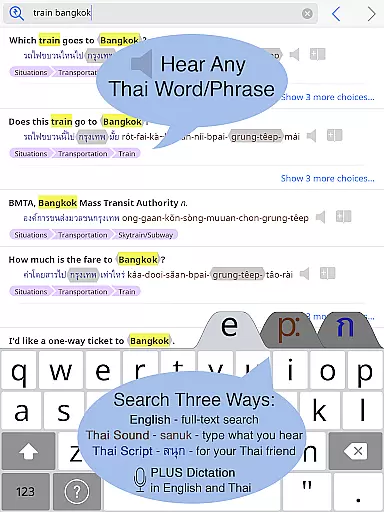
This flexibility ensures that whether you're using a smartphone or tablet, the app adapts seamlessly to your device. It supports full-text search capabilities across its vast library, allowing users to find what they need quickly and efficiently. Additionally, the inclusion of both Thai script and pronunciation guides caters to various learning styles and proficiency levels.
Another aspect of format compatibility is the app's ability to function offline. All entries and sounds are stored directly on the user's Android device, eliminating the need for an internet connection. This feature is particularly beneficial for travelers or those in areas with limited connectivity, as it avoids potential data charges while maintaining full functionality.
Comprehensive Thai-English dictionary
High-quality native audio recordings
Offline functionality
Customizable user interface
Innovative learning tools
Premium price point
Large app size
Complex for beginners
Limited visual design
No social sharing options

Essential Technical Rescue Field Operations Guide 6, the Industry Standard Guide
 4.20
4.20
The Original & Authentic Crystals, Gemstones, Rocks & Minerals Encyclopedia.
4.60
All in one Calibre libraries on your phones and tablets.
3.80
Unlock unlimited access to bestselling ebooks, novels, stories, and audiobooks
4.60
What’s that bird? Just answer 5 questions, snap a photo, or record its song!
4.90
Read books PDF, EPUB, WORD, KINDLE, MOBI! Your ebook reader among reading apps.
4.80
Daily Devotional Widgets & Hourly Verses. Listen to Bible & Watch Holy Stories
4.70
Daily thoughts, meditations, and prayers for living a sober life in recovery.
4.90
Calculate, Knowledge, Homework
4.40
Holy Bible, a KJIV Bible study, audios & daily verses, talk with God now.
4.80
A lightweight reader for comics and mangas files (.cbr, .cbz, .cbt, .pdf, ...)
4.80
Read the KJV Bible with Strong’s offline: reading plans, audio Bibles, and more.
4.70
"Do you like green eggs and ham?"
4.70
Watch real short episodes in just minutes— addictive, you won't be able to stop!
4.70
Scan. Price. Grade.
4.60
“There was one last piece of cake. My little sister said ‘Me too!’”
4.00
Read Trending Romance Stories
4.00
A story reading app: Read stories, novels and books, or write your own.
3.90
Guide for dōTERRA® Products
3.60


User Reviews