
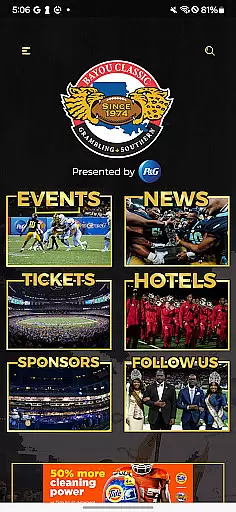
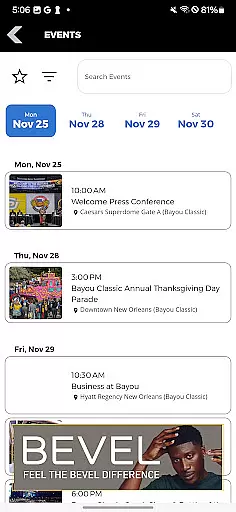
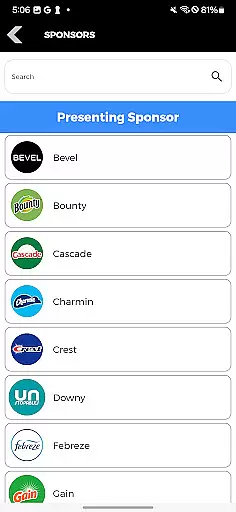
Bayou Classic is the ultimate companion app for attendees of the premier HBCU Classic event. This essential mobile application provides users with comprehensive access to event schedules, transportation options, and real-time news updates from participating teams. Whether you're a student, alumni, or sports enthusiast, this app ensures you stay connected to every aspect of the Bayou Classic.
The app's intuitive interface allows seamless navigation through various events while offering interactive features such as MVP voting and Greek Show selections. With its focus on enhancing user engagement and convenience, Bayou Classic transforms how fans experience this iconic annual gathering. From planning your day to keeping up with your favorite teams, this app has everything you need in one place.
Bayou Classic offers an impressive array of features designed to maximize user engagement during the HBCU Classic. The app's event browser provides detailed schedules and descriptions for each activity, making it easy to plan your day. Users can access transportation information, ensuring smooth travel to and from the event venue. Real-time news updates keep fans informed about their favorite teams' performances throughout the classic.
One standout feature is the interactive voting system, which allows users to cast votes for their preferred MVP candidates and Greek Show participants. This functionality not only enhances fan participation but also creates a more immersive event experience. Additionally, the app's push notification system delivers timely alerts about schedule changes, special announcements, and important reminders, keeping users always in the know.
Task creation and detail customization are essential features for any event management app. The Bayou Classic app excels in this area by providing users with the ability to create detailed tasks related to the events they plan to attend.
The app allows users to browse through a comprehensive list of events, each with its own set of customizable details. Users can select their preferred events, add them to their personal schedules, and even receive notifications about upcoming activities.
Moreover, the level of customization extends to setting reminders for different events, choosing which teams to follow, and selecting specific categories of news to receive. This ensures that users get the most relevant information tailored to their interests.
By offering such a granular level of control over event details, the Bayou Classic app enhances user engagement and satisfaction, making sure that fans never miss a moment of the action they care about.
Reminder settings play a crucial role in ensuring that users stay informed and engaged with the events they are interested in. The Bayou Classic app offers robust reminder functionalities that keep fans updated on all the happenings at the classic.
Users can set multiple types of reminders, including alerts for game start times, MVP voting deadlines, and Greek Show performances. These reminders can be customized according to the user's preferences, ensuring timely notifications without being intrusive.
In addition to basic reminders, the app also provides options for users to receive updates on their favorite teams' latest news and scores. This feature keeps fans in the loop and heightens the excitement as events unfold.
With these sophisticated reminder settings, the Bayou Classic app not only keeps users well-informed but also significantly enhances their overall event experience by allowing them to fully immerse themselves in the festivities.
User-friendly interface
Comprehensive event coverage
Real-time updates
Interactive voting
Push notifications
Limited to annual event
Occasional bugs
Single platform focus
Basic UI design
Ads present

PheedLoop Go! is the mobile event app for events powered by PheedLoop.
 4.40
4.40
Mobile Event Guide for Greater NY Dental Meeting
4.4
Buy event tickets easily with our user-friendly App. Stay updated on hot events
4.3
Find tickets to upcoming concerts, sports events, festivals, shows, attractions
4.70
Create Wedding Invitation and Wedding Anniversary Cards using our app
4.60
Get live football here
4.30
The official app of the Carmel Christkindlmarkt!
4.4
Birthday Greetings provides Birthday Card, Frames, Gifs & Father's day Wishes
4.80
Design Invitations & Cards for Any Occasion
4.80
The KRUU app - plan, celebrate, remember
4.80
Save money on concert, sport, and theater tickets, and discover upcoming events.
4.80
The Ultimate Tournament Hub
4.70
Buy and Sell Tickets for Concerts, Sports, and Theater.
4.70
Here you can choose tickets for films, performances, concerts and other events
4.60
Events, Meetings, Photo Shoots
4.50
Connect with an ecosystem of 5M+ eventgoers and organizers.
4.50
The world's largest selection of tickets is now at your fingertips
3.90
Purchase line-skip passes, drinks, cover, and more at bars and clubs
3.50
An App for Bhutanese
4.0


User Reviews