
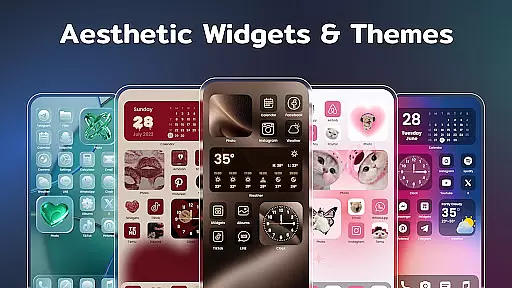
Color Widgets, Theme is a comprehensive lifestyle app designed to enhance your Android device's home screen with customizable widgets and themes. This app offers a wide range of aesthetic themes and practical widgets including clocks, photos, X-panel, calendar, weather, battery level, Bluetooth status, and event timers. With multiple sizes and styles available, users can tailor their screens to fit personal preferences and needs.
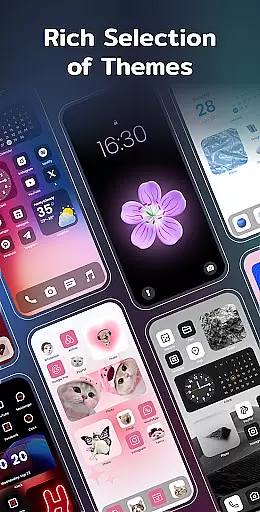
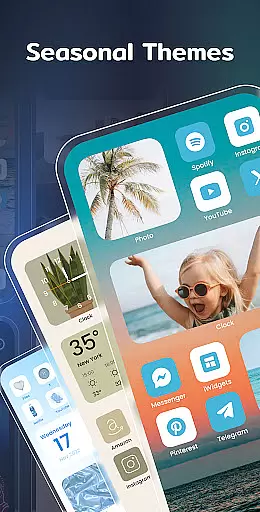
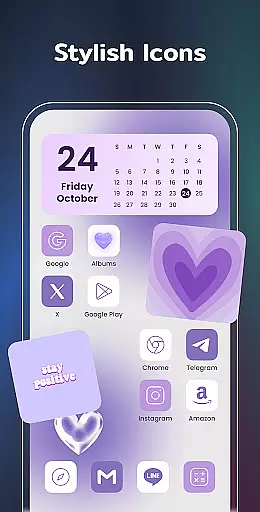
The app stands out with its one-click widget addition, custom icon redesign, and preset themes in various styles such as anime, neon, and vintage. Users can also set up event timers for important dates, enjoy local weather updates, and display cherished photos on their home screens. The diverse widget options allow for a personalized and unique phone interface that reflects individual style while keeping life organized.
Whether you want to make your screen exclusive with stylish themes or need practical tools like the X-panel for shortcuts and status checks, Color Widgets, Theme delivers both form and function. Its intuitive design and customization capabilities ensure that your device not only looks good but also serves as an efficient tool for daily tasks.
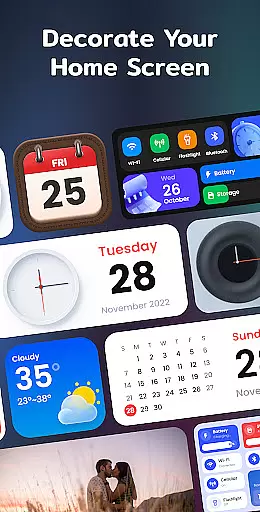
Color Widgets, Theme boasts an impressive array of features designed to give users complete control over their device's appearance and functionality. One of the key highlights is the X-Panel widget which consolidates essential phone information such as date, time, network connection, Bluetooth status, and battery level into a single accessible location. This feature allows quick toggling of settings like flashlight and Wi-Fi.
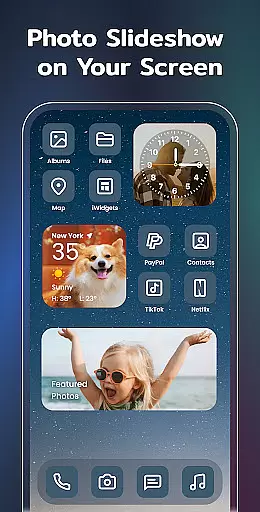
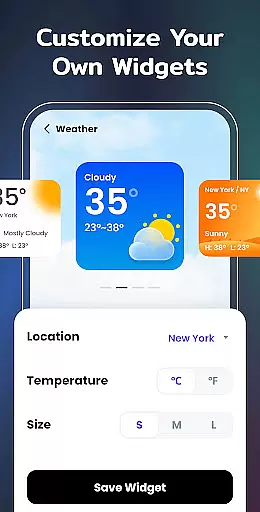
In addition to the X-Panel, the app provides specialized widgets like Photo, Clock, Weather, Calendar, and Event Timer. The Photo Widget decorates your screen with cherished memories through slideshows, while the Clock Widget offers analog and digital styles. The Weather Widget keeps you updated with real-time conditions, and the Calendar Widget lets you view dates creatively. Custom Icons further personalize your experience by redesigning app icons.
Practicality meets aesthetics with upcoming widget types like To-do lists and Notes, aimed at improving productivity. Required permissions are clearly outlined, ensuring transparency regarding storage, location, and notification access. These robust features collectively enable users to craft a personalized, efficient, and visually appealing home screen setup effortlessly.
Color Widgets, Theme offers an extensive range of widgets and themes that cater to various lifestyle needs, ensuring users can find the perfect match for their daily activities. The app provides a plethora of options including clock, photo, X-panel, calendar, weather, battery level, Bluetooth status, and event timer widgets, all designed to enhance the user's interaction with their device on a personal level.
With its diverse widget styles and sizes, the app meets different user preferences and requirements, making it a comprehensive tool for personalizing the home screen. Whether it's keeping track of important events with the Event Timer or decorating the screen with cherished photos using the Photo Widget, Color Widgets, Theme ensures that every aspect of a user's lifestyle is covered.
The inclusion of practical widgets such as Weather and Calendar further extends the app's utility in everyday life, providing users with instant access to crucial information like local weather conditions and date tracking. This wide array of features not only adds aesthetic value but also functional convenience to the user's device, reflecting a deep understanding of varied lifestyle demands.
Authenticity and credibility are at the core of Color Widgets, Theme, which prides itself on offering genuine content that users can trust. Each widget and theme is crafted with attention to detail, ensuring that they not only look good but also provide accurate and reliable information. For instance, the Weather Widget displays real-time temperature and weather conditions, giving users peace of mind about the authenticity of the data presented.
The app's commitment to credible content is evident in its carefully designed themes and widgets, which are created to offer both style and substance. Preset themes in different styles such as anime, neon, and aesthetic are matched with widget styles, allowing for a cohesive and personalized home screen experience that resonates with the user's individual taste.
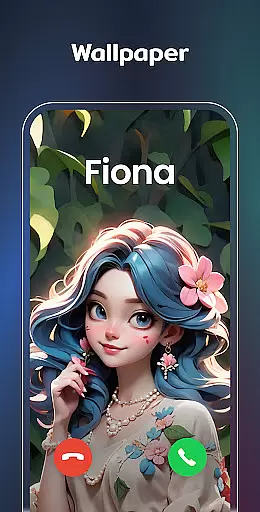
Furthermore, the ability to customize app icons and wallpapers demonstrates the app's dedication to empowering users with tools for self-expression while maintaining high standards of quality and reliability. By prioritizing content authenticity and expert design, Color Widgets, Theme establishes itself as a trustworthy companion in the Lifestyle category, enhancing user engagement through dependable and stylish personalization options.
User-friendly interface
Wide variety of themes
Customizable widgets
Efficient event timers
Comprehensive weather updates
Requires multiple permissions
Some features may feel redundant
Premium themes cost extra
Occasional performance lags
Limited iOS compatibility

Pay your rent, submit work orders and much more with the RentCafe Resident App.
 4.70
4.70
This app is intended to support professional EMDR therapy.
4.50
Customize your Wear OS watch with festive Christmas figures and colors!
4.4
Discounts, savings, and rewards
4.20
Connect to your Shark ROBOT™ from anywhere using the SharkClean™ App.
3.60
Smart home security protection
3.20
Zodiac & Horoscope Launcher: Daily Sign Predictions & Astrology
4.40
Colorful selection floral watch face with gyro for Wear OS
4.60
Colorful minimal digital watch face for Wear OS
4.60
Discover the "To Be a Christian" App: Your Guide to Deepening Faith!
5.00
The Work of Byron Katie— the mobile app for inner peace.
4.40
Do you want to communicate with spirits?
3.80
Unique BIG BOLD TIME with amazing colors and customisations.
3.70
Communicate with your vehicles and Powerwalls anytime, anywhere
3.60
Going above and beyond known spirit communication
3.60
Creativity and savings for kids, beginners and experts in arts and crafts
3.50
Unique Dark Analog style for Wear OS watches.
4.2
Bring the warm colors of fall directly to your wrist with Autumn Leaves!
4.0
The cutest Autumn watchface featuring the adorable Mr. Squirrel
4.4


User Reviews