
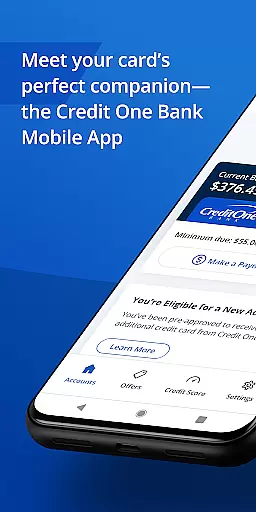
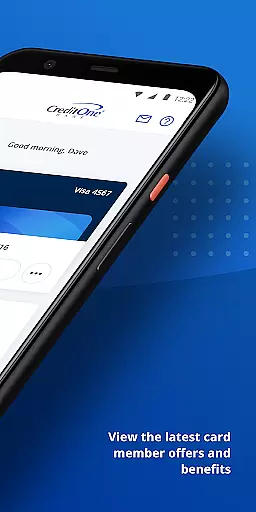
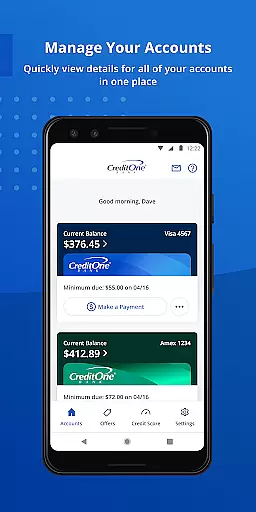
Credit One Bank Mobile is a comprehensive financial management tool designed specifically for Credit One Bank customers. This app allows users to manage their accounts, activate new cards, and view statements with ease. With advanced security features like fingerprint login and card locking capabilities, users can ensure their accounts remain protected at all times.
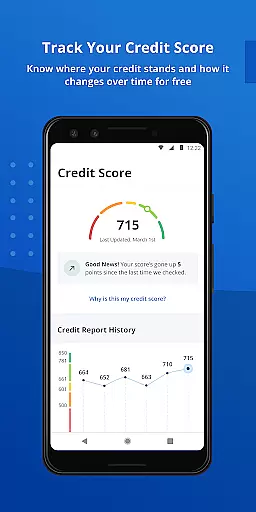
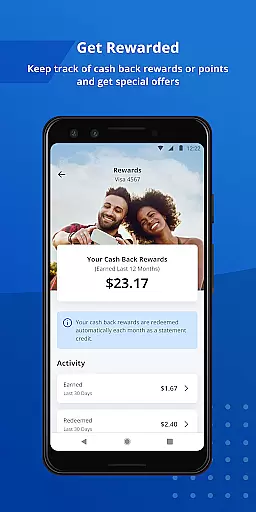
Beyond basic account management, the app offers reward tracking, allowing users to monitor cash back or points earned through their spending. The payment scheduling feature provides flexibility, while AutoPay ensures timely payments without manual intervention. Additionally, users can track their credit score and access detailed credit reports, empowering them to make informed financial decisions.
Whether you're at home or on the go, Credit One Bank Mobile provides quick access to essential banking functions through its Quick View feature, which lets you check balances or make payments without signing in. This makes it an ideal solution for managing your finances anytime, anywhere.
Credit One Bank Mobile stands out with its robust set of features tailored for modern banking needs. The app's security measures are particularly noteworthy, offering fingerprint authentication and customizable fraud alerts that keep users informed about suspicious activities. These features not only enhance account protection but also provide peace of mind for security-conscious individuals.
For those focused on maximizing rewards, the app provides real-time updates on cash back earnings and eligibility for credit line increases. Users can accept these offers directly within the app, streamlining the process of enhancing their financial standing. The integration with Google Pay further extends convenience by enabling seamless in-store and online transactions.
Another key aspect is the app's credit monitoring tools. By providing free monthly credit scores and reports, it helps users understand factors influencing their creditworthiness. This educational component, combined with practical features like AutoPay and Quick View, creates a well-rounded banking experience that caters to both everyday needs and long-term financial health.
Account and fund security is a critical aspect of any financial application, ensuring that users' sensitive information is protected from unauthorized access. Credit One Bank Mobile offers multiple layers of security to safeguard your accounts.
The app allows you to sign in quickly and securely using fingerprint authentication, providing an additional layer of biometric security. This feature ensures that only you can access your account, even if your device is lost or stolen.
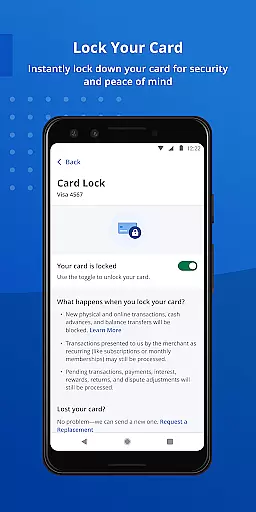
Moreover, the ability to lock and unlock your card directly from the app adds another dimension of control and security. You can instantly disable your card if it's misplaced and re-enable it once it's found, all without contacting customer service.
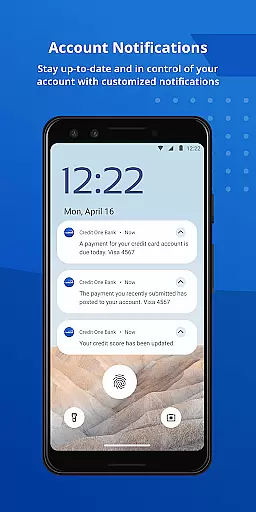
Customized fraud alerts and transaction notifications keep you informed about any suspicious activity on your account. These proactive measures empower you to act swiftly in case of any unauthorized transactions, thus enhancing your overall account protection.
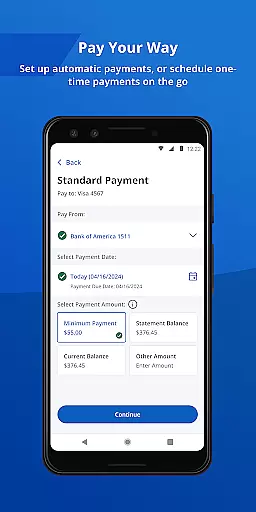
A seamless transaction experience is essential for any banking app, and Credit One Bank Mobile excels in providing users with convenient and efficient ways to manage their finances. The app simplifies the process of scheduling payments, making it quick and hassle-free.
With the AutoPay feature, users can automate their monthly payments, eliminating the need to manually initiate each payment. This functionality not only saves time but also helps avoid late payments, maintaining a good credit standing.
Integration with Google Pay allows for easy and secure payments both online and in-store. By adding your card to Google Pay through the app, you can enjoy the convenience of digital wallets while shopping, streamlining the checkout process.
Additionally, features like Quick View enable users to check their balance or make a payment without needing to sign in, offering unparalleled ease of use. Such innovations enhance the overall transaction experience, making routine financial tasks more accessible and less time-consuming.
User-friendly interface
Advanced security options
Comprehensive credit monitoring
Seamless payment scheduling
Reward tracking system
Limited to Credit One customers
Occasional performance issues
No investment management tools
Basic budgeting features
Customer support response time

Expenses, Bills, Budget and Accounts - All seamlessly integrated in one app!
 3.80
3.80
Companies owe you money.
4.80
Secure Amex Account Access: View Balance, Make Payments, Redeem Rewards & more
3.60
Debt pay off. Build credit history. AI budget tool. Loan offers.
4.60
Managing your money just got easier. Get the new Mobile app.
4.70
Earn cash back. Build credit.
4.60
Mine Bitcoin in the cloud! Earn BTC daily with high-speed mining power.
4.30
Registration of your debts and Mdionatk and assembled, as well as a significant reports
4.30
The US Debt Clock .org App gives you a Real-Time glimpse of US Financial Stats
4.60
Wells Fargo Mobile allows you to access your investment and bank accounts.
4.80
No credit check, no interest, no worries.
4.70
Powerful Money Manager, Expense & Savings Tracker, Budget Planner - Pro Version
4.70
Cash Advance, Credit Cards, Credit Lines, Score Monitoring, Saving, Budgeting
4.70
Need help before payday? Get cash advances with no interest or credit checks.
4.60
Manage your prepaid cards and add to Google or Samsung Wallet.
4.60
Banking, Budgeting & Investing
4.60 4.50
4.50
All your crypto & stocks in one secure and trusted app.
4.40
Your insurance, anytime, anywhere
4.00


User Reviews