
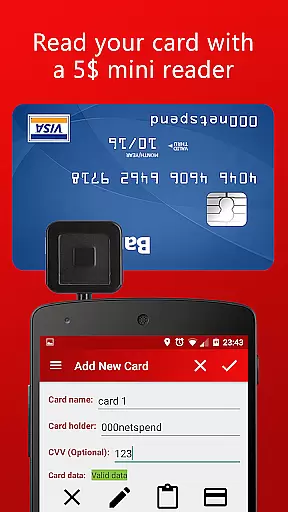
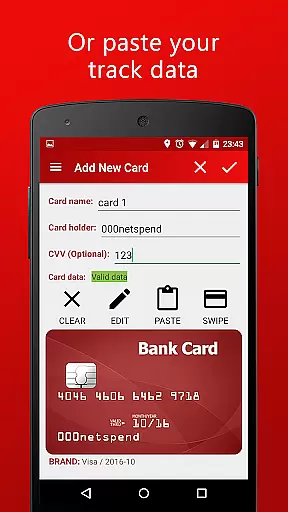
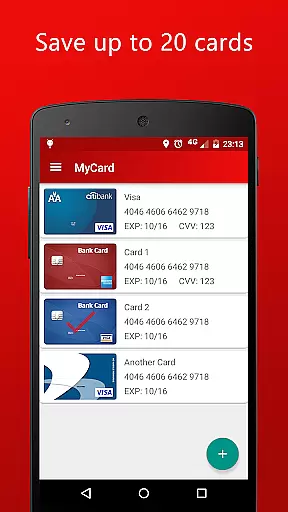
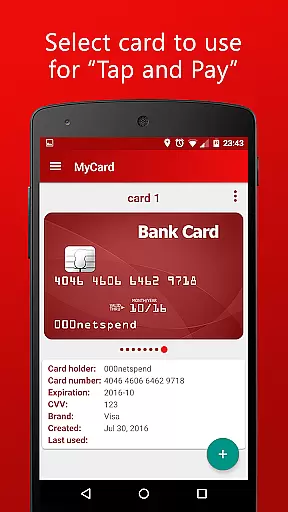
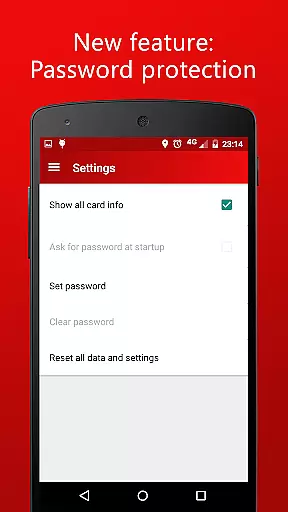
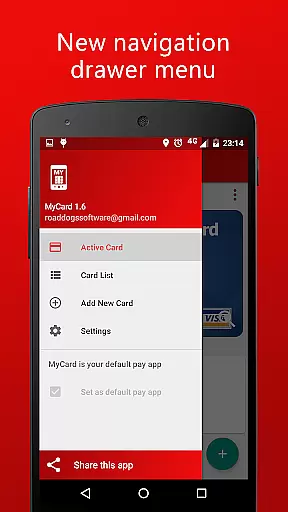
MyCard is a mobile payment application that allows users to save card track data and make contactless payments using their NFC-enabled Android devices. The app supports up to 20 stored cards, giving users the flexibility to choose which card to use for each transaction. To add cards, users can either employ a mini magnetic stripe reader or manually input the track data. MyCard operates completely offline, ensuring user data remains private and is not shared with other apps. This makes it an ideal solution for those seeking a secure and convenient way to manage their payment methods without requiring internet access.
The app's core functionality lies in its ability to facilitate quick and secure transactions through NFC technology. Users need an Android device running version 4.4 or higher, and the device must remain unlocked during transactions. Additionally, a USB or audio jack card reader, available on platforms like Ebay or Amazon for $5-15, is required to capture the necessary magnetic stripe data from cards. This setup provides a cost-effective alternative to traditional payment methods while maintaining a high level of security and ease of use.
MyCard offers several notable features that enhance the mobile payment experience. First, the app allows users to store up to 20 different cards, providing unparalleled convenience for individuals who manage multiple payment methods. Each card can be easily selected during transactions, streamlining the payment process. The app utilizes NFC technology to enable contactless payments, ensuring fast and secure transactions at compatible card readers. This feature is particularly beneficial in today's fast-paced retail environments where speed and security are paramount.
Another significant advantage of MyCard is its offline functionality. Unlike many other payment solutions, this app does not require internet access to operate, thereby protecting user data from potential online threats. Furthermore, the app maintains strict privacy standards by not sharing information with other applications. Users can add their cards either through a mini magnetic stripe reader connected to their phone or by manually entering the track data. This dual approach to card addition offers flexibility and accommodates various user preferences. Overall, these features combine to create a robust and user-friendly mobile payment solution.
Account and fund security is paramount in any financial application, ensuring that users' sensitive information remains protected. MyCard employs advanced encryption techniques to safeguard your card track data, making certain that all stored information is secure from unauthorized access.
The app operates without internet access, which significantly reduces the risk of online breaches and data interception. This offline functionality ensures that your financial details are not shared with other apps or transmitted over potentially insecure networks, providing an additional layer of privacy and protection.
Furthermore, MyCard requires the device to be unlocked when using mobile payment features. This security measure prevents unauthorized transactions by ensuring that only the device owner can initiate payments, thereby maintaining the integrity and confidentiality of your financial activities.
A seamless transaction experience is crucial for user satisfaction in mobile payment applications. MyCard offers a contactless payment solution that allows users to pay in shops equipped with NFC card readers simply by using their mobile phones, streamlining the checkout process and enhancing convenience.
The app supports storing up to 20 cards, giving users the flexibility to choose which card to use for each transaction. This feature not only simplifies personal finance management but also provides a versatile payment option tailored to individual preferences and needs.
Additionally, real-time feedback during transactions assures users of successful payments, while the requirement of device unlocking adds a layer of security without compromising on speed or ease of use. These combined elements create a reliable and efficient transaction experience that meets modern consumer expectations.
User-friendly interface
Offline functionality
Secure transactions
Multiple card storage
Cost-effective solution
Requires external reader
Limited to Android
No iOS support
Device must be unlocked
Manual data entry needed

Currency Converter supports all currencies of the world.
 5.00
5.00
Secure Amex Account Access: View Balance, Make Payments, Redeem Rewards & more
3.60
Manage your prepaid cards and add to Google or Samsung Wallet.
4.60
Put crypto to work & earn rewards. Stake crypto like Ethereum, Solana & Cardano
4.40
The Citi Mobile® App lets you manage your accounts virtually anytime, anywhere
4.80
All expenses at a glance.
4.80
Make your paycheck work harder for you with Perpay.
4.10
Wells Fargo Mobile allows you to access your investment and bank accounts.
4.80
Navigate your unique financial path confidently with help from Credit Karma.
4.70
BA Financial Calculator PRO – Perfect for CFA/FRM/CPA and finance professionals
4.90
PayMe helps you claim money from settlements on companies that harmed you.
4.80
Money transfer made easy. Send money to friends and family with great rates.
4.70
Money App - Earn Cash back, Fast Cash Advance, Personal Loan Offers, Banking
4.70
Cash Advance, Credit Cards, Credit Lines, Score Monitoring, Saving, Budgeting
4.70
Make Real Cash by Playing Games! Fetch Playful Rewards, Win & Triumph
4.50
Change the way you money with Credit Genie
4.30
Venmo is the fun and easy way to pay and get paid.
4.10
Expenses, Bills, Budget and Accounts - All seamlessly integrated in one app!
3.80
Retirement plan, IRA, retail and HSA customers serviced by Empower.
3.10


User Reviews