
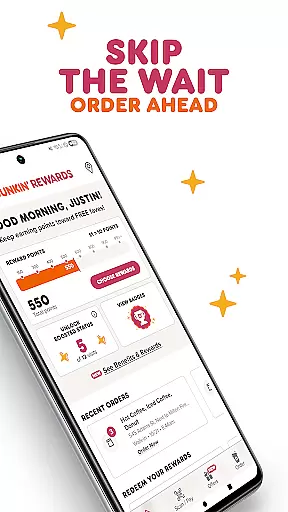
Dunkin' is a leading mobile application in the Food & Drink category, designed to enhance your coffee and food ordering experience. The app allows users to order ahead and skip the wait through fast, easy, and contactless ordering options. Whether you're picking up your order in-store, at the drive-thru, or via curbside pickup, Dunkin' offers multiple ways to get your favorite items quickly.
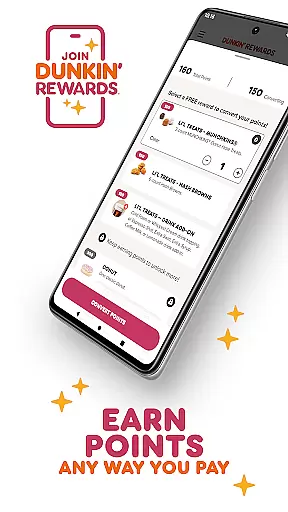
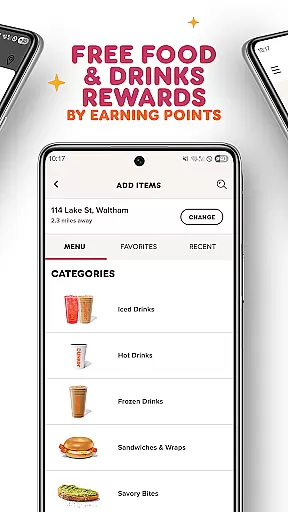
One of the standout features of Dunkin' is its rewards program, Dunkin' Rewards, which lets users earn points on every purchase. These points can be redeemed for free food and drinks, exclusive member-only offers, and even Boosted Status for faster point accumulation. Additionally, the app supports various payment methods including cash, credit/debit cards, Dunkin' Cards, and Google Pay, making transactions seamless and convenient.
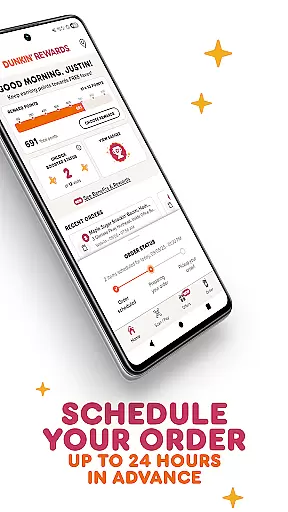
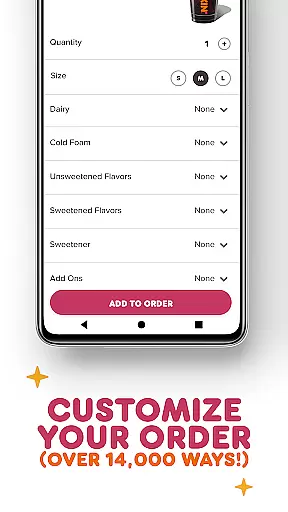
The app also provides extensive customization options, allowing users to tailor their orders in over 14,000 different ways. This flexibility ensures that every user can enjoy their preferred combination of flavors and ingredients. With the ability to save favorite orders and locations, as well as schedule orders up to 24 hours in advance, Dunkin' makes it easier than ever to enjoy your favorite beverages and snacks exactly how you like them.
Dunkin' boasts an array of features that cater to both convenience and personalization. One of the key highlights is the ability to order ahead, which saves time by letting users place their orders through the app and pick them up without waiting in line. This feature supports multiple pickup options such as walk-in, drive-thru, and curbside, depending on the store's availability.
The Dunkin' Rewards program is another significant feature, offering users the chance to earn points with every purchase. These points translate into tangible benefits like free food and drinks, exclusive offers, and enhanced status levels that accelerate point earning. Members can pay using any method they prefer, ensuring flexibility and ease of transaction. Furthermore, the auto-reload function for Dunkin' Cards ensures that users never run out of funds unexpectedly.
Customization is where Dunkin' truly shines. Users can personalize their orders in more than 14,000 ways, catering to individual tastes and preferences. The app allows members to save their favorite orders and preferred Dunkin' locations, streamlining future purchases. Additionally, scheduling orders up to 24 hours in advance adds another layer of convenience, making sure your coffee or snack is ready exactly when you need it.
Locating your nearest Dunkin' has never been easier with the Dunkin' app's store locator feature. This functionality is crucial for customers who want to find a physical location quickly and efficiently. The app provides accurate location data, including address details and operating hours, ensuring users can plan their visits accordingly.
The Dunkin' app goes beyond just showing nearby stores. It offers additional information such as whether the location supports drive-thru or curbside pickup, which enhances the customer experience by providing options that suit individual preferences. Users can also filter results based on specific services like delivery availability, making it simpler to choose the most convenient option.
By integrating real-time updates, the Dunkin' app ensures that all store information remains current. This means if there are any changes in operating hours due to holidays or unforeseen circumstances, users will be promptly informed. Such transparency not only builds trust but also saves time, allowing customers to focus on enjoying their favorite Dunkin' treats without unnecessary delays.
Dunkin' app revolutionizes the way customers receive their orders by offering multiple delivery and pickup options. Understanding the importance of convenience, the app allows users to choose between walk-in pickup, drive-thru, and curbside pickup, ensuring a seamless experience tailored to individual needs. These contactless options have become especially valuable, providing safety and efficiency.
For those preferring delivery, the Dunkin' app partners with various delivery services to bring your favorite items right to your doorstep. By clearly displaying available options within the app, customers can select what works best for them at checkout. This flexibility not only enhances user satisfaction but also encourages repeat usage of the app.
Moreover, the Dunkin' app keeps users informed about the status of their order throughout the entire process. From preparation to ready-for-pickup notifications, customers stay updated every step of the way. This level of communication reassures users, making the overall transaction smoother and more reliable, ultimately leading to increased customer loyalty and engagement.
User-friendly interface
Extensive customization options
Multiple payment methods
Rewards program with real benefits
Convenient order-ahead functionality
Limited to participating stores
Occasional app glitches
Points expiration policy
Drive-thru option not everywhere
Curbside availability varies

Krispy Kreme Mobile Ordering, Loyalty and Hot Light
 3.20
3.20
Delicious cocktail recipes you can make with ingredients you already have.
4.40
Earn rewards, order ahead, and never miss a celebration! At select locations.
4.90
Order ahead. Earn Delicious Rewards.
3.20
Get exclusive food deals, earn rewards, fast reordering & order ahead options.
4.30
Find the perfect restaurant for any occasion on OpenTable.
4.60
Your most rewarding experience is in the Cracker Barrel app.
4.20
Eating fresh just got a whole lot better with the new Subway app.
4.20
Rescue tasty unsold food from local stores for ½ price or less.
4.90
Get 20% Back at thousands of 4+ star restaurants when you pay using inKind
4.90
Restaurant Reservations
4.90
Enjoy all your Legendary favorites at Texas Roadhouse!
4.80
Choose From A Wide Array of Wines, Spirits, Beers & More
4.60
The ultimate app to save recipes from Instagram, TikTok, Facebook & more.
4.60
Everything you want right here
4.50
Get groceries delivered today
4.50
Order your Buffalo Wild Wings favorites for takeout & delivery
4.50
Real ones order on the app, earn points, score deals, and skip the line.
4.40
Fix bad slushies with SlushIQ tools for Ninja Slushi, Iceman, and home mixers.
4.1


User Reviews