
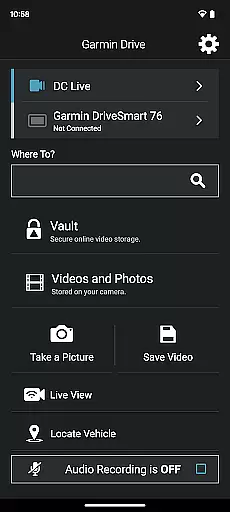
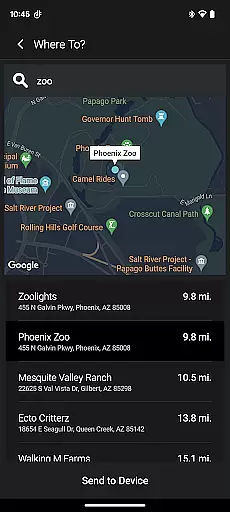
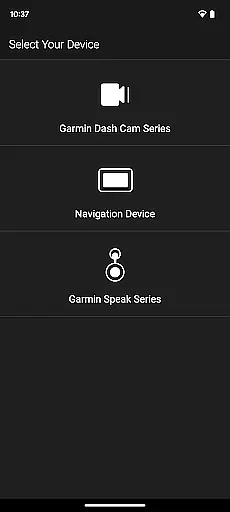
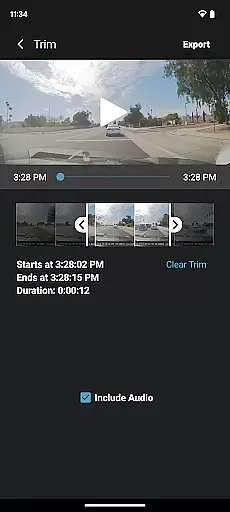
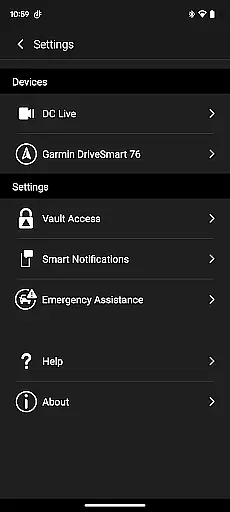
Garmin Drive is a versatile mobile application tailored for Garmin automotive navigators and dash cams. It offers real-time traffic updates, parking information, advanced weather reports, and access to photoLive traffic cameras. The app also facilitates communication by enabling calls, texts, and notifications from Bluetooth-enabled devices. For dash cam users, it provides comprehensive camera controls and the ability to manage up to four wirelessly connected cameras, offering extensive vehicle coverage.
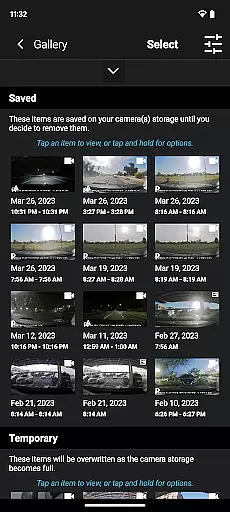
With features like 'picture-in-picture' video review, Garmin Drive ensures easy management and sharing of footage with relevant parties. Additionally, integration with Garmin Speak and Amazon Alexa enhances in-vehicle experiences by providing voice-controlled music, news, and turn-by-turn navigation. This app bridges the gap between convenience and technology, making every journey safer and more informed.
Garmin Drive stands out with its compatibility across various Garmin devices, bringing modern connectivity to automotive navigation. Real-time functionalities such as live traffic updates, parking availability, and advanced weather forecasts ensure drivers are always informed. Integration with Bluetooth allows seamless handling of calls and messages, keeping users connected without distraction.
The app's support for Garmin dash cams includes wireless connectivity for up to four cameras, creating a robust surveillance system around the vehicle. Its 'picture-in-picture' feature enables simultaneous viewing from multiple angles, simplifying video analysis. Furthermore, Garmin Speak with Amazon Alexa integration brings voice-controlled conveniences and entertainment options, enhancing both safety and enjoyment on the road.
The Garmin Drive app provides comprehensive details about your vehicle's surroundings through its advanced integration features. By connecting wirelessly with compatible Garmin automotive navigators and dash cams, the app ensures users receive real-time data on traffic conditions, parking availability, and even live weather updates.
For those utilizing dash cams, the app supports the Dash Cam Auto Sync feature, allowing up to four cameras to be connected simultaneously. This creates a detailed view of the vehicleu2019s environment from multiple angles, ensuring maximum coverage and safety. The synchronized footage can be easily accessed and managed directly through the app interface.
Users benefit from having all essential vehicle information in one place, making it easier to monitor their driving experience and stay informed about potential hazards or necessary actions while on the road.
One of the key advantages of the Garmin Drive app is its ability to offer transparent and accessible pricing for various services related to navigation and vehicle safety. While the app itself is free to download, it provides clear information regarding any additional costs associated with premium features or subscriptions.
For instance, real-time traffic updates and advanced weather reports may require a subscription service, but these are clearly outlined within the app. Users can choose to opt-in for these services based on their needs without encountering hidden fees or unexpected charges.
This transparency allows drivers to make informed decisions about which features they wish to utilize, ensuring they only pay for what enhances their driving experience significantly.
User-friendly interface
Real-time traffic updates
Multi-camera support
Voice control with Alexa
Comprehensive device integration
Limited to Garmin devices
Dependent on Bluetooth connectivity
Advanced features require compatible hardware
Interface may overwhelm new users
Occasional syncing issues reported

Ferrari inspired analog & digital watch face with quick access and premium style
 4.0
4.0
Theme for Car Launcher
4.1
OBDII - ELM327 Terminal tool for 96-00 Volvos
4.50
Play what you want through Android Auto
4.90
The Texaco App allows you to pay for fuel from the comfort of your car!
4.80
Instant diesel savings. No credit checks or fees. Nationwide growing network.
4.40
Shop cars & see your financing
4.60
DMV practice test 2025: Driver License permit test & written test for all states
4.70
Find, search, and browse 40,000+ used cars, SUVs, and trucks.
4.50
Practice the drills within MotoJitsu Master Riding Program Volume 1 & 2!
4.80
Car Values, Research and More
4.80
The ExtraMile App allows you to pay for fuel from the comfort of your car!
4.70
Secure mobile payments & fuel savings at Phillips 66®, Conoco® and 76® stations
4.40
Autotrader is your online solution for buying and selling new and used cars.
4.40
* This app needs an adapter cable and a certain OBD2 adapter to work *
4.20
myAudi offers users services and Audi connect services for Audi drivers
4.10
The Smarter Way Forward
3.30
Better fuel to help keep you on the road
3.20
O'Reilly Pro will streamline your parts lookup and ordering process!
3.20


User Reviews