
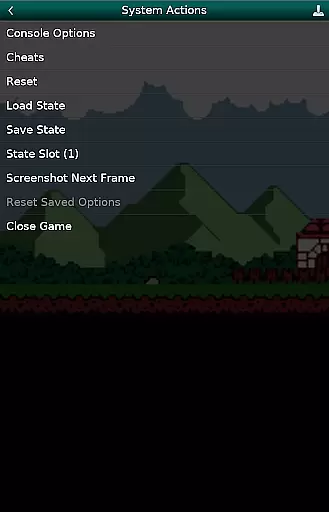
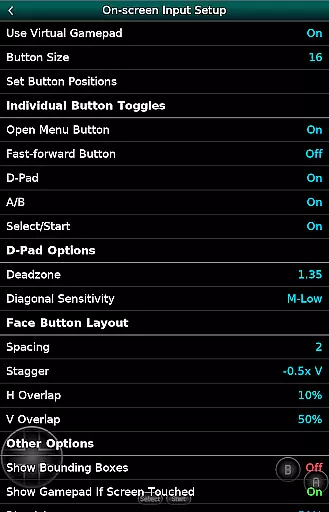
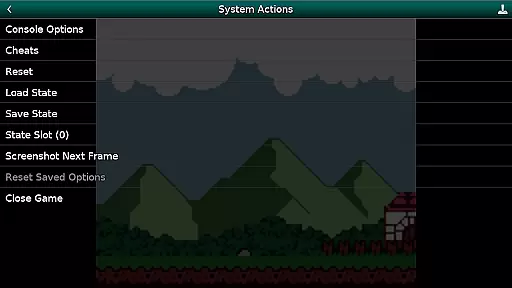
GBC.emu is an advanced open-source Gameboy emulator that offers a minimalist UI with a focus on low audio and video latency. It supports a wide range of devices, from the original Xperia Play to modern devices like the Nvidia Shield and Pixel phones. The app allows users to play both GB and GBC games with multiple color palettes for original GB games.
With features such as cheat codes in Game Genie & Gameshark formats, support for .gb and .gbc file formats (optionally compressed), configurable on-screen controls, and Bluetooth/USB gamepad & keyboard support, GBC.emu provides a versatile gaming experience. No ROMs are included, and users must supply their own. This emulator utilizes Android's storage access framework for opening files on both internal and external storage.
GBC.emu stands out with its multiple color palettes for original GB games, enhancing the visual experience. Users can take advantage of cheat codes in popular formats like Game Genie & Gameshark, providing additional gameplay options. The app supports various file formats including .gb and .gbc, optionally compressed with ZIP, RAR, or 7Z, offering flexibility in game selection.
Configurable on-screen controls allow for personalized gameplay, while Bluetooth/USB gamepad & keyboard support ensures compatibility with HID devices recognized by the OS, such as Xbox and PS controllers. With no ROMs included, users have the freedom to choose their games, and Android's storage access framework facilitates easy access to files on both internal and external storage.
GBC.emu brings the authentic arcade experience to your fingertips by emulating classic Game Boy and Game Boy Color games with precision. The emulator is based on Gambatte, ensuring that each game runs as it did on the original hardware.
With support for multiple color palettes, users can relive the nostalgia of their favorite titles while enjoying enhancements only possible through modern emulation. This attention to detail extends to compatibility with a wide range of devices, from older models like the Xperia Play to contemporary ones such as the Nvidia Shield and Pixel phones.
The app's minimalist UI ensures that the focus remains on gameplay, providing an immersive experience free from unnecessary distractions. By prioritizing low audio and video latency, GBC.emu delivers responsive controls and smooth visuals, capturing the essence of arcade gaming.
Control responsiveness in GBC.emu is finely tuned to provide an optimal gaming experience. The emulator supports configurable on-screen controls, allowing players to customize their interface for maximum comfort and efficiency.
In addition to touch controls, GBC.emu offers extensive peripheral support. Gamers can connect Bluetooth or USB gamepads, including popular models from Xbox and PlayStation, enhancing tactile feedback and precision during gameplay sessions.
This flexibility in control schemes ensures that every player can find a setup that suits their playstyle, whether they prefer the simplicity of touch input or the familiarity of traditional controllers. Such adaptability makes GBC.emu stand out among other emulators in its category.
Low audio/video latency
Wide device compatibility
Multiple color palettes
Cheat code support
Flexible file format options
No ROMs included
Limited to GB & GBC games
Requires manual updates
Complex setup for beginners
Dependent on third-party storage

GBA Emulator
 4.40
4.40
Catch ghosts, shoot monsters and defeat bosses in this RPG idle shooting game.
4.70
Bounce through platforms. Avoid obstacles. Get the bouncing ball to the finish.
4.00
Jump and fly your way through danger in this rythm-based action platformer!
4.50
Absorb, or be absorbed...
4.70
The precise emulator of 8 bit handheld... Now even better!
4.50
Draw your legs to win the race!
4.20
Thoughtful strategy and tactical thinking are required to win each battle!
4.30
Crazy games: Kick your buddies, beat the boss, and turn the office into chaos!
4.40
Amid the vastness of the universe, you are a Black Hole about to be swallowed!
5.00
Try this unique restaurant sim and enjoy the fun of cooking in busy kitchens!
4.70
Master the hills in this extreme downhill racing game!
4.60
Venture into the galaxy to fight against the invasion of space invaders.
4.60
Motorcycle racing games! Prove your paperboy can win in the bike race 3D!
4.50
Nostalgia.GBA Pro is a high quality GBA emulator.
4.40
NES Emulator
4.40
Slice up a juicy storm!
4.20
Epic offline war strategy game - build your city, train your army, conquer
4.20
Monster Run its a game for relax.
4.3


User Reviews