
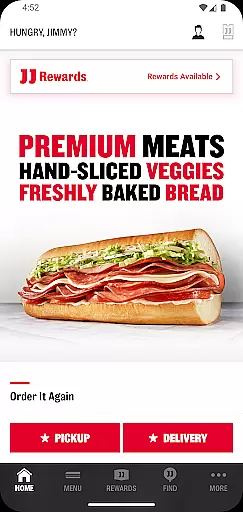
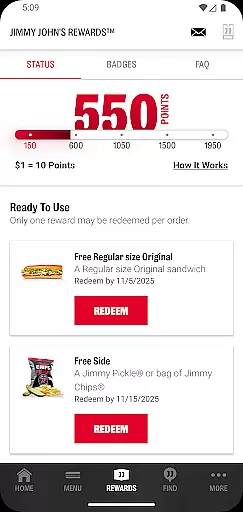
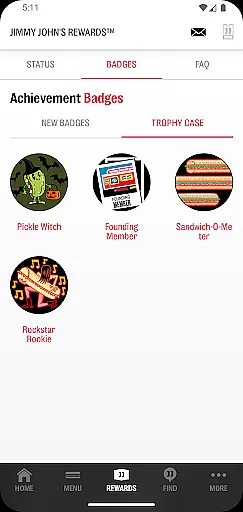
Jimmy John's Sandwiches is a convenient food ordering app that allows users to order sandwiches for contactless delivery or pick-up. With features like JJ Rewards™, customers can earn and redeem exclusive rewards at participating locations. The app also provides real-time order tracking and notifications, ensuring a seamless experience from order placement to delivery or pick-up.
Users can easily find their nearest Jimmy John's location, customize their sandwich orders, and save favorite meals for quick reordering. The app supports Google Pay for easy payment and offers catering services for larger events. Whether you're craving a quick bite or planning a party, Jimmy John's Sandwiches app delivers a fast and reliable service tailored to your needs.
The Jimmy John's Sandwiches app offers a comprehensive set of features designed to enhance the user's food ordering experience. Key functionalities include the ability to order catering services, locate the nearest Jimmy John's store, and use recent delivery addresses or pick-up locations for convenience.
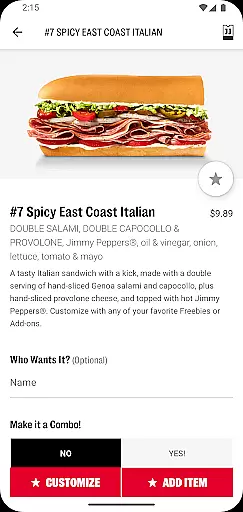
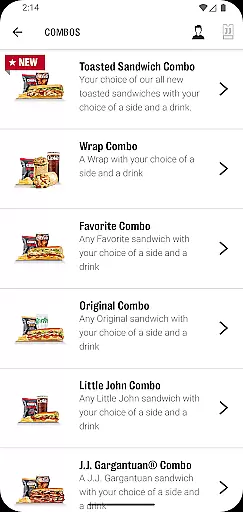
Customers can fully customize their sandwich orders, exploring the extensive menu options available. The app allows saving favorite orders under 'My Faves' for effortless reordering in the future. Additionally, it integrates with Google Pay, providing a secure and swift checkout process. These features collectively ensure that every interaction with Jimmy John's is efficient, personalized, and satisfying.
Locating your nearest Jimmy John's has never been easier with the store locator feature. This functionality uses your device's GPS to accurately pinpoint nearby locations, ensuring you can find a store no matter where you are.
The app provides essential details about each outlet, including operating hours, contact information, and distance from your current location. This ensures customers can plan their visit or delivery order with complete confidence.
Users benefit from real-time updates, meaning store information is always current. Whether you're at home or traveling, this feature guarantees you'll never miss an opportunity to enjoy Jimmy John's fresh sandwiches.
Jimmy John's app offers seamless delivery and pickup options tailored to modern lifestyles. Customers can choose contactless delivery for safety and convenience, while the pay-ahead feature allows for quick pickups without waiting in line.
The app streamlines the ordering process by saving recent delivery addresses and preferred pickup locations. This saves time on future orders and creates a more personalized experience based on individual preferences.
Real-time order tracking keeps users informed about their sandwich status. Whether it's out for delivery or ready for pickup, push notifications ensure you're always in the know, making the entire process transparent and stress-free.
User-friendly interface
Fast delivery options
Customizable orders
Rewards program
Google Pay integration
Limited to participating locations
Occasional service delays
Geographic restrictions
In-app ads present
Requires account sign-in

Krispy Kreme Mobile Ordering, Loyalty and Hot Light
 3.20
3.20
Everything you want right here
4.50
Easily Order, Earn Crumbs & Unlock Rewards!
4.80
Order your Buffalo Wild Wings favorites for takeout & delivery
4.50
Sweeten the season!
4.90
Discover. Create. Plate.
4.40
Tons of tasty options, ready in an instant! Order for pickup or delivery.
4.70
Conveniently order food ahead and avoid the wait at your favorite Jersey Mike's.
4.80
Mexican Food Pickup & Delivery
4.70
Rescue tasty unsold food from local stores for ½ price or less.
4.90
Order and pay ahead with the Raising Cane's app. Get Clickin' for Chicken™!
4.80
Order for Pickup and Delivery
4.70
Get food, grocery, and retail essentials delivered fast with DoorDash.
4.70
Choose From A Wide Array of Wines, Spirits, Beers & More
4.60
Easy and fast ordering, improved customization, and an enhanced guest experience
4.20
Order Beer, Snacks & More 24/7
4.20
Order from local pizzerias
4.20
Order, Deals & Rewards
4.20
Order ahead. Earn Delicious Rewards.
3.20


User Reviews