
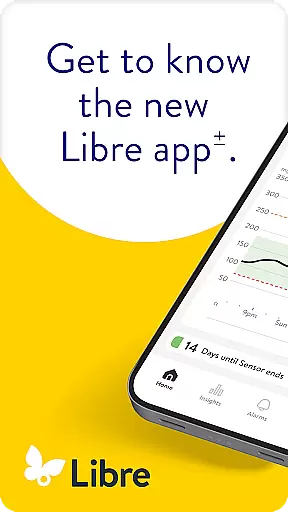
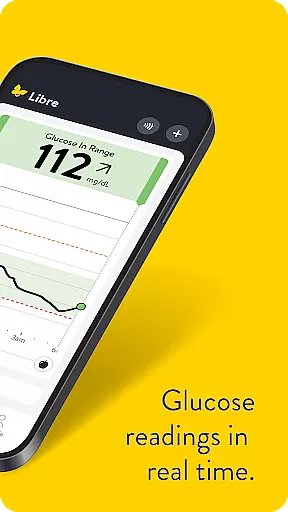
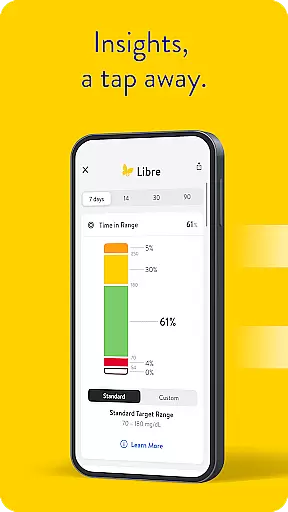
Libre by Abbott is a leading continuous glucose-monitoring (CGM) application tailored for individuals managing diabetes. This app provides real-time glucose readings directly to your smartphone, replacing the need for separate monitoring devices. With compatibility across FreeStyle Libre 2 and FreeStyle Libre 3 system sensors, it ensures accurate tracking of glucose levels every minute.
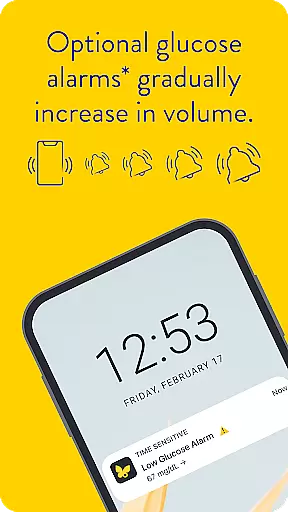
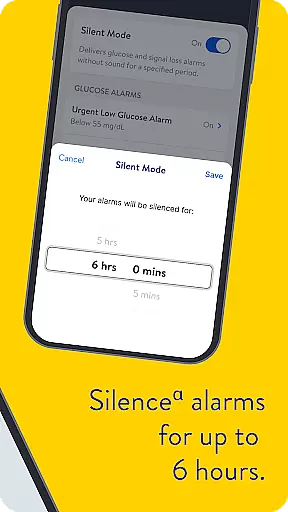
One of the standout features of Libre app is its optional alarms that discreetly notify users when their glucose levels are too high or too low. These alerts can be temporarily silenced for up to six hours, offering flexibility based on user needs. The app caters to both Android and iOS users, making it versatile for different mobile operating systems.
The app's value lies in its ability to seamlessly integrate into daily life, providing crucial health data at a glance. It supports informed decision-making by maintaining a consistent flow of information between patients and healthcare providers, ensuring optimal diabetes management.
Libre by Abbott stands out with its comprehensive feature set designed specifically for effective diabetes management. The app automatically updates glucose readings every minute, ensuring users have access to the most current data without manual intervention. This real-time tracking capability is essential for maintaining balanced glucose levels throughout the day.
In addition to continuous monitoring, the app offers customizable alarm settings. Users can enable discreet notifications that alert them to critical changes in glucose levels. For added convenience, these alarms can be muted for short durations, allowing uninterrupted focus during important activities or sleep. The app also includes detailed historical data analysis, empowering users to identify trends and patterns in their glucose levels over time.
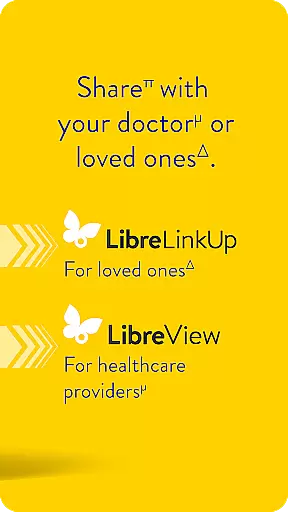
Another notable feature is its seamless integration with LibreView, Abbott's data management software. This allows automatic uploading of glucose data when the device has internet connectivity, facilitating easy sharing with healthcare professionals. Such integrations enhance the overall utility of the app, making it an indispensable tool for anyone managing diabetes.
In the realm of diabetes management, reliable information is paramount. Libre by Abbott stands out for its commitment to medical content credibility. The app is designed not only to track glucose levels but also to ensure that the data provided is accurate and clinically relevant.
Every feature within Libre has been developed with input from healthcare professionals and experts in diabetes care. This collaboration ensures that users receive guidance and insights that align with current medical standards. For instance, the app's compatibility with FreeStyle Libre 2 and FreeStyle Libre 3 sensors is backed by rigorous testing and validation processes.
Moreover, Libre offers comprehensive support materials, including user manuals accessible directly through the app interface. These resources are crafted under strict regulatory guidelines, ensuring they meet high standards of accuracy and usefulness. Users can trust these documents to provide clear instructions on using their CGM systems effectively.
By prioritizing expert-reviewed content, Libre empowers individuals living with diabetes to make informed decisions about their health. Whether itu2019s understanding minute-by-minute glucose readings or setting personalized alarms, users benefit from knowing their actions are based on credible medical advice.
Teleconsultations have become an integral part of modern healthcare, especially for chronic conditions like diabetes. Libre by Abbott enhances this experience by offering robust teleconsultation capabilities that connect patients with healthcare providers seamlessly.
The app facilitates easy sharing of glucose data between patients and doctors. With automatic updates every minute, healthcare professionals receive real-time insights into a patient's glucose trends. This continuous flow of information allows for more accurate assessments during virtual consultations.
Furthermore, Libre supports integration with LibreView, a data management software used by both patients and healthcare providers. Through this platform, historical glucose data can be reviewed, analyzed, and evaluated collaboratively. Such detailed analysis aids in crafting personalized treatment plans tailored to individual needs.
For those seeking additional support, the LibreLinkUp app extends connectivity options. By linking multiple devices, family members or caregivers can also stay informed about the user's glucose status. This network of connected care ensures that no matter where you are, your healthcare team remains just a click away, ready to offer guidance and support whenever needed.
User-friendly interface
Real-time glucose tracking
Customizable alarm settings
Compatible with multiple devices
Seamless data integration
Requires sensor purchase
Internet needed for sync
Limited without subscription
Occasional connectivity issues
Not standalone solution

The NightOwl Companion app allows you to interact with the NightOwl sensor.
 4.70
4.70
HealtheLife lets you easily manage your health online.
3.20
Manage your prescriptions and pharmacy care anytime, anywhere.
4.80
Manage your prescriptions anytime, anywhere with the Publix Pharmacy mobile app.
4.80
Good for You. Great for Life.
4.00
Assess and treat left neglect more effectively in stroke and brain injury rehab.
4.30
The world's best selling 3D Human Anatomy app with groundbreaking 3D technology
2.00
Manage your health care in one easy place
4.40
Access health information and communicate with your care team anytime, anywhere.
4.80
The Better Pharmacy Experience
4.90
Be more confident prescribing homeopathy at home for your family.
4.80
Discover the source of pain with Muscle Trigger Point Anatomy.
4.70
Adaptive-learning flashcards and quizzes for the Top 250 Drugs
4.60
Identify pills, search different drugs, get drug information and much more!
4.50
Beat alcohol and drug addiction with a revolutionary treatment program in an app
4.50
Modivcare members can book and manage trips.
4.50
Molina Members: My Molina. Manage your health anytime, anywhere!
4.30
The Client Portal app empowers you to manage care from one secure place
4.10
Easy access to benefits and rewards
3.70


User Reviews