
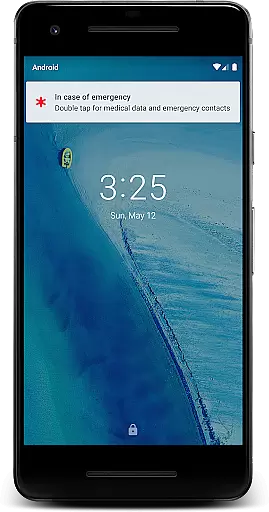
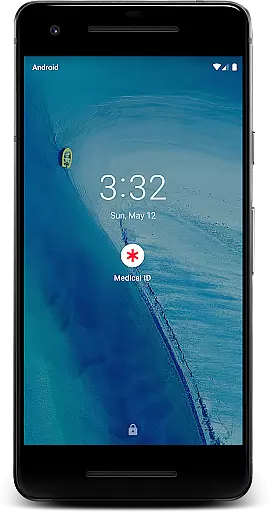
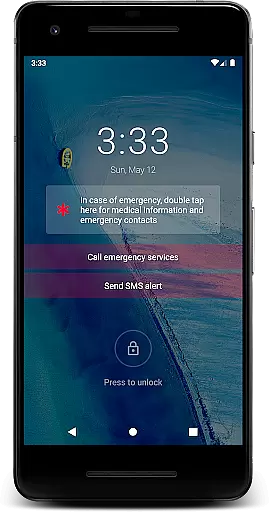
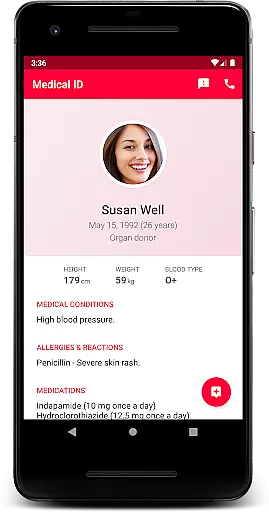
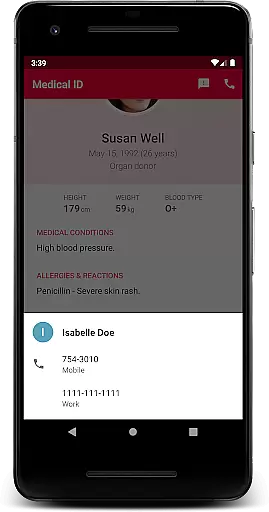
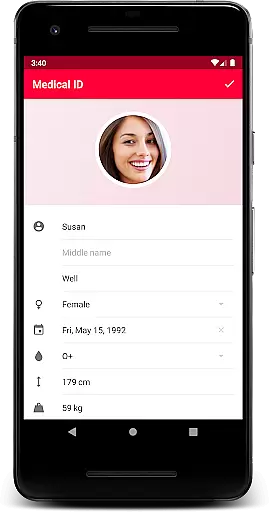
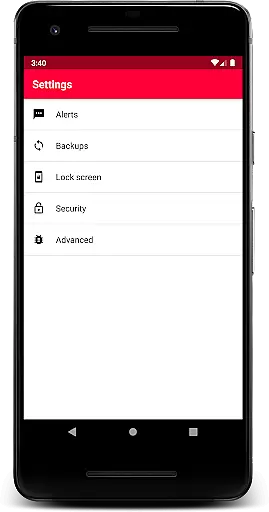
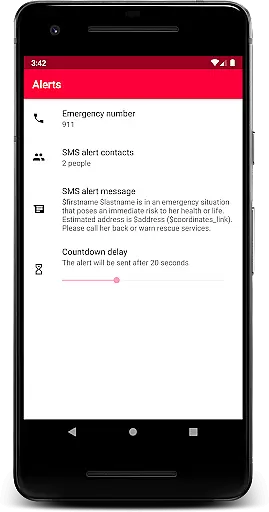
Medical ID (premium) is an essential application that allows users to create detailed medical profiles accessible directly from their device's lock screen. This feature ensures that vital information such as allergies, blood type, and emergency contacts are readily available to first responders in critical situations. The app goes beyond basic functionalities by offering advanced features like one-click emergency SMS alerts with location data, continuous location sharing with designated contacts for up to 24 hours, and direct calling to emergency contacts without unlocking the device.
The premium version of Medical ID provides comprehensive tools including BMI calculation, current location tracking via GPS coordinates, and a built-in compass. These features collectively transform your Android device into a potentially life-saving tool during emergencies. By enabling an accessibility service, the app displays a widget over the lock screen, facilitating access for individuals with disabilities or medical personnel requiring urgent information. With its robust privacy policy ensuring all medical data remains on the device, users can trust Medical ID to safeguard their personal health information while making it accessible when needed most.
Medical ID (premium) stands out with its extensive range of features designed to enhance user safety and convenience. One notable feature is the quick access to medical information right from the lock screen, which is crucial in time-sensitive scenarios. The app also includes an innovative emergency alert system that sends SMS messages containing the user's estimated location at the press of a button, ensuring help arrives promptly.
Another significant aspect is the ability to share live location updates with emergency contacts even when the app isn't actively running. This function operates for up to 24 hours unless manually stopped by the user. Additionally, the app facilitates direct calls to emergency contacts straight from the lock screen, bypassing the need to unlock the device. Other valuable features include manual backup options, Body Mass Index (BMI) calculations, precise GPS-based location services, and an integrated compass. Each of these elements contributes to creating a reliable digital medical ID that empowers both users and healthcare providers in managing emergency situations effectively.
Medical ID (premium) ensures the credibility of its medical content by allowing users to input vital information such as allergies, blood type, and emergency contacts directly into their profiles. This self-reported data is considered reliable as it comes straight from the individual who knows their medical history best.
The app's design reflects an understanding of emergency situations where first responders need quick access to critical health details. By enabling features like lock screen accessibility and one-click emergency alerts, the app provides verified pathways for sharing essential medical information with professionals during urgent scenarios.
Users benefit from having a digital medical profile that can be accessed even when their device is locked. This feature not only saves time but also ensures accuracy in treatment decisions made by healthcare providers under pressure.
With additional functionalities such as location sharing and direct calls to emergency contacts, Medical ID (premium) offers peace of mind knowing your personal health information is both secure and accessible when needed most.
While Medical ID (premium) does not offer traditional teleconsultation services, it enhances remote communication between patients and medical staff through its innovative features. The ability to share current location along with medical details supports effective virtual consultations or follow-ups after initial contact has been established.
By integrating tools like BMI calculation and compass orientation alongside basic health data points, this app equips users with comprehensive resources for discussing their conditions over phone or video calls without needing physical documentation at hand.
Emergency alert SMS capabilities further extend support beyond typical telemedicine interactions by notifying designated contacts about potential crises while providing them with approximate GPS coordinatesu2014a crucial aspect for timely intervention if necessary.
Overall, these combined elements contribute towards high-quality remote care experiences where accurate patient histories are readily available regardless of geographical barriersu2014a testament to how technology continues reshaping modern medicine practices today.
User-friendly interface
Comprehensive medical profile
Advanced emergency alerts
Live location sharing
Robust privacy controls
Premium cost involved
Device compatibility issues
Limited free version
Requires constant updates
Dependent on network connectivity

A scientifically-proven method to help people with dementia or memory impairment
 4.3
4.3
Live vet support by text/video
4.80
Patient Health Portal
4.20
Pelvic Floor Muscle Exercises
4.80
Save up to 80% on your pharmacy prescriptions & medications with free Rx coupons
4.70
Search by insurance, see real-time openings & verified reviews, get care fast.
4.80
Coaches you through labour using hypnobirthing techniques & tracks contractions
4.70
Donating plasma just got easier with the BioLife Plasma Services mobile app.
3.90
Continuous Glucose Monitoring
3.40
Donating blood and platelets is easier than ever with The American Red Cross.
4.80
Manage your prescriptions anytime, anywhere with the Publix Pharmacy mobile app.
4.80
Blue Cross and Blue Shield of Texas member information
4.60
The MDLIVE app makes connecting with a doctor fast, easy, and convenient.
4.60
Download the PulsePoint app and use your CPR skills to save a life!
4.60
The official DSM-5-TR® app
4.50
The OptumRx app empowers you to become an advocate of your pharmacy benefits.
4.40
We’ve made it easy for Oscar members to get care on the go.
4.30
One app to unlock your health
4.30
ECG modules improve rhythm ID. ACLS is a simulator for cardiac arrest scenarios.
4.4


User Reviews