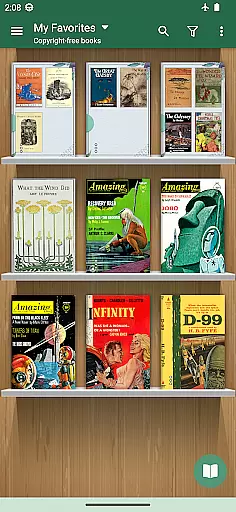
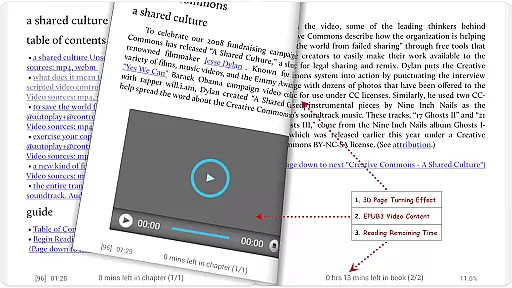
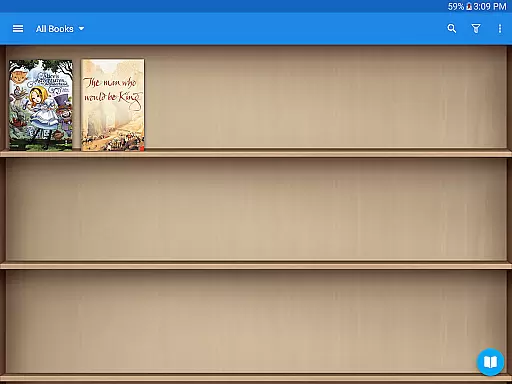
Moon+ Reader Pro is the premier ebook reader app for book enthusiasts, offering a comprehensive reading experience with advanced features. Supporting an extensive range of formats including EPUB, PDF, and MOBI, it stands out as an all-in-one solution for managing and reading digital documents. Its powerful controls allow users to customize their reading experience with options like text-to-speech, multi-point touch support, and personalized themes.
Designed for both casual readers and professionals, Moon+ Reader Pro enhances reading with innovations such as PDF annotation, night mode, and dual-page viewing. The app also integrates seamlessly with online libraries and personal ebook servers, making it easy to access and organize your digital library. With added functionalities like password protection, widget support, and reading statistics, this app ensures both convenience and security.
Whether you're reading for leisure or professional development, Moon+ Reader Pro provides a superior reading experience that caters to diverse needs. From adjustable visual settings to health-conscious eye care options, every feature is crafted to optimize user comfort and satisfaction.
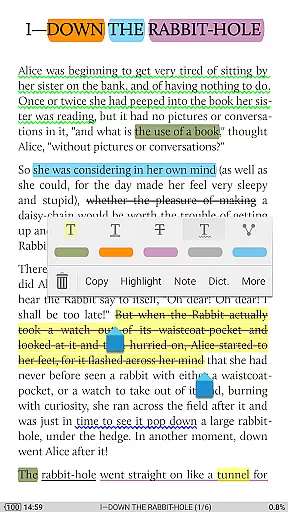
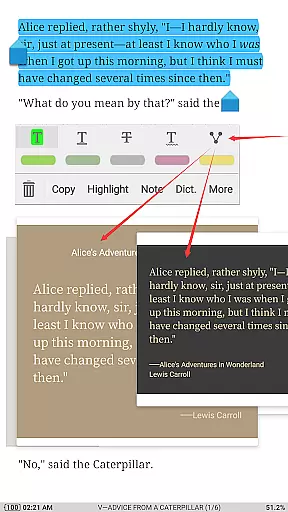
Moon+ Reader Pro boasts an impressive array of features designed to elevate the ebook reading experience. One standout capability is its support for multiple ebook formats, including EPUB, PDF, and DJVU, allowing users to manage various document types effortlessly. The inclusion of advanced PDF features such as form filling, annotations, and handwriting support makes it an indispensable tool for students and professionals alike.
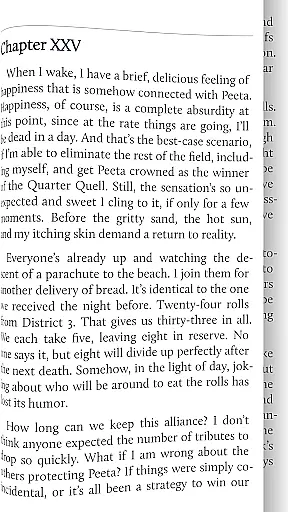
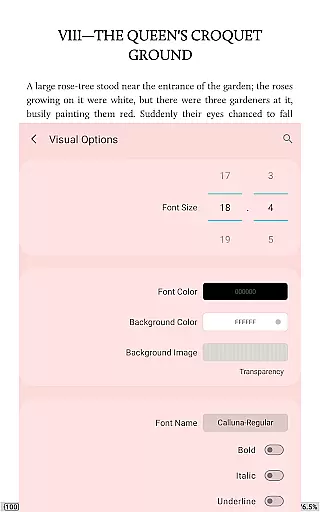
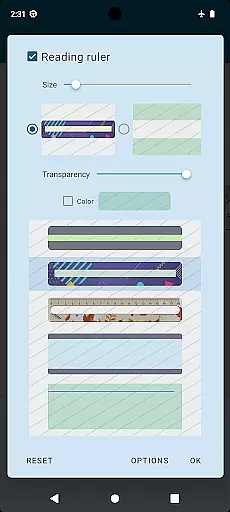
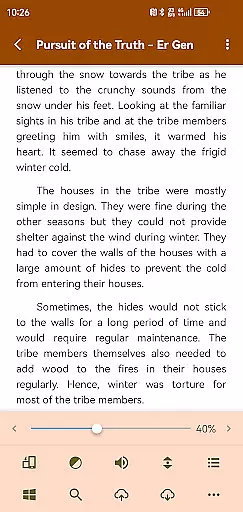
The app's customization options are unparalleled, offering users control over visual elements like line spacing, font scaling, and color adjustments. With 10+ embedded themes, including day and night modes, readers can tailor the interface to their preferences. Additionally, the app supports innovative navigation methods through touch screen gestures, volume keys, and even camera controls, providing a versatile reading experience.
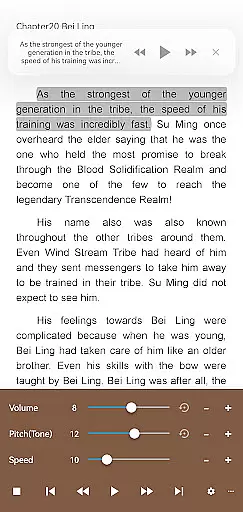
Beyond basic functionality, Moon+ Reader Pro includes specialized features like text-to-speech, intelligent paragraph formatting, and real page-turning effects. These tools not only enhance accessibility but also improve overall usability. Whether you're looking to sync reading positions across devices or utilize the built-in dictionary and translation services, Moon+ Reader Pro delivers a sophisticated and user-friendly solution for digital reading.
Moon+ Reader Pro offers an extensive e-book library that supports a wide range of formats including EPUB, PDF, DJVU, AZW3, MOBI, and more. This ensures users have access to a vast array of reading materials tailored to their preferences.
The application guarantees the authenticity of its content by supporting legitimate sources such as online ebook libraries and personal Calibre ebook servers. Users can confidently source their reading materials knowing they are accessing legally obtained and high-quality content.
With over 1,000,000 downloads and acclaimed as the #1 Paid EBook Reader in Google Play, Moon+ Reader Pro has established itself as a trusted platform for e-book enthusiasts. The app's dedication to copyright compliance is evident in its seamless integration with various DRM-protected content providers.
Additionally, the app provides backup and restore options via cloud services like DropBox and WebDav, allowing users to sync their libraries across multiple devices. This feature not only enhances accessibility but also reinforces the legitimacy of the user's digital library collection.
One of Moon+ Reader Pro's standout features is its exceptional format compatibility. Supporting a plethora of file types such as EPUB, PDF, DJVU, AZW3, MOBI, FB2, and even comic book formats like CBZ and CBR, it ensures that no book is left behind due to format restrictions.
The app goes beyond just basic support; it offers specialized features for certain formats. For instance, PDFs can be annotated, filled, and even read aloud with speech compatibility, providing a dynamic reading experience across different document types.
Furthermore, Moon+ Reader Pro enhances format compatibility with visual options that allow users to customize their reading experience. Whether it's adjusting line spacing, font scaling, or choosing from 10+ embedded themes, readers can tailor each format to their liking.
This versatility in handling various formats makes Moon+ Reader Pro an indispensable tool for anyone looking to consolidate their digital library into a single, convenient application without sacrificing quality or functionality.
Ad-free experience
Extensive format support
Customizable themes
Advanced PDF tools
Text-to-speech functionality
Higher cost than free alternatives
Complex interface for beginners
Limited offline support
No automatic library organization
Occasional performance lags

University of North Carolina Herbarium presents the flora of TN, AL, & MS.
 4.1
4.1
7 Languages, Google, Wiki, Vocabulary.com, Cambridge & Urban Dictionary!
4.50
The favorite Christmas story comes to life!
4.80
Read the romance stories on the go. Take my breath away, The Spoiled Girl
4.30
Battle Royale Chapter 5 Season 2 HD Wallpapers Emotes Skins and BattlePass
3.00
Read aloud texts, audiobooks, PDFs or any eBook with text to speech AI audio
4.60
Holy Bible, a KJIV Bible study, audios & daily verses, talk with God now.
4.80
Build family tree & discover DNA, family history heritage, origins and ancestors
4.60
Identify birds of North America by call or picture | Bird Identification
4.20
Bible, Catechism, Study, Saints, Mass Readings, Rosary, Prayer, Bible in a Year
4.80
Daily Prayer, personalized Bible Study, AI-guided Insights, and Spiritual Growth
4.80
Read books PDF, EPUB, WORD, KINDLE, MOBI! Your ebook reader among reading apps.
4.80
Powerful Bible study tools linked to every verse in an easy-to-use Bible reader!
4.60
Offline translator from english to spanish, and from spanish to english.
4.50
Pretty Moon information App with Complications and Tile
4.30
A wonderful reader for good time spend.
4.20
Zerobooks Light Novel Reader by GOLDENAGATO
4.20
"BIG A, little a. What begins with A?"
4.10
Read Trending Romance Stories
4.00


User Reviews