
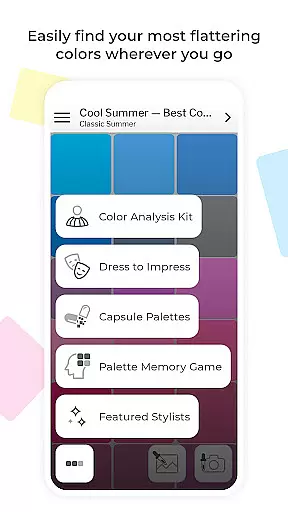
My Best Colors is a revolutionary beauty app that serves as your personal color consultant, helping you discover the most flattering hues for your wardrobe, makeup, and accessories. Using advanced smartphone camera technology, the app provides tailored color palettes based on the 12 Season Color System, ensuring every choice enhances your natural beauty.
Beyond basic color matching, My Best Colors offers specialized tools like virtual draping filters, emotion-based Impression Palettes, and fashion-forward Trending Palettes inspired by designer collections. Whether shopping for new outfits or refining your everyday look, this app eliminates guesswork while empowering you to express yourself confidently through color.
Ideal for fashion enthusiasts and beauty lovers alike, My Best Colors transforms how you interact with color in your daily life. From curated capsule wardrobes to personalized cosmetics shades, it ensures every selection aligns with both your style and seasonal color type.
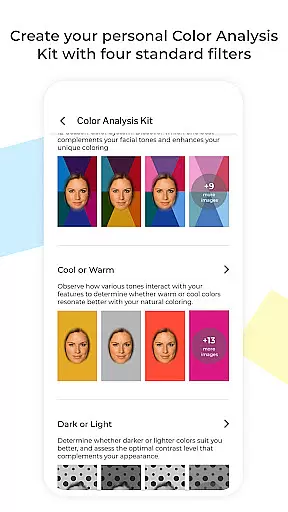
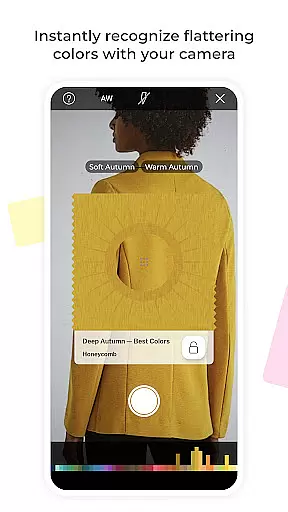
My Best Colors stands out with its comprehensive suite of interactive features designed to elevate your understanding of color. The app includes a Color Analysis Camera© that virtually drapes colors onto your image, identifying your best shades and corresponding season within the 12 Season Color System. This feature alone makes it an indispensable tool for anyone serious about personal styling.
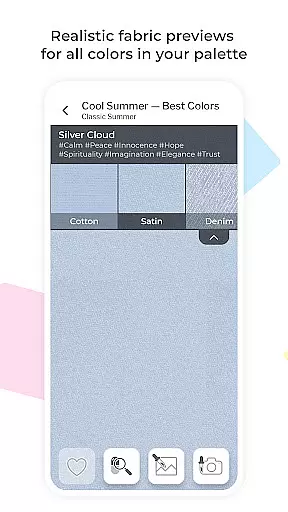
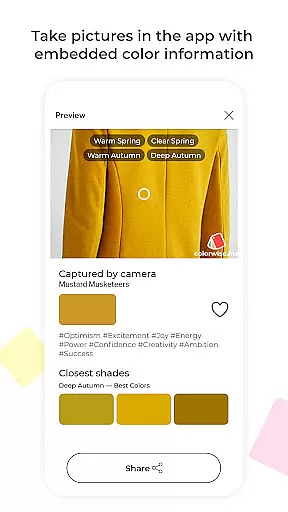
In addition to core analysis tools, users can explore premium palettes such as Complementary Colors, Neutral Tones, Accent Shades, and even specific recommendations for eyeshadows and lipsticks. Advanced functionalities like the Color Picker allow extraction of shades from real-life objects, while Fabric Previews simulate textures for more informed decisions.
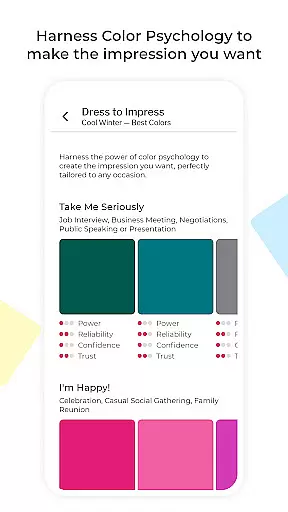
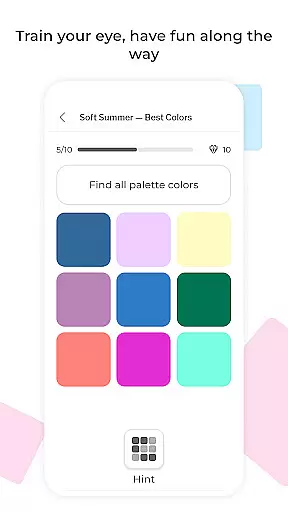
For those interested in psychology-driven choices, the app provides emotional tags like Joy, Trust, and Elegance, offering deeper insights into how each color impacts perception. With memory games, photo capture options, and community-curated capsule schemes, My Best Colors delivers both education and entertainment in one sleek package.
My Best Colors offers an extensive product database that goes beyond simple color suggestions. The app provides tailored color palettes based on the 12 Season Color System, ensuring users can find shades that genuinely suit their complexion and style. With curated premium palettes such as Complementary, Neutral, Accent, Jewelry, Eyeshadow, and Lipstick Colors, users have access to a wide variety of options designed to enhance natural beauty.
In addition to static palettes, the app includes Trending Palettes inspired by runway shows and designer collections, which are adapted to fit individual color types. Impression Palettes offer emotionally curated shades rooted in color psychology, helping users make the right impression in various situations. These dynamic features ensure that the product database remains relevant and useful for different personal and social contexts.
The app also leverages advanced technology with its Color Analysis Camerau00a9, allowing users to virtually try on colors using filters that mimic in-person draping. This interactive feature helps users discover their season and best shades accurately. By combining traditional color theory with modern tech, My Best Colors ensures that its product database is not only deep but also highly personalized and engaging.
Personalization is at the core of My Best Colors, providing users with precise recommendations tailored to their unique attributes. Through the app's Color Analysis Camerau00a9, users can identify their most flattering colors by virtually trying on different shades. This virtual draping technique mimics the experience of in-person consultations, ensuring accurate and personalized results without needing a professional stylist.
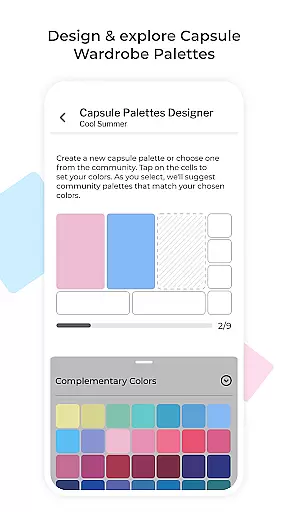
Moreover, the app offers Capsule Palettes that allow users to mix and match harmonious colors for creating cohesive outfits. Thousands of community-curated capsule wardrobe color schemes provide additional inspiration and guidance, making it easier for users to build stylish ensembles that reflect their personalities. Custom Palettes further enhance this personal touch by enabling users to import their collections from Colorwise.me.
Interactive features like the Color Picker and Color Type Detection add another layer of personalization. Users can find their best shades from real-life objects or images and instantly determine the most likely color type for any clothing item or accessory by simply pointing their camera. These tools ensure that every recommendation is finely tuned to the useru2019s specific needs and preferences, enhancing both convenience and accuracy.
Personalized color palettes
Advanced camera tools
No subscription fees
Fashion trend integration
Emotion-based insights
Limited free version
Premium upgrade cost
Steep learning curve
Occasional ads
Texture accuracy varies

A tool that brings skin care and technology together at your fingertips.
 4.50
4.50
Crown Heart Emoji Photo Editor has given you the chance to look cute girl
4.40
Edit Your Photos and Videos with Beauty Filters & Get Makeup Artist Tutorials
3.60
Change your hairstyle and color instantly with AI-powered virtual makeovers.
3.90
AI Stylist, Try On Millions Of Clothes In Any Brand & Style, AI Clothes Changer
4.70
Book beauty salon, hair or health and wellness experiences in an instant
4.90
Seasonal color palette, my personal color, hair color changer, makeup, wardrobe
4.20
Monthly Perfume Subscription
4.70
Beauty for every eye, lip & face. Earn rewards, play games, connect with others.
4.30
Salon appointment booking and scheduling software for beauty pros and barbers.
4.80
Beauty camera & Selfie camera for perfect selfie with filter, sticker, makeup
4.70
Beauty camera to take nature selfie with photo filter. Photo makeup face editor.
4.50
Beauty Mirror - True mirror app with light, shaving mirror, makeup mirror app
4.50
Professional HD Camera App: Capture Bright HD Selfie & Record Stunning Moments
4.40
This application is for the Luvme Hair official website: shop.luvmehair.com .
4.30
Seasonal color palettes for shopping clothes and makeup products with confidence
4.20
Try On Style with AI: Virtual Dressing Room & Personal Fashion Stylist App
4.00
Never run out of your go-to beauty & get 5% off with auto-replenish deliveries!
4.00
Color haircut changer style on
3.30


User Reviews