
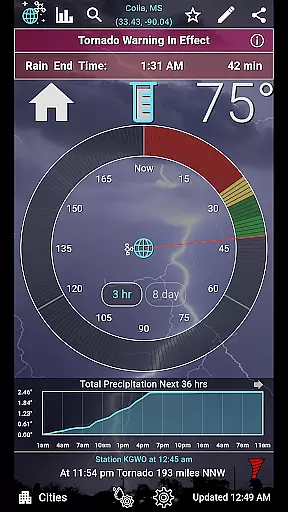
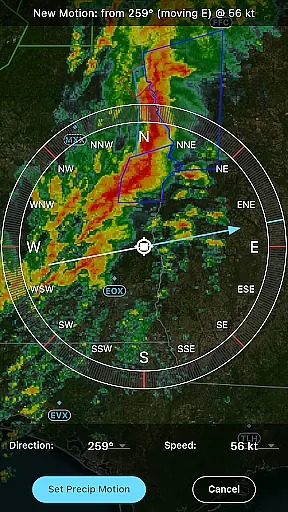
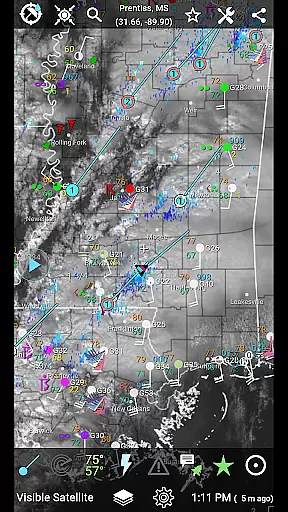
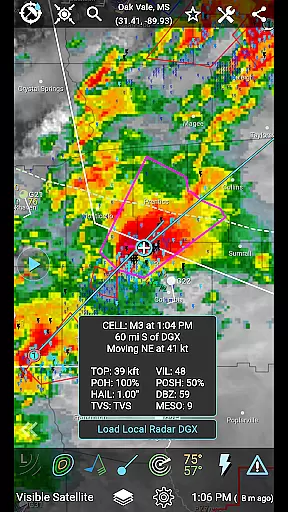
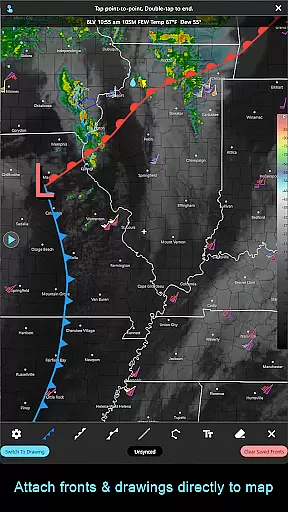
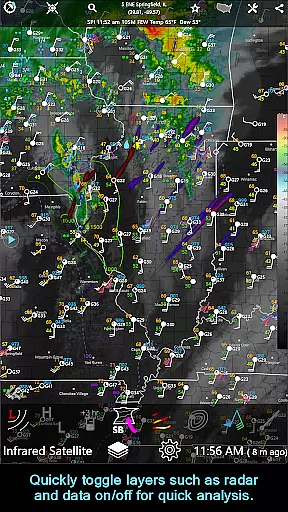
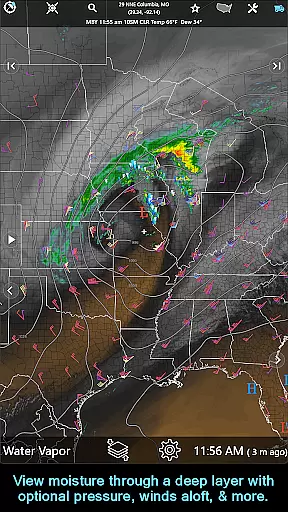
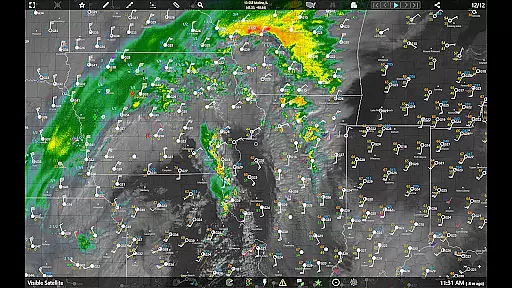
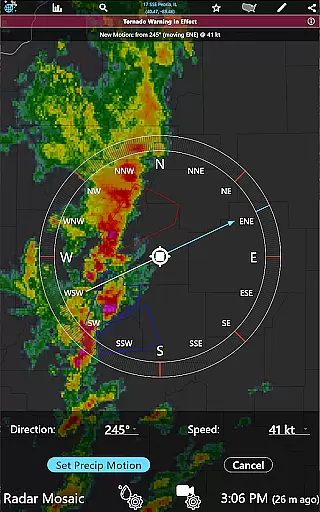
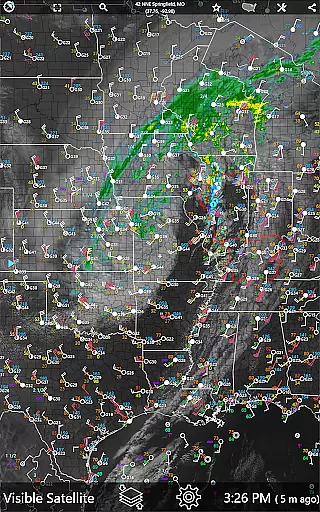
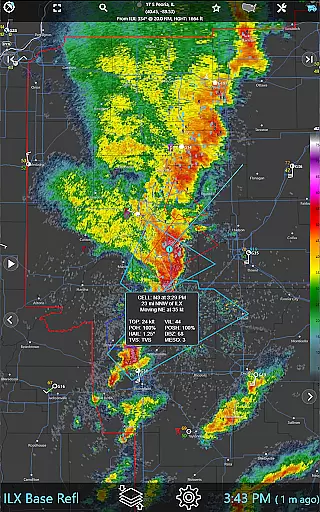
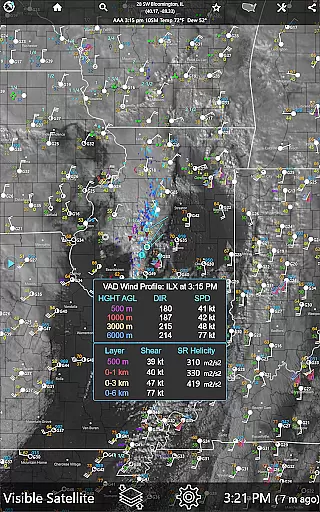
RainAware is a comprehensive weather application designed to provide users with detailed and localized weather information. The app's core functionality revolves around its ability to predict rain timing and deliver customizable notifications for changing weather conditions. It offers interactive graphs, weather badges, and current condition tickers that keep users informed about significant weather changes.
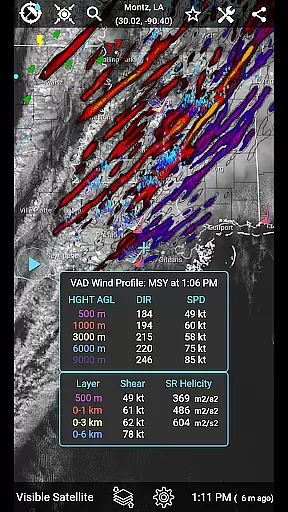
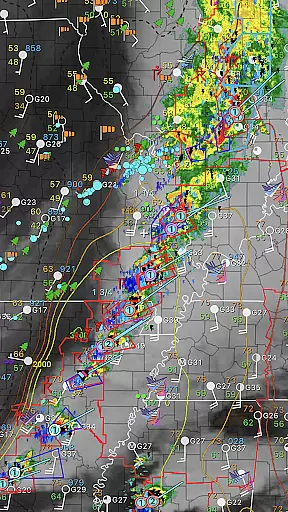
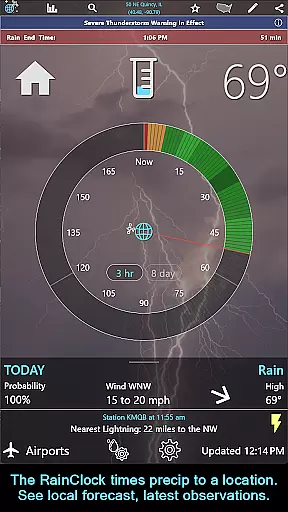
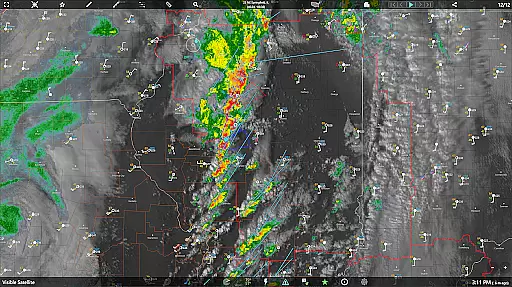
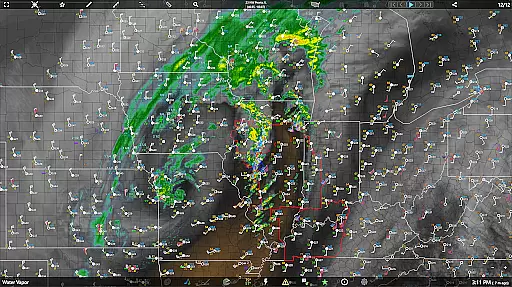
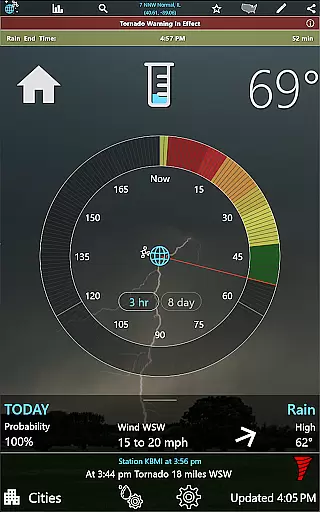
One of the standout features is the Rain Clock, which predicts precipitation up to three hours in advance, giving users precise information on when rain will start and stop. Additionally, the app provides advanced mapping tools, including satellite imagery and radar data, allowing users to explore weather patterns over a large area. These features make RainAware particularly useful for outdoor event planning or any activity where precise weather knowledge is crucial.
The value of RainAware lies in its ability to offer hyper-localized weather data while providing tools for deeper analysis. Whether you're monitoring potential storms or simply planning your day, the app ensures you have accurate and timely information at your fingertips.
RainAware stands out due to its rich feature set tailored for weather enthusiasts and professionals alike. One of the key highlights is the Rain Clock, which gives users an intuitive timeline for precipitation events specific to their location. This feature is complemented by interactive graphs that display temperature, wind speed, cloud cover, and precipitation forecasts for the next 36 hours.
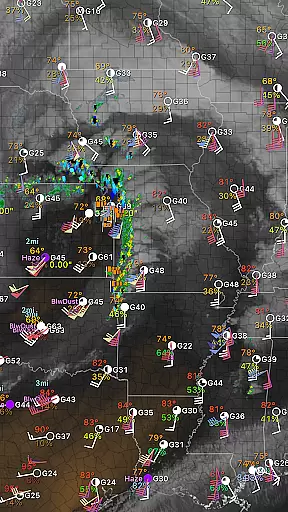
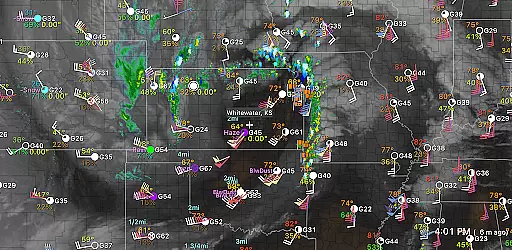
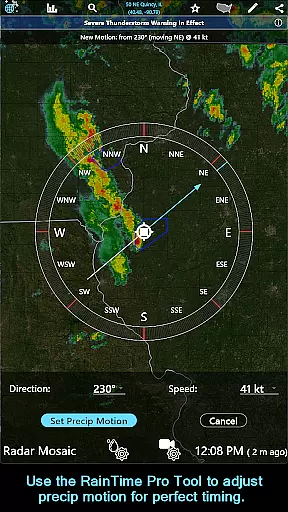
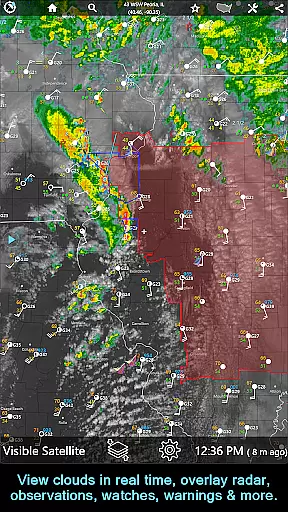
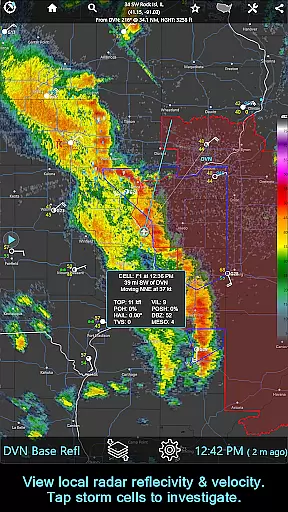
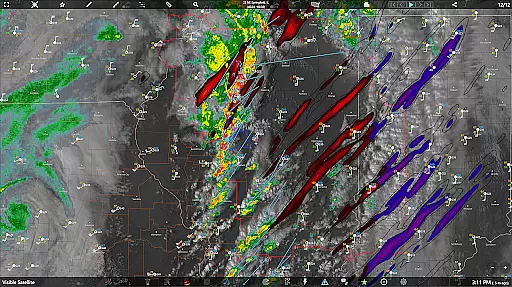
In addition to these core features, RainAware offers advanced mapping capabilities. Users can access satellite imagery, radar loops, and overlays such as surface observations, lightning plots, and hurricane tracks. The subscription version further enhances this experience by removing regional constraints on maps and adding professional-grade tools like Echo Tops, Hail Swaths, and storm cell tracking.
Each feature within RainAware has been thoughtfully designed to maximize user control and customization. For instance, users can adjust notification settings based on proximity and duration thresholds, ensuring they only receive alerts relevant to their needs. This level of personalization, combined with high-quality visualizations, makes RainAware a powerful tool for anyone seeking detailed weather insights.
Forecast accuracy and data credibility are crucial for any weather application, and RainAware excels in these areas. The app provides precise rain timing to your location up to three hours in advance, ensuring users can plan their activities accordingly. This level of precision is achieved through advanced algorithms that analyze multiple weather data sources.
RainAware offers interactive graphs displaying temperature, wind speed, cloud cover, precipitation amount, and type over the next 36 hours. These graphs not only provide detailed readouts but also visually represent how weather conditions will evolve, giving users a comprehensive understanding of upcoming weather patterns.
Users benefit from real-time notifications that alert them when rain is approaching or ceasing, as well as during severe weather threats. The ability to customize notification settings allows users to define specific parameters such as the duration of precipitation needed to trigger an alert, enhancing personal relevance and reliability.
The app's commitment to credible data is evident in its extensive coverage map spanning from Hawaii to the Caribbean. With features like Echo Tops, Hail Swaths, Rotation Tracks, and storm cell tracking, RainAware ensures users receive timely and accurate information, empowering them to make informed decisions based on trustworthy forecasts.
Temporal and spatial forecast range is a defining feature of RainAware, offering expansive coverage and detailed predictions. The app provides regional domain views much larger than typical weather apps, allowing users to move the domain and view weather maps across different locations. This flexibility ensures that no matter where you are, relevant weather information is readily accessible.
In addition to broad spatial coverage, RainAware extends its temporal forecast range significantly. Users can access forecasts up to 36 hours ahead with interactive graphs detailing various meteorological factors. This extended range helps users prepare for both immediate and future weather changes, making it invaluable for planning outdoor activities or travel.
The subscription version further enhances this capability by providing national radar products, satellite imagery, and environmental fields. Features like Echo Tops, Hail Swaths, and Rotation Tracks offer deeper insights into storm dynamics, while longer loops animate up to 36 frames and extend forecasts up to 12 hours on capable devices.
With frequent updates to radar, satellite, and surface data, RainAware ensures users have the most current information at their fingertips. Whether monitoring lightning proximity alerts or tracking storm cells with filtering options, the app delivers a robust set of tools designed to keep users informed about significant weather events within a comprehensive temporal and spatial context.
Accurate rain prediction
Customizable notifications
Interactive weather graphs
Advanced mapping tools
Cross-platform compatibility
Subscription costs extra
Complex for beginners
Limited free features
Regional focus on USA
High data usage

Weather related custom complications for Wear OS. UV, Hi-Lo, AQI and more!
 4.40
4.40
Local weather forecast, reliable daily weather report
4.30
Arrive safely! Travel weather forecasts for your entire trip at time of arrival.
3.60
Quickly check the Hanalei river gauge height during heavy rains on Kaua'i.
4.1
Accurate Local Weather Forecast, let you easily understand the nearby weather!
4.20
Track lightning strikes with our thunderstorms map, radar and lightning alarm.
4.70
Local forecast, alerts, rain, snow and wind radar, air quality & weather widget
4.60
A powerful weather forecast to get real-time weather information
3.60
Magnetic Compass meets smart tech: Get directions and weather alerts seamlessly
3.30
Powerful US and worldwide earthquake feed with earthquake alerts and maps.
4.70
Live Alabama weather from James Spann—forecasts, radar, alerts, Spanncams.
4.70
Live weather forecast for your everyday life
4.60
Weather radar map, storm tracker, local forecast, live rain alerts & daily news.
4.60
Accurate Thermometer: indoor & outdoor temperature, humidity, pressure, and wind
4.50
Accurate, beautiful weather with landscapes depicting weather, sky, season.
4.50
Precision Weather, Right at Your Fingertips
4.40
Check forecasts, watch live news & track storms with FOX Weather.
3.80
Advanced weather toolkit, providing detailed weather information for any season!
3.50
Dynamic weather watch face with glass effect, bold time & 7 complications.
4.5


User Reviews