
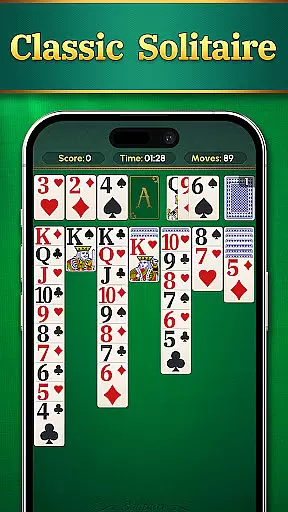
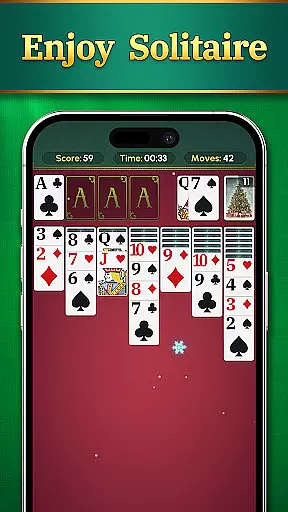
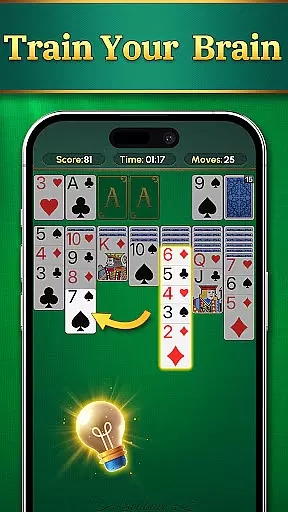
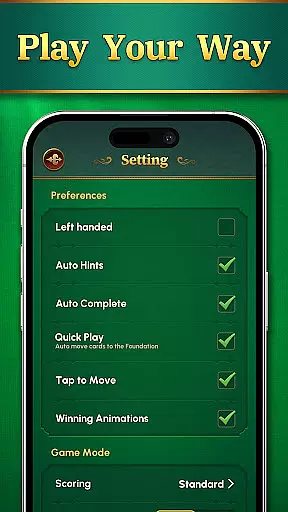
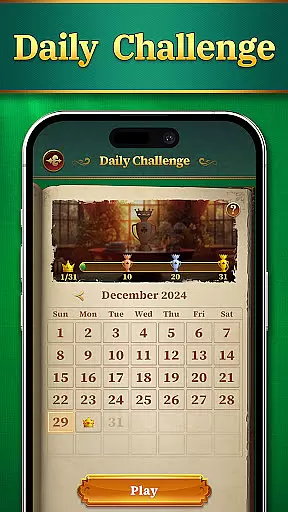
Solitaire: Classic Deluxe Cards is a modern take on the timeless card game, designed to provide both relaxation and mental stimulation. This app combines classic solitaire gameplay with contemporary features, making it ideal for players of all ages.
The game offers intuitive controls, customizable themes, and daily challenges that keep the experience engaging. Whether you're looking to unwind after a long day or sharpen your strategic thinking, this app delivers a rewarding card-playing experience right at your fingertips.
This solitaire app stands out through its user-friendly design and attention to detail. The big and clear cards ensure comfortable gameplay, even during extended sessions, while the smooth mechanics allow for seamless navigation and card movements.
Players can personalize their gaming environment with various themes, including unique card faces and backgrounds. Additionally, the inclusion of daily challenges adds an element of progression and competition, as users can earn trophies and rewards by testing their skills against new puzzles every day.
Random Number Generation (RNG) fairness is crucial in card games to ensure every shuffle and deal is genuinely random. Solitaire: Classic Deluxe Cards guarantees this through certified RNG algorithms, providing players with authentic randomness that mirrors real-world shuffles.
The game employs advanced cryptographic techniques to maintain the integrity of its RNG processes. This ensures that no predictable patterns emerge, offering a fair and balanced experience for all players regardless of their skill level.
Players benefit from knowing that each game's outcome is entirely unbiased and not manipulated. This transparency builds trust and enhances the overall gaming experience, allowing users to focus on strategy and enjoyment without questioning the game's legitimacy.
Smooth and responsive controls are essential for an enjoyable card gaming experience. Solitaire: Classic Deluxe Cards excels in control fluidity, ensuring that every move and action is executed seamlessly without delay.
The game's interface is designed for intuitive touch interactions, minimizing input latency to make gameplay feel natural and effortless. Players can drag, drop, and tap cards with precision, enhancing their engagement and satisfaction.
This attention to responsiveness not only makes the game more accessible but also allows players to execute complex strategies quickly. The result is a polished and professional experience that keeps players coming back for more, knowing they can rely on the game's performance every time they play.
User-friendly interface
Customizable themes
Daily challenges
Intuitive controls
Engaging rewards system
Limited social features
In-app purchases
Occasional ads
No multiplayer mode
Basic tutorial

This classic partnership trick-taking card game is always ready to play!
 4.60
4.60
Play and Master the Fun Classic Card Game Online & Offline
4.70
Play and Master the Fun Classic Card Game Spades. Outsmart Opponents & Enjoy
4.80
Collect and play the original CCG on Arena. Magic is now on your phone!
4.10
Play anywhere anytime the most popular card game
4.70
Find dragons in mysterious land and play card games.
4.60
Defeat your landlord in this slot machine roguelike deckbuilder!
4.60
Play Blackjack and and earn gift cards
4.50
Classic Solitaire Card Game: Join a Tripeaks Solitaire Game with a Twist
4.70
Special Klondike Edition
5.00
The world’s largest Spades game! Enjoy the classic card game with 52 card deck
4.70
Relax and unwind with Solitaire: Card Games.
4.70
Play for fun, practice or get advice for 400+ VP games and over 2000 pay tables.
4.60
Restore and customize the truck exclusively to your own through Solitaire!
4.60
Always ready: the partnership trick-taking card game with so many rule options!
4.60
Swipe and be the Queen!
4.60
Train your brain and kill time
4.40
90 games. Intuitive, simple, beautiful... just great. Try it and you'll love it!
4.20
Classic Solitaire Game: Brain training & relaxation!
4.20


User Reviews