
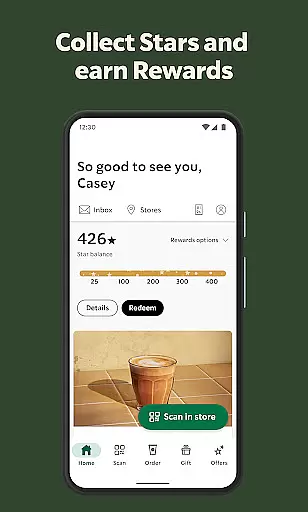
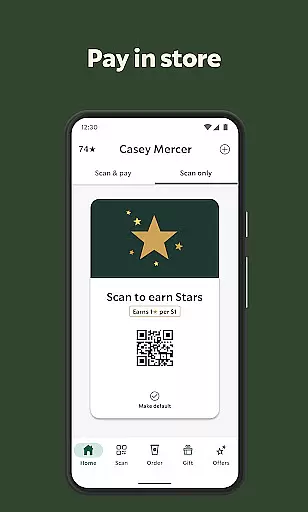
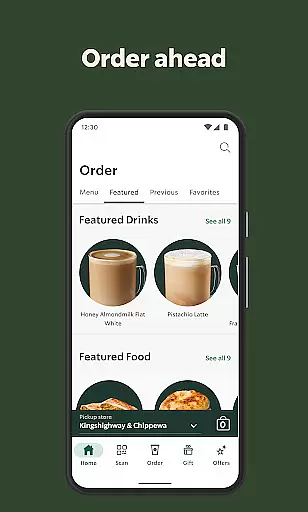
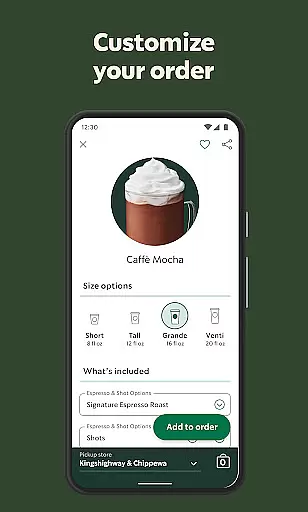
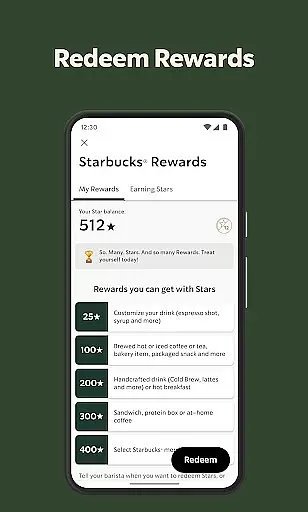
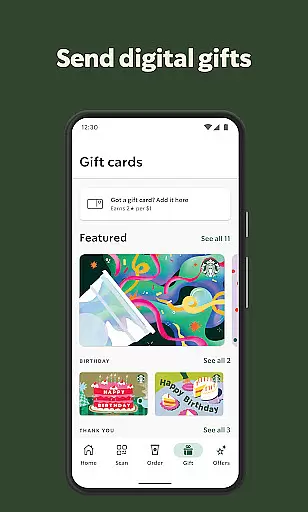
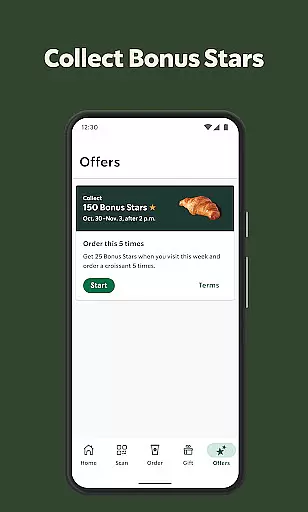
Starbucks® app revolutionizes the coffee ordering experience by allowing users to order ahead, earn rewards, and pay seamlessly. The core functionality includes mobile ordering for pick-up, a Starbucks® Rewards program that offers free food and drinks, and an easy payment system through the app. Users can also send eGifts, find nearby stores with detailed information, and even tip their barista directly in the app. This comprehensive suite of features is designed to enhance convenience and reward loyal customers, making every visit to Starbucks more enjoyable.
The app is particularly beneficial for busy professionals and frequent visitors who want to save time and earn perks. By integrating advanced ordering technology with a robust rewards system, Starbucks ensures that users can quickly get their favorite drinks while enjoying exclusive benefits. Whether you're commuting to work or meeting friends, the app streamlines the entire process, from ordering to payment, ensuring a smooth and rewarding experience.
The Starbucks® app boasts a variety of innovative features tailored to enhance user experience. One standout feature is the ability to order ahead, allowing customers to place their orders via the app and pick them up without waiting in line. This functionality is complemented by the Starbucks® Rewards program, which lets users earn Stars towards free food and drinks, as well as special birthday treats. Additionally, members can save custom drinks and preferred payment methods, view past orders, and bookmark favorite stores for quick access.
Another significant feature is the seamless payment integration, enabling users to pay directly through the app without needing a physical wallet. This not only speeds up the checkout process but also allows users to accumulate rewards effortlessly. Furthermore, the app facilitates sending eGifts to friends through various messaging platforms, complete with customizable designs for different occasions. With functionalities like store locators providing directions, hours, and amenities, along with the option to tip baristas at many U.S. locations, the Starbucks® app delivers a holistic and user-friendly experience.
Locating your nearest Starbucks has never been easier with the Store Locator feature. This essential functionality allows users to find nearby locations quickly and efficiently. The app provides detailed information about each store, including operating hours, amenities, and directions.
The Starbucks app goes beyond basic location services by offering additional details that enhance the customer experience. Users can filter stores based on specific amenities like drive-thru availability, Wi-Fi access, or wheelchair accessibility. This ensures that customers can choose a location that best suits their needs.
For those on the go, the app's map integration offers real-time navigation assistance. Whether you're a daily commuter or traveling in a new city, this feature helps you plan your route effectively. The precise GPS data and regularly updated store information guarantee you'll always find what you need.
This comprehensive store locator system demonstrates Starbucks' commitment to convenience and customer satisfaction. By providing accurate and detailed location information, the app enhances both casual visits and regular commutes to your favorite coffee destination.
Starbucks revolutionizes the coffee ordering experience through its advanced Delivery and Pickup Options. This feature caters to modern lifestyles by offering multiple ways to enjoy your favorite beverages without waiting in line. Customers can choose between delivery to their location or convenient curbside pickup.
The app streamlines the entire process from order placement to fulfillment. Users can track their orders in real-time, receiving notifications about preparation status and estimated arrival times. For pickup orders, the app provides designated parking spot numbers and arrival instructions for seamless collection.
Payment integration within the delivery and pickup system ensures secure transactions while earning rewards points. The app remembers your preferred payment methods and automatically applies them to future orders. This creates a frictionless experience whether you're getting your morning coffee delivered or picking it up during a busy workday.
These flexible service options demonstrate Starbucks' dedication to adapting to customer needs. By combining technology with traditional coffee service, they've created a versatile platform that saves time while maintaining beverage quality and freshness.
User-friendly interface
Comprehensive rewards program
Convenient mobile ordering
Seamless payment options
Customizable eGift designs
Limited to participating stores
Occasional app glitches
Requires frequent updates
Geographical restrictions
Initial learning curve

Krispy Kreme Mobile Ordering, Loyalty and Hot Light
 3.20
3.20
Easy and fast ordering, improved customization, and an enhanced guest experience
4.20
Everything you want right here
4.50
Enjoy all your Legendary favorites at Texas Roadhouse!
4.80
Order from Gopuff and get your essentials delivered in as fast as 15 minutes
4.50
Earn rewards when you order online for delivery or pickup from Sonic Drive-In.
4.60
Food delivery from your favorite places. Order food, alcohol and more nearby
4.50
NEW digital gift cards available in exclusive designs!
4.60
Enjoy Exclusive Deals, Rewards, Gas Benefits, and 24/7 Food Delivery!
4.90
Restaurant Reservations
4.90
Good Fortune Awaits with Panda Rewards and the Panda Express® App.
4.70
EASIEST WAY TO PIZZA®
4.70
Delicious cocktail recipes you can make with ingredients you already have.
4.40
Order Beer, Snacks & More 24/7
4.20
Order, Deals & Rewards
4.20
Skip the line, get delivery + exclusive treats
3.90
Order pizza and earn points
3.90
KFC-US Mobile App
3.30
Order ahead. Earn Delicious Rewards.
3.20


User Reviews