
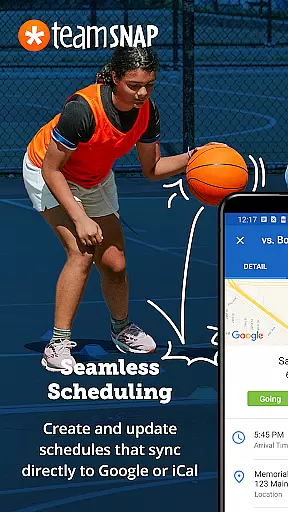
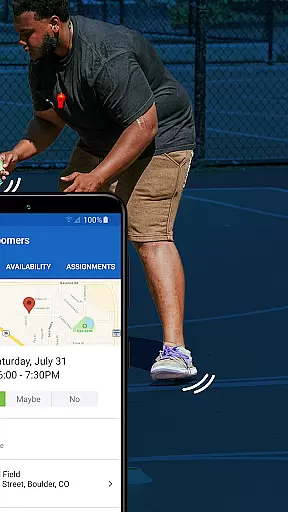


TeamSnap is a leading Sports Management app designed for coaches, sports organization administrators, and parents involved in youth sports. This powerful tool simplifies the complex operations of managing sports teams, clubs, or leagues by centralizing communication, registration, payment collection, scheduling, and team management into one platform.
The app's standout feature is its ability to replace scattered group text chains and separate payment apps with a unified system that keeps everyone informed and organized. With functionalities ranging from real-time game updates to player statistics tracking, TeamSnap ensures that users can focus more on player development and delivering an exceptional sports experience rather than getting bogged down by administrative tasks.
Whether it's for soccer, ice hockey, baseball, basketball, or other sports, TeamSnap proves invaluable for competitive clubs and recreational leagues alike. Its comprehensive suite allows for efficient communication, roster management, availability tracking, and scheduling, making it the go-to solution for over 24 million users who want to maximize playing time and minimize organizational hassles.
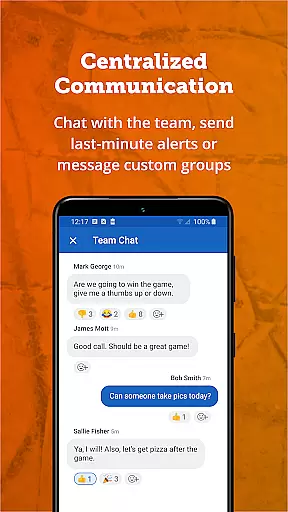
TeamSnap boasts an impressive array of features tailored to meet the needs of coaches, administrators, and parents in the youth sports community. One of its key strengths is streamlining communication through individual or group messages, push notifications, and SMS alerts, ensuring that all team members are always up-to-date with the latest information.
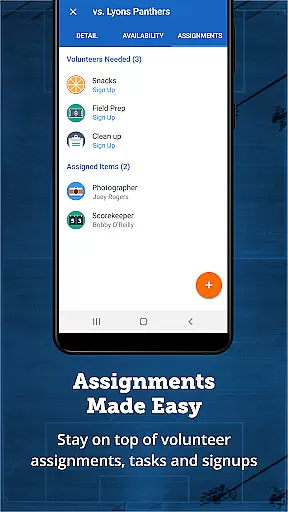
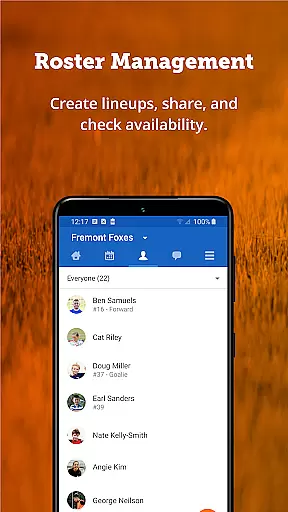
For coaches, TeamSnap offers tools to manage rosters dynamically, set gameday lineups, track player availability, and create schedules effortlessly. Administrators benefit from advanced capabilities like sending mass communications across entire clubs or specific segments, integrating custom registration forms, automating financial processes, and generating detailed reports. These features not only save time but also enhance the overall efficiency and effectiveness of sports management.
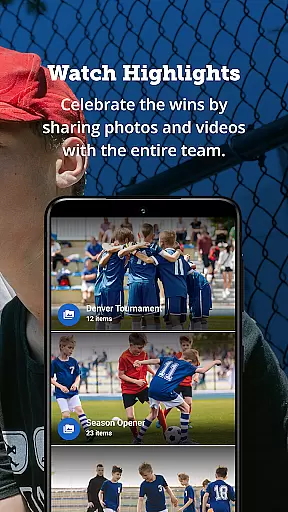
Moreover, TeamSnap stands out with its innovative solutions such as Postgame Reports, photo sharing, and storage options, which foster a connected sports community. By providing a seamless experience from registration to payment and beyond, TeamSnap empowers users to concentrate on what truly matters—developing athletes and creating memorable experiences on and off the field.
Gameplay realism in sports management apps refers to how accurately the app simulates real-world sports team management scenarios. For TeamSnap, this translates into features that mirror actual coaching and administrative tasks.
TeamSnap excels by offering tools like Availability tracking, which lets coaches know who will be present for games and practices, thus enabling them to plan as they would in real-life situations. The app also provides robust scheduling capabilities, allowing coaches to organize their teams efficiently, just as they would outside the digital realm.
Users benefit from these realistic simulations by experiencing fewer organizational mishaps, ensuring that more time is spent on the field rather than managing logistics. This accurate representation of real-world challenges makes TeamSnap an invaluable tool for youth sports management.
The app's attention to detail in mimicking true-to-life sports operations offers a seamless transition from traditional methods to a digital solution, enhancing both the user experience and team performance.
Control scheme intuitiveness relates to how easily users can navigate and utilize an app's features. In the context of TeamSnap, it means providing an interface where coaches, administrators, and parents can effortlessly manage their sports teams or organizations.
TeamSnap achieves this through its streamlined communication tools, enabling efficient messaging via push notifications and SMS. The app consolidates all essential functionsu2014like roster management, scheduling, and financial trackingu2014into one accessible platform, eliminating the need for multiple disparate tools.
This intuitive design ensures that even those not technologically savvy can still effectively use the app, reducing the learning curve and increasing adoption rates among users. As a result, teams can focus more on player development and delivering a great sports experience.
By prioritizing ease of use, TeamSnap enhances user engagement and satisfaction, making it the go-to choice for simplifying the complex operations involved in running youth sports teams and leagues.
User-friendly interface
Comprehensive scheduling tools
Real-time updates and notifications
Integrated payment processing
Robust reporting features
Limited free version functionality
Subscription costs may add up
Occasional syncing issues reported
Steep learning curve for new users
Some advanced features require additional fees

Run the ball into the endzone in AR.
 4.2
4.2
Draft your NBA basketball game team. Authentic real-time online sports game.
4.20
Beat against 8 ball masters from around the world.
4.40
Build and play your own team! Baseball at your fingertips! BASEBALL NINE!
4.60
Challenging 1vs1 online matches! Strike, score, and be a soccer champion!
4.40
Push your skills, express your style, or just enjoy the ride.
4.60
Build a soccer club from scratch and see if you can conquer the World!
4.50
Play football like it's 1987! Classic retro arcade action and franchise mode.
4.60
Experience the thrill of NFL with the ultimate app for Football enthusiasts!
3.80
Play online multiplayer or PvP Pool games and compete with your friends!
4.80
Solunar Fishing Times by Fishingreminder.com
4.80
This is the most realistic 3D bowling game on the Android phones.
4.70
Feel combo thrills in Challenge! Aim, strategize, and master your billiard skill
4.60
Play the hit multiplayer Carrom Disc Pool board game and become the best!
4.60
Let's play catch and throwing game!
4.60
Play the World's Soccer Game Anywhere with Premier League, UCL & LALIGA stars.
4.60
Mobile Team Manager: Team Chat | Schedule Team Games | Build Player Roster
4.50
Advanced Shotgun Shooting Simulator: Skeet, Trap, Sporting and Bird Hunting
4.20
Play T20 Cricket World Cup 2025. Real matches, offline & tournament mode!
4.0


User Reviews