
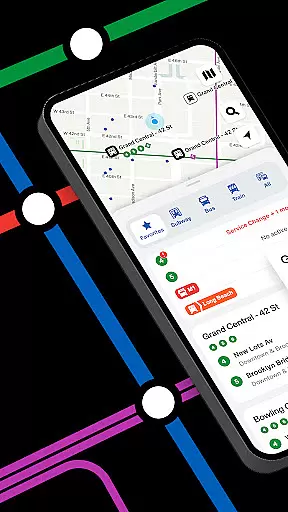
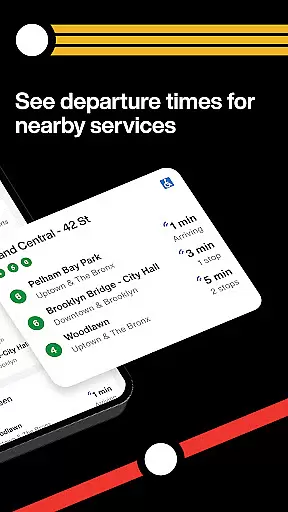
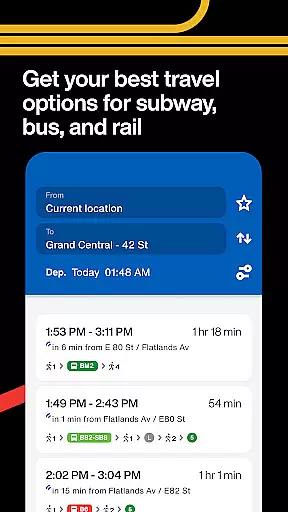
The Official MTA App is a comprehensive travel solution for navigating New York's subway, bus, and rail networks. Designed with user convenience in mind, the app provides real-time tracking, service updates, and customizable features to streamline daily commutes.
Key functionalities include live transit maps, saved favorite routes, and proactive smart alerts that notify users of delays or changes. Whether you're a daily commuter or an occasional traveler, this app ensures you stay informed and on schedule while moving through the city.
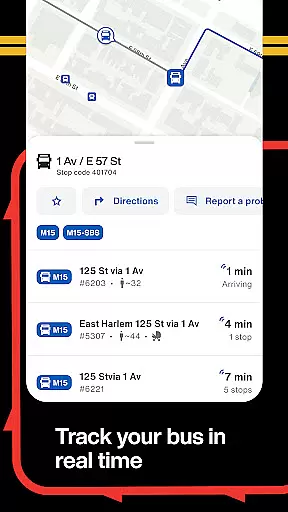
This app stands out with its intuitive map-based interface, offering seamless trip planning and easy navigation across all MTA services. The real-time tracking feature allows users to monitor buses and trains as they approach, ensuring timely arrivals at their destinations.
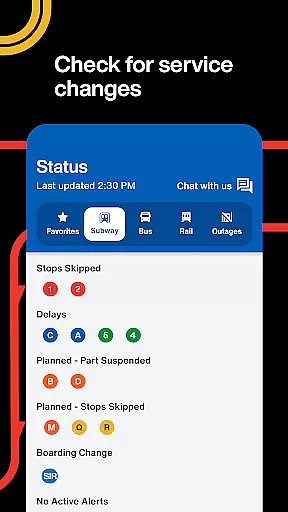
Additional highlights include interactive home screen widgets for quick access to departure times and statuses, personalized alerts tailored to individual commuting habits, and a Status tab that consolidates service disruptions in one place. These tools collectively enhance both reliability and efficiency for public transport users.
Booking authenticity is a crucial aspect of any travel application, ensuring that all reservations and trip details are accurate and trustworthy. The Official MTA App provides reliable real-time information directly from the MTA, which means users can trust the data they receive regarding schedules and service updates.
The app allows passengers to track buses in real time on the map, ensuring they never miss a ride again. This feature not only enhances the reliability of bus arrival times but also adds an extra layer of assurance for commuters relying on public transportation.
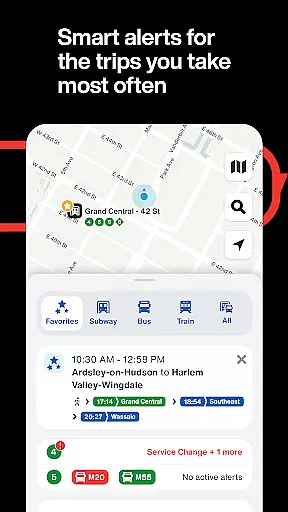
Additionally, the MTA app offers optional alerts that notify users of any delays or disruptions, further solidifying the authenticity of bookings by keeping riders informed at all times. These proactive smart alerts learn user preferences and check for service changes before departure, offering peace of mind when planning journeys.
Price transparency in transit applications ensures that users have clear information about fares and potential costs associated with their travel plans. While The Official MTA App does not focus heavily on pricing due to its nature as a public transportation tool, it simplifies fare understanding through easy access to services and lines frequently used by commuters.
By allowing users to save their preferred lines, stops, and stations, the app streamlines the process of accessing fare information without needing to search extensively each time. This personalized approach indirectly supports price transparency by making cost-related details readily available within saved trips.
Moreover, interactive widgets on the home screen provide live departures and service statuses across the MTA network, enabling users to make informed decisions regarding their travel expenses. By updating regularly based on rider feedback, the app continually improves how transparently it presents essential commuting information.
User-friendly design
Real-time tracking
Customizable alerts
Comprehensive transit info
Regular updates
Limited to NYC area
Occasional bugs
Requires data
No offline mode
Ads present

Navigate your world faster and easier with voice navigation & street view map
 4.20
4.20
Apply for an electronic travel authorisation (ETA) to come to the UK.
3.20
Plan where to stand and shave minutes off your trip!
4.80
All-in-one delivery and taxi app. Ride, food, & grocery delivery app.
4.80
With the Spirit Airlines app, easily manage all your trips in one place.
4.70
Streamline your U.S. entry
4.90
Download now and start earning rewards on hotels, tours, and everything travel.
4.50
One app, 300,000+ travel experiences, tours, and tickets you’ll remember.
4.90
Get real-time traffic, directions, search and find places
4.10
Rent the perfect car for wherever you’re going
4.90
Discover the power of one-way location tracking. Share your location securely.
4.50
Stack Upside with your current credit & debit rewards for even more cash back!
4.50
Now you can book homes, experiences, and services—all in our redesigned app.
4.40
Explore our parks like never before with the completely reimagined Six Flags app
4.30
INDOT Trafficwise is a traffic and traveler information mobile app.
4.00
The official app of Allegiant Travel & Allegiant Airlines
3.30
A packing list app that helps you remember what to pack for a trip.
3.10
Locate and navigate to local holiday displays
4.2
The #1 Parent App in Brevard County
4.5
Real Booking.com review—unexpected charges, free cancellation reality, price display issues, customer support quality, and honest comparisons.



User Reviews