
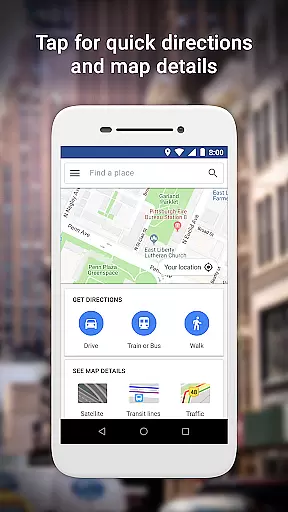
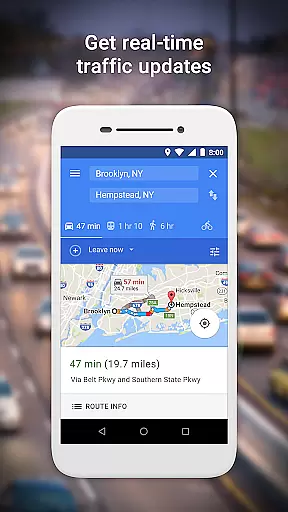
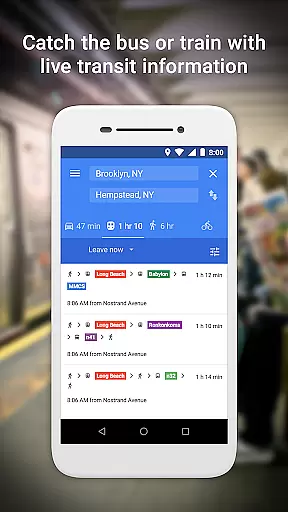
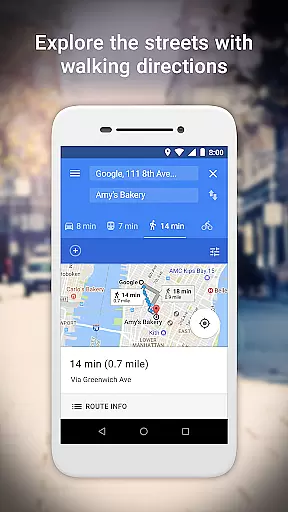
Google Maps Go is a lightweight Progressive Web App designed for devices with limited memory and unreliable network connections. Taking up 100 times less space than the full Google Maps app, it provides essential mapping features without compromising speed or performance. The app offers real-time traffic updates, directions, and public transit information, making it ideal for users who need reliable navigation tools on their smartphones without consuming significant device resources.
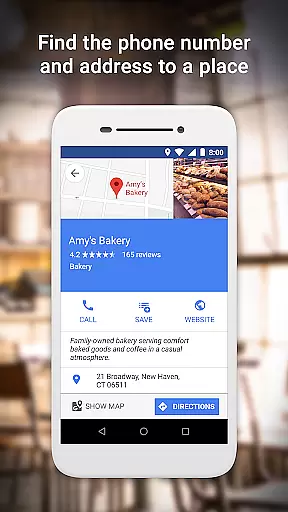
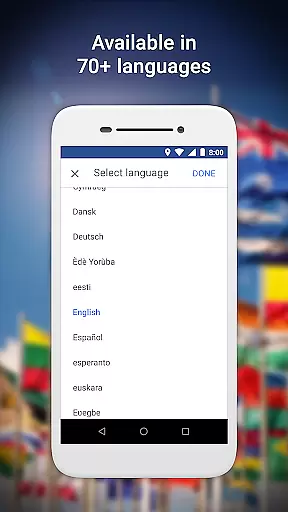
In addition to basic navigation, Google Maps Go allows users to search and find detailed information about millions of places, including phone numbers, addresses, and customer reviews. With support for over 70 languages and comprehensive maps covering 200 countries and territories, this app is particularly valuable for travelers and locals alike who require accurate location data and transit schedules in areas with limited connectivity.
Google Maps Go stands out with its unique combination of lightweight design and robust functionality. The app integrates multiple transportation modes, including two-wheelers, metro, buses, taxis, walking, and ferries, to help users find the fastest routes. It also provides live city public transport schedules, enabling users to plan their trips efficiently using step-by-step directions and route previews.
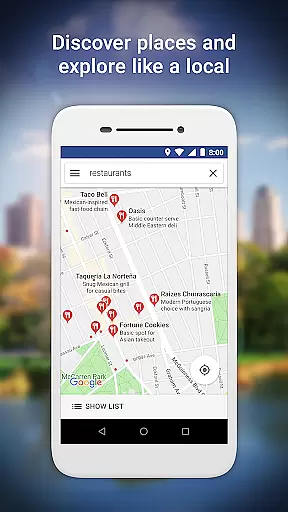
Another key feature is its ability to function seamlessly in low-connectivity environments while still delivering real-time traffic updates and detailed business information for over 100 million places. Users can explore new locations, read reviews, view pictures, and save frequently visited places for quick access later. These capabilities make Google Maps Go an indispensable tool for navigating urban environments and discovering local businesses, all within a compact and efficient application framework.
Booking authenticity is a crucial aspect of any travel application, ensuring that all reservations and bookings made through the platform are legitimate and trustworthy. Google Maps Go provides users with reliable information about millions of places worldwide, including phone numbers, addresses, and business details.
The app's comprehensive database is regularly updated to maintain accuracy, giving users confidence when planning their trips. Whether you're looking for local restaurants, hotels, or other points of interest, Google Maps Go ensures that the information you find is verified and up-to-date.
By offering live public transport schedules and detailed directions, the app further enhances booking authenticity by allowing users to plan their journeys accurately. This feature not only helps in making informed decisions but also adds an extra layer of security knowing that your travel plans are based on credible data.
Price transparency is essential for travelers who want to make cost-effective decisions. While Google Maps Go does not directly handle bookings or payments, it provides valuable insights into pricing by displaying detailed business information for over 100 million places across 200 countries and territories.
Users can access customer reviews and view pictures of food and venues, which often include mentions of prices. This indirect approach to price transparency allows users to gauge the affordability and value of different locations before visiting them.
Additionally, the app's availability in 70+ languages ensures that users from various regions can understand and compare costs effectively. By combining this linguistic accessibility with its extensive database, Google Maps Go empowers users to make well-informed choices without hidden fees or surprises.
Lightweight design
Real-time traffic
Multi-language support
Public transit info
Offline usability
Limited offline maps
No advanced features
Requires Chrome
Less detailed data
Fewer customization options

View current Idaho road conditions, road cameras, and timelapse videos.
 4.4
4.4
Meet Allyz®, your ultimate travel companion
4.70
Take JetBlue everywhere you go! Book, manage and check in for your trips & more.
4.60
Download now and start earning rewards on hotels, tours, and everything travel.
4.50
Travel light with our easy-to-use mobile app, the perfect flying companion.
4.40
Booking your bus tickets has never been easier
4.70
Travel and Book 8,000+ Hotels Worldwide with the Marriott Bonvoy™ app.
4.90
Manage your travel on Delta with access to boarding passes, flight info & more.
4.80
Stack Upside with your current credit & debit rewards for even more cash back!
4.50
Find the perfect vacation rental. Search from over 2 million properties.
4.80
Book your whole trip in one app.
4.80
Bus tickets at unbeatable prices with routes across the US. All aboard FlixBus!
4.70
Discover the power of one-way location tracking. Share your location securely.
4.50
The mobile panorama panel. Works offline - worldwide!
4.40
Take your pick from over 5 million accommodation deals from major booking sites.
4.40
Navigate your world faster and easier with voice navigation & street view map
4.20
MyTSA gives you 24/7 access to info that passengers frequently request from TSA.
4.10
Iowa 511 is the Iowa Department of Transportation's traveler information app.
3.80
Find the best prices, pay for the cheapest gas, and save on every fill up
3.30
Honest Expedia app review based on real user experiences—customer service problems, booking issues, One Key rewards, and comparisons.



User Reviews