
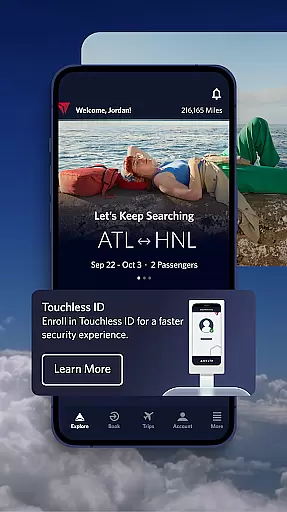

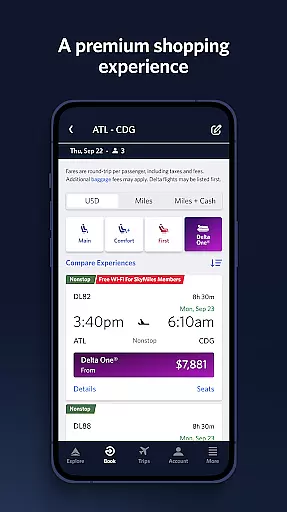
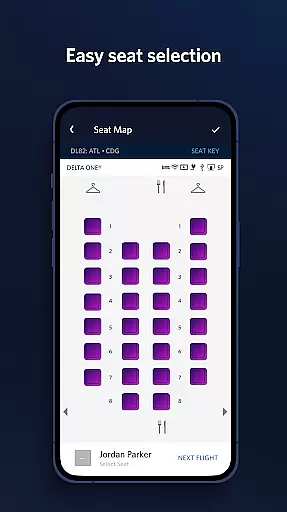
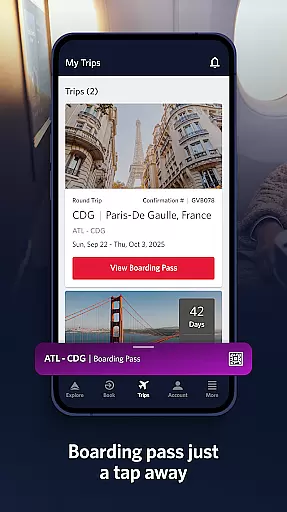
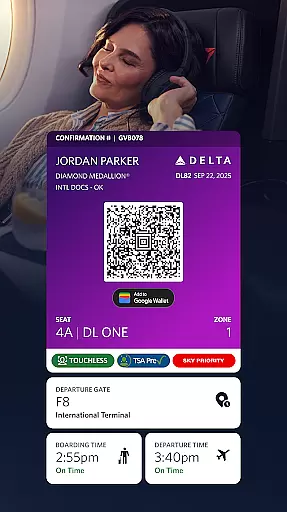
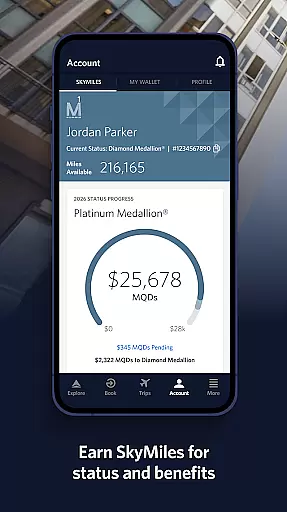
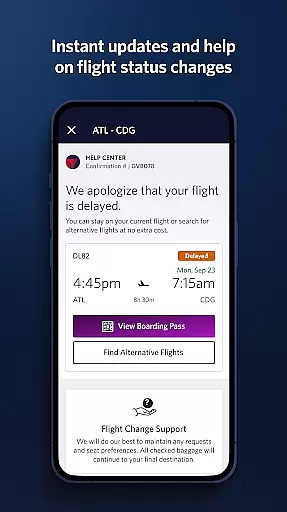
Fly Delta is the ultimate travel companion for Delta Airlines passengers, offering a comprehensive suite of features to streamline every aspect of air travel. This award-winning app allows users to effortlessly plan their trips by booking domestic and international flights while providing advanced tools for managing reservations.
Travelers can check in digitally, access boarding passes offline, and navigate airports using detailed maps. The app's robust notification system keeps passengers informed about gate changes and flight updates, while innovative features like real-time baggage tracking and mobile drink vouchers enhance the overall travel experience.
Whether you're coordinating upgrades using SkyMiles or need assistance through Live Chat with Delta agents, Fly Delta ensures smooth airport navigation and convenient access to essential travel information, making it indispensable for both business and leisure travelers.
The Fly Delta app distinguishes itself through its comprehensive feature set designed to simplify air travel. Key capabilities include the ability to book and manage flights across domestic and international routes, with integrated tools for tracking and paying for upgrades using SkyMiles rewards.
Passengers benefit from advanced airport navigation features such as digital check-in, offline boarding pass access, and detailed airport maps. The app provides real-time notifications for gate changes and flight status updates while enabling users to modify seat preferences and reserve preferred seating options.
Unique innovations include passport scanning during check-in, real-time baggage tracking, and mobile drink voucher storage. These features, combined with the ability to rebook canceled flights and access Delta Sky Club information, create a seamless travel experience that addresses multiple passenger needs throughout their journey.
Ensuring booking authenticity is crucial for a seamless travel experience, and the Fly Delta app excels in this area. The app provides reliable booking services for both domestic and international flights, ensuring that every reservation made is secure and verifiable.
Fly Delta incorporates advanced features such as Live Chat support, allowing users to communicate directly with agents for immediate assistance and verification of travel details. This ensures that any booking queries or issues are promptly addressed, enhancing the overall trust in the booking process.
Additionally, the app allows travelers to manage their preferences and payment methods securely. By saving these details, customers can enjoy a hassle-free booking experience for future trips, confident in the knowledge that their information is protected and their reservations are authentic.
Price transparency is a key factor for travelers when choosing a flight booking platform. The Fly Delta app offers clear pricing by displaying all costs associated with a flight, including taxes and fees, upfront during the booking process.
Users have the ability to track and pay for upgrades using their SkyMiles, providing a transparent view of how their miles are utilized and the value they receive. This empowers travelers to make informed decisions about purchasing upgrades or additional services without hidden costs.
Moreover, the app's feature to add Trip Extras like Wi-Fi passes or Mileage Booster further exemplifies its commitment to price transparency. Customers can see exactly what they are paying for and understand the benefits associated with each extra, ensuring a trustworthy and straightforward transaction experience.
User-friendly interface
Comprehensive travel tools
Offline boarding pass access
Real-time flight updates
Integrated SkyMiles management
Limited third-party integration
Occasional technical issues
Some features require membership
Heavy data usage
Complex navigation for new users

View US public land boundary maps on your device.
 3.70
3.70
Mix of explore game, travel mapping & tracking to memorize everywhere you go
3.60
The travel app that makes booking cheap flights, hotels, and car rentals easy.
4.80
Take your pick from over 5 million accommodation deals from major booking sites.
4.40
With the Spirit Airlines app, easily manage all your trips in one place.
4.70
Get faster fuel rewards, exclusive offers, and helpful tools!
4.70
Everything you need for your trip in one place with the Volaris app.
3.60
Link & locate for real-time child & family safety: GPS tracker for families
4.40
Travel and Book 8,000+ Hotels Worldwide with the Marriott Bonvoy™ app.
4.90
It drives. You ride.
4.90
Guest how you guest when you book one of our 6,800+ hotels and earn rewards.
4.90
Book flight, car or packages. Instant access to hotel discounts & travel deals
4.80
Book now to save with exclusive travel deals on hotels, flights, cars & packages
4.70
The United app puts valuable travel information in the palm of your hand.
4.70
Get all MTA services, Subway, Bus, LIRR, Metro-North and More all in one place.
4.60
Walt Disney World Resort maps, wait times, tickets, dining & more.
4.50
Earn hotel and travel rewards, find hotel offers, and access your Digital Key.
4.50
Tide Table Chart provides quick and easy access to high and low tide forecasts.
3.20
A packing list app that helps you remember what to pack for a trip.
3.10
Complete Priceline review—Express Deals explained, Name Your Price reality, app glitches, customer service quality, and smart booking strategies.



User Reviews