
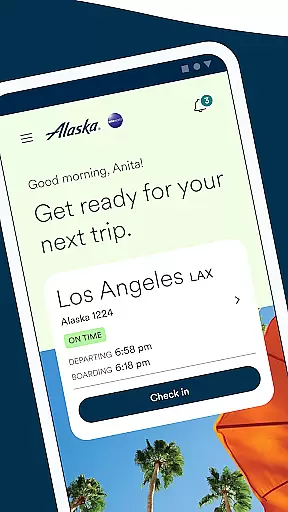


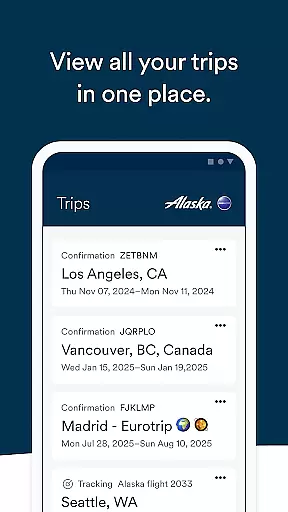
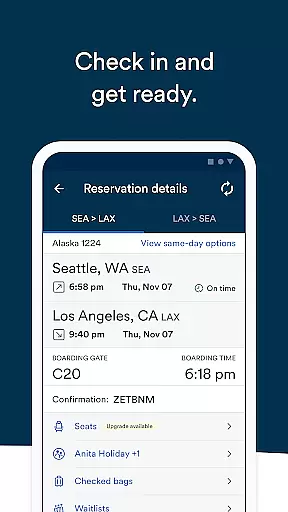
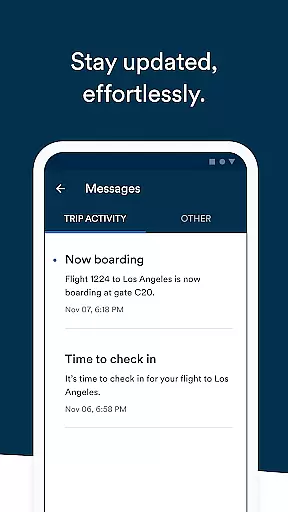
Alaska Airlines offers a comprehensive travel companion app that simplifies every stage of your journey. With this app, users can effortlessly book flights, check-in, and navigate airports with ease. The app provides real-time flight information, ensuring travelers are always informed.
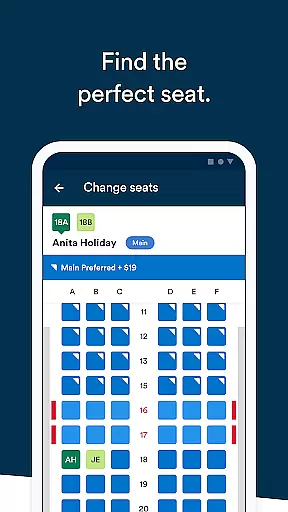
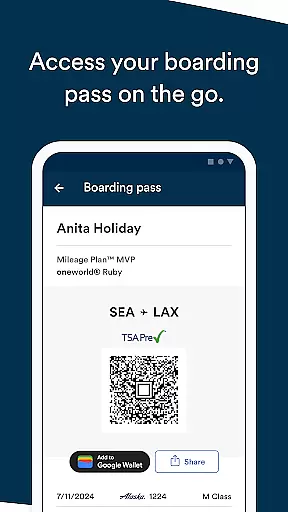
Key features include the ability to use discount codes or miles for bookings, manage Rewards accounts, pre-order meals, and access important notifications through the Message center. Additionally, users can modify bookings, purchase seat upgrades, and add boarding passes to Apple Wallet for convenience.
This app is particularly useful for frequent travelers who want to streamline their airport experience and stay updated on all essential flight details.
The Alaska Airlines app boasts an array of features designed to enhance the travel experience. Users can book flights using discount codes or miles, and manage their Rewards account to view upcoming trips and track points towards Atmos Rewards status.
Travelers can pre-order meals like the Fruit & Cheese plate, and add important numbers such as Atmos Reward or TSA PreCheck to their bookings. The Message center ensures users receive crucial notifications about delays and gate changes. Furthermore, the app allows easy modifications to bookings, purchasing seat upgrades, and checking in up to 24 hours before the flight.
Additional conveniences include adding boarding passes to Apple Wallet, sharing flight details, monitoring waitlists, and integrating flight details into the iPhone calendar. These features collectively ensure a seamless and stress-free travel experience.
When it comes to booking flights through the Alaska Airlines mobile app, users can expect a seamless and reliable experience. The app allows travelers to book flights using percentage-off codes or miles, providing flexibility and convenience in payment options.
By signing into their Rewards account, customers gain easy access to all their upcoming trips, view balances, and track points towards Atmos Rewards status. This ensures that every booking is not only authentic but also contributes to earning valuable rewards for future travel.
The ability to pre-order meals like the Fruit & Cheese plate across different cabin classes adds another layer of assurance for passengers who wish to customize their inflight experience according to personal preferences.
With features such as adding loyalty program numbers or TSA PreCheck details directly within the app, Alaska Airlines enhances the authenticity of each booking by streamlining these essential components of air travel preparation.
Alaska Airlines' mobile application excels in offering price transparency throughout the booking process. Users have clear visibility into how they can utilize discount codes or redeem accumulated miles when purchasing tickets, which simplifies budgeting for trips significantly.
Moreover, customers are empowered with tools like viewing current Reward balances and tracking progress toward elite status tiers within Atmos Rewards. Such insights enable informed decisions about spending on flights versus saving for other benefits associated with frequent flyer programs.
For those looking at additional services during their journeyu2014such as seat upgradesu2014the app provides straightforward pricing information alongside multiple secure payment methods including Apple Pay or stored credit cards.
This level of openness extends beyond mere ticket costs; it encompasses ancillary expenses too, ensuring travelers know exactly what they're paying for at every stepu2014from initial reservation through check-in procedures up until boarding time.
User-friendly interface
Comprehensive travel management
Real-time flight updates
Easy booking modifications
Rewards integration
Limited to Alaska Airlines
Occasional bugs reported
Apple Pay required for upgrades
Some features are subscription-based
Notifications can be inconsistent

OFFLINE detailed information about the Florida National and State Parks
 4.4
4.4
Locate and navigate to local holiday displays
4.3
View current Idaho road conditions, road cameras, and timelapse videos.
4.1
The mobile panorama panel. Works offline - worldwide!
4.40
Discover the power of one-way location tracking. Share your location securely.
4.50
Real-time flight tracking with live maps and flight status updates.
3.70
Walt Disney World Resort maps, wait times, tickets, dining & more.
4.50
Link & locate for real-time child & family safety: GPS tracker for families
4.40
The United app puts valuable travel information in the palm of your hand.
4.70
It drives. You ride.
4.90
Book flight, car or packages. Instant access to hotel discounts & travel deals
4.80
Stay at Motel 6 for less - book fast, save more with MY6 app!
4.70
Book neighborhood dog boarding, dog walking, pet sitting, and doggy day care.
4.60
The best way to book travel
4.60
Earn hotel and travel rewards, find hotel offers, and access your Digital Key.
4.50
Flight booking, hotel booking & more - all in one place with the Southwest App!
4.50
Mix of explore game, travel mapping & tracking to memorize everywhere you go
3.60
The official app of Allegiant Travel & Allegiant Airlines
3.30
Every Diners, Drive-in & Dives location in one place! Your guide to Flavortown!
3.00
Honest Expedia app review based on real user experiences—customer service problems, booking issues, One Key rewards, and comparisons.



User Reviews