
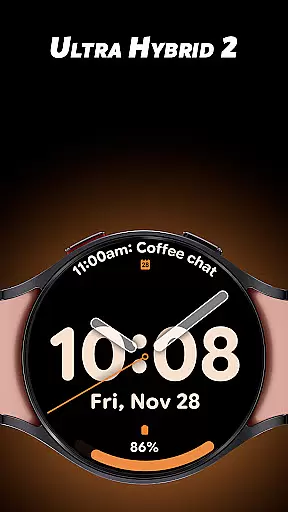
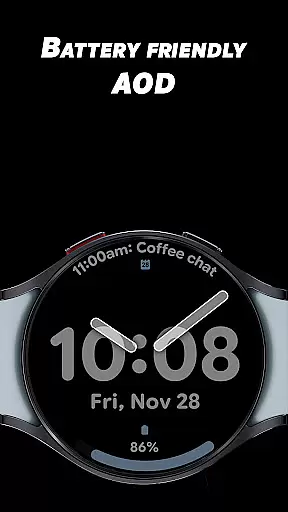
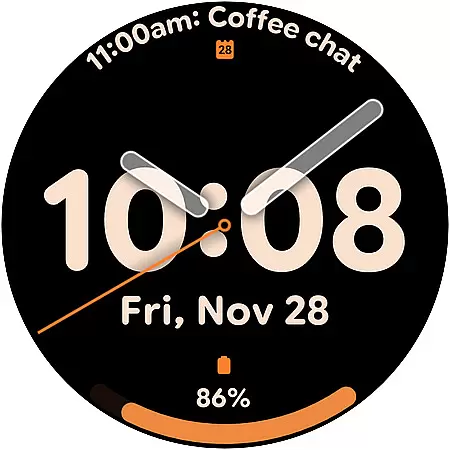
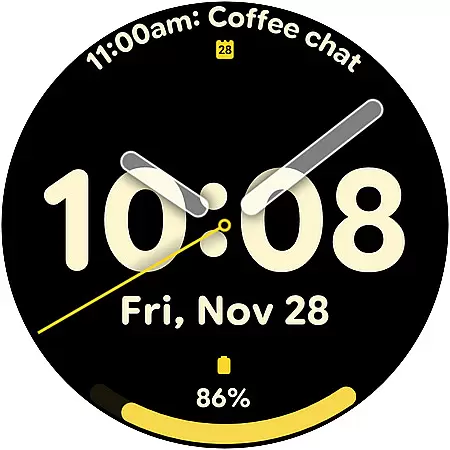
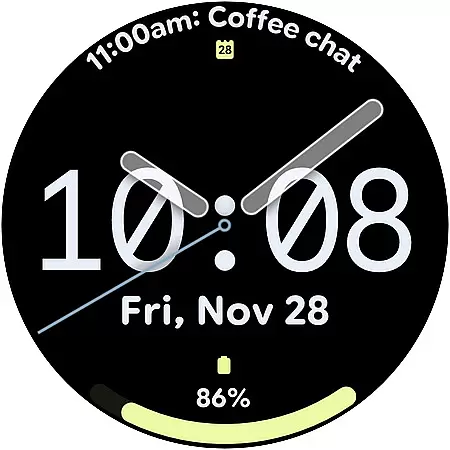
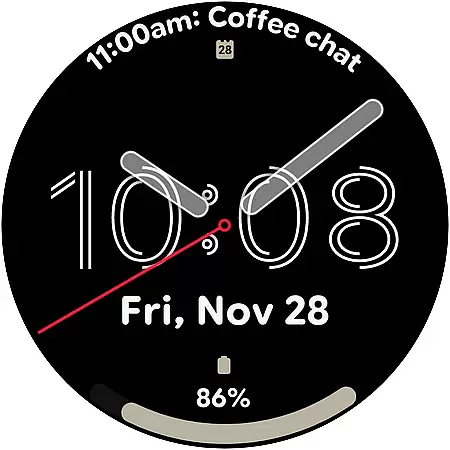
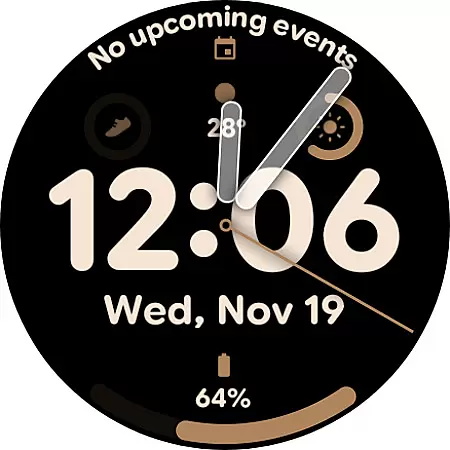
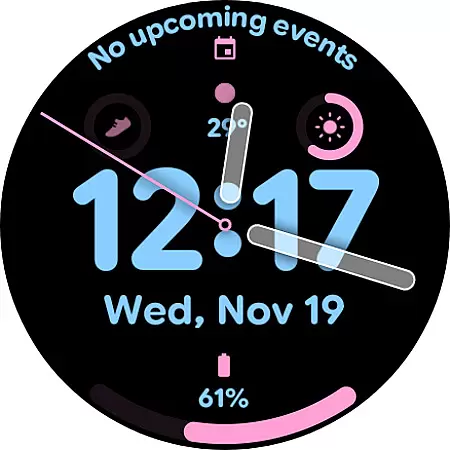
Ultra Hybrid 2 is a premium hybrid watch face designed for Wear OS, offering users a perfect blend of bold digital time and smooth analog hands. With its elegant design and customizable features, this app caters to those who value both style and functionality in their smartwatch experience.
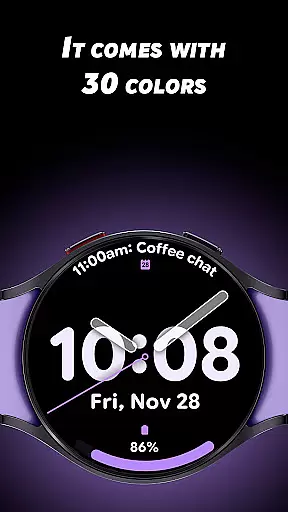
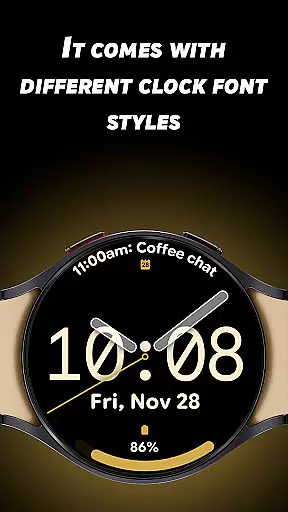
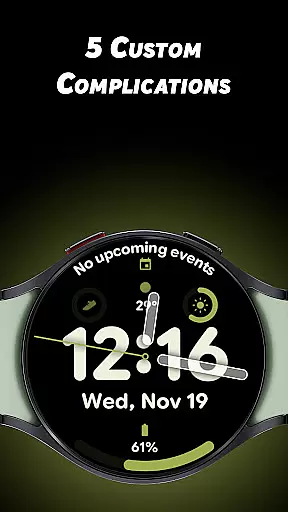
The watch face includes 30 vibrant color themes, 5 unique clock fonts, and 5 customizable complications, allowing users to personalize their watch to fit their individual preferences. Whether you're looking for a minimalist aesthetic or something more eye-catching, Ultra Hybrid 2 provides the tools to make your smartwatch truly yours.
Optimized for everyday use, Ultra Hybrid 2 ensures readability and battery efficiency with its Always-On Display feature. This makes it an ideal choice for anyone seeking a stylish yet practical solution for their daily smartwatch needs.
Ultra Hybrid 2 stands out with its diverse range of customization options. Users can choose from 30 stunning color themes, ensuring there's a look for every occasion. The 5 unique clock font styles allow for personal expression, whether you prefer a modern digital appearance or something more classic.
The app supports both 12-hour and 24-hour time formats, adapting seamlessly to your preference. With 5 customizable complications, including battery status, weather updates, step counts, heart rate monitoring, and calendar events, Ultra Hybrid 2 keeps essential information at your fingertips while maintaining a sleek design.
Battery optimization is a key focus, featuring an efficient Always-On Display (AOD) mode that maximizes usability without compromising on style. These features collectively create a versatile and visually appealing watch face suitable for various lifestyles and activities.
Ultra Hybrid 2 offers extensive lifestyle category coverage by integrating multiple functional features into a sleek Wear OS watch face. The app provides users with over 30 vibrant color themes, allowing them to customize their smartwatch to match various personal styles and moods.
In addition to its aesthetic versatility, the app includes five unique clock font styles that cater to different user preferences, ensuring that there is a digital look for everyone. Whether you prefer a minimalist design or something more bold and eye-catching, Ultra Hybrid 2 has you covered.
The app also supports both 12-hour and 24-hour time formats, making it adaptable to international standards and personal preference. This flexibility enhances its appeal across diverse user bases, accommodating various cultural and regional timekeeping norms.
Ultra Hybrid 2 ensures content authenticity by offering a meticulously designed hybrid watch face that combines digital and analog elements seamlessly. Each of the thirty color themes and five clock fonts has been crafted to maintain a high standard of visual clarity and aesthetic appeal, which speaks to the app's dedication to quality.
Expert credibility is evident in the app's attention to detail and optimization for battery efficiency. The Always-On Display (AOD) feature is fine-tuned to balance visibility and power consumption, demonstrating a level of expertise in wearable technology.
Furthermore, the inclusion of customizable complications like battery status, weather updates, step counts, heart rate monitoring, and calendar events underscores the app's commitment to providing useful, accurate, and reliable information. These features are integrated thoughtfully, ensuring they enhance rather than detract from the overall user experience.
Highly customizable
Vibrant color themes
Efficient AOD mode
Multiple font styles
User-friendly interface
Limited to Wear OS
Premium version required
Complication setup complex
Battery drain on older models
No standalone app

Get roadside help, discounts, travel tools & more — AAA is with you everywhere.
 4.80
4.80
Get your life organized with My Agenda!
4.30
Unique "Isometric" style digital watch face for Wear OS
4.50
Discover your Nationality, Family Origin, and Ancestry from one selfie
4.50
Earn money & gift cards when you take surveys, play games, scan receipts & more.
4.50
Colorful selection floral watch face with gyro for Wear OS
4.60
An Eerie Musical Trigger Toy for Spirits to Play with!
3.50
PARAVOX 4 is a professional ITC paranormal research application.
4.50
LineLearner, the quick way to learn lines.
2.90
Retro animated weather with hourly forecast Watch Face for Wear OS
4.60
Cute Adorable Animals now on your wrist with our Wear OS watch face!
4.40
Discounts, savings, and rewards
4.20
SmartHQ: Your Connected Home Command Center
4.10
What is my face shape? Find out your face shape from picture, see fitting frames
3.90
Take Hobby Lobby with you wherever you go!
3.40
A watch face with transparency and fluid visuals inspired by liquid glass design
4.4
A uniquely designed isometric digital watch face made for Wear OS
4.2
Customize your Wear OS watch with festive Christmas figures and colors!
4.1
Futuristic watchface inspired by Back to the Future: sleek, retro, timeless
4.0


User Reviews