
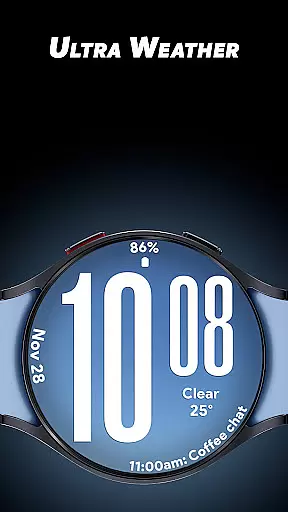
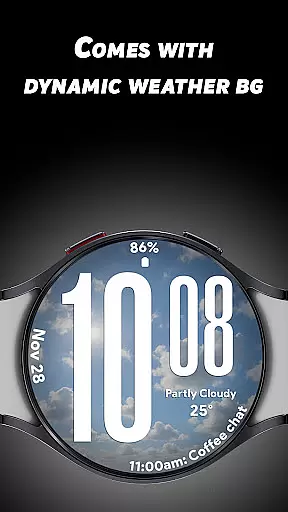
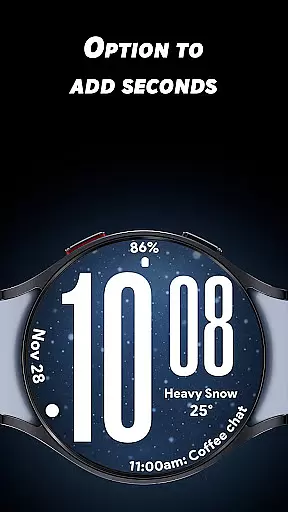
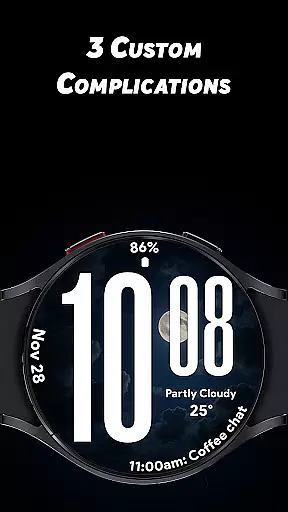
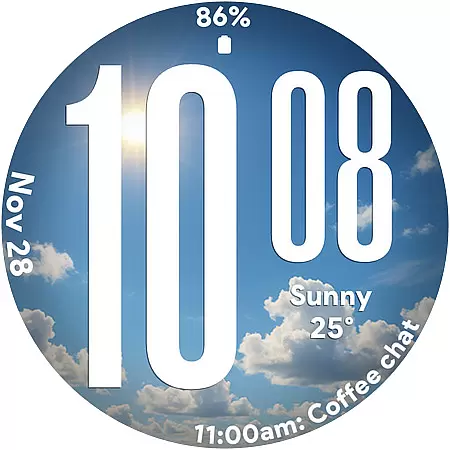
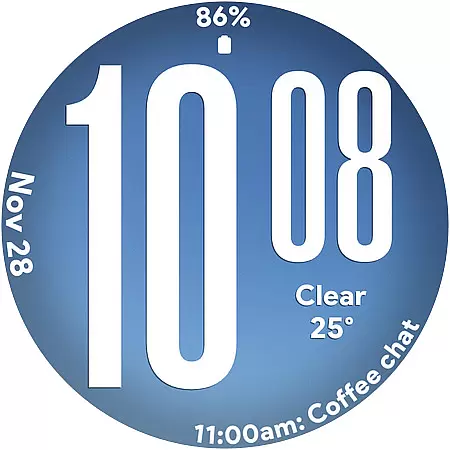
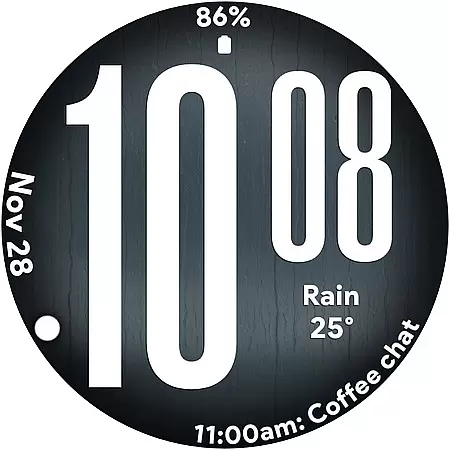
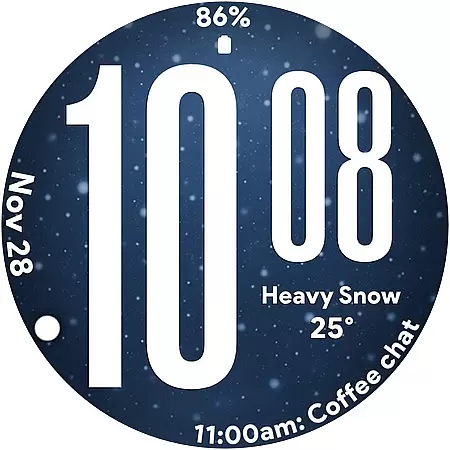
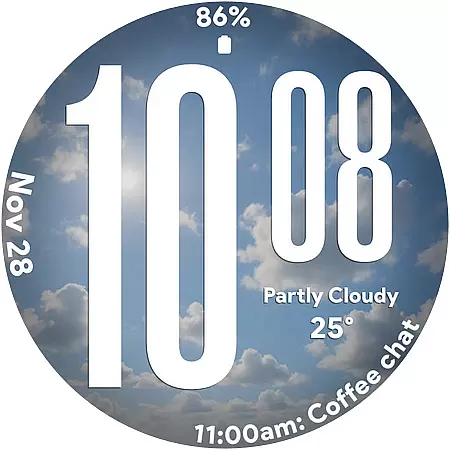
Ultra Weather is a dynamic Wear OS watch face that combines bold design with real-time weather updates. Featuring large, easy-to-read digital time display and customizable complications, it offers both style and functionality. The watch face automatically adjusts its visuals based on current weather conditions, providing users with an immersive experience.
This app is ideal for smartwatch users who value clear readability and visually appealing designs. Whether you're monitoring your daily steps or checking the weather, Ultra Weather ensures your watch face remains both practical and stylish.
Ultra Weather stands out with its innovative features tailored for Wear OS users. The oversized digital time ensures instant readability, while the dynamic weather backgrounds change in real time to reflect current conditions like sunny, cloudy, or rainy skies. This creates a personalized and engaging experience.
The app supports both 12-hour and 24-hour time formats and includes three customizable complications. Users can display additional details such as weather forecasts, heart rate, battery status, and more. Its optimized Always-On Display (AOD) mode ensures efficient power usage without compromising functionality.
Ultra Weather - Watch face offers a comprehensive approach to lifestyle management by integrating essential daily information into a Wear OS watch face. This application goes beyond simple timekeeping; it incorporates real-time weather conditions, which are crucial for planning and decision-making in everyday life.
The dynamic weather backgrounds provide users with instant awareness of current weather situations, eliminating the need to check separate weather apps. With support for both 12 and 24-hour time formats, it caters to personal preferences and international standards, ensuring that it fits seamlessly into any lifestyle or routine.
Additionally, the inclusion of customizable complications allows users to tailor the watch face to their specific needs, whether they prioritize fitness tracking, calendar events, or battery status. This level of customization ensures that Ultra Weather - Watch face is not just an accessory but a vital tool for managing various aspects of daily life.
The Ultra Weather - Watch face stands out in terms of content authenticity, as it provides real-time weather updates directly on the watch face. These updates are sourced from reliable meteorological data providers, ensuring that users receive accurate and timely weather information without any manual input.
This application's credibility is further enhanced by its attention to detail and commitment to quality. The bold design and clear typography are crafted to ensure maximum readability, while the dynamic backgrounds are designed to be both visually appealing and representative of actual weather conditions.
Moreover, the application is optimized for performance, featuring a battery-friendly Always-On Display mode. This optimization reflects the developers' expertise in creating smartwatch applications that are not only informative and attractive but also efficient and considerate of device limitations. Users can trust Ultra Weather - Watch face to deliver an authentic and credible experience that enhances their interaction with the world around them.
Real-time weather updates
Customizable complications
Bold, readable design
Battery-friendly AOD
Dynamic backgrounds
Limited to Wear OS
Few customization options
Requires constant connectivity
No advanced widgets
Weather-dependent visuals

Premium floor cleaning robots
 4.50
4.50
Tap to the beat with interactive videos — warm up your reflexes & have fun
4.70
Spiritus Ghost Box is an Audio and Visual ITC tool for paranormal research.
4.00
This minimalist yet classic board design brings a futuristic twist to your wrist
4.20
Creativity and savings for kids, beginners and experts in arts and crafts
3.50
PARAVOX 4 is a professional ITC paranormal research application.
4.50
Your store’s deals, where you are.
4.80
Earn money for every survey and game you play, and get real rewards every time
4.50
Create slime on your phone and enjoy satisfying and relaxing ASMR games
4.50
Play. Earn. Repeat. Get rewarded for playing mobile games. Welcome to Mobius!
4.80
Earn money & gift cards when you take surveys, play games, scan receipts & more.
4.50
Redecor your home with Home AI interior design, room planner and home designer.
4.50
Paranormal Spirit Bell Trigger Device
4.30
Earn points with every purchase with Moe Rewards.
4.20
Unique BIG BOLD TIME with amazing colors and customisations.
3.70
Take Hobby Lobby with you wherever you go!
3.40
Big bold digital watch face with 30 colors, 6 complications and AOD.
4.4
Unique Dark Analog style for Wear OS watches.
4.0
Immerse yourself in the serenity of lavender fields and white butterflies
4.2


User Reviews