
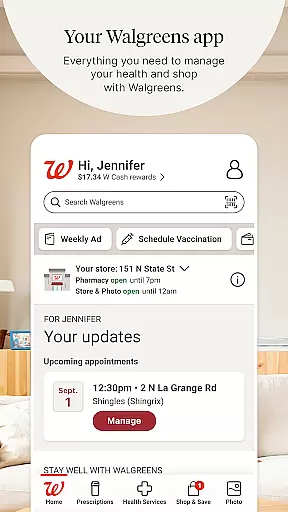
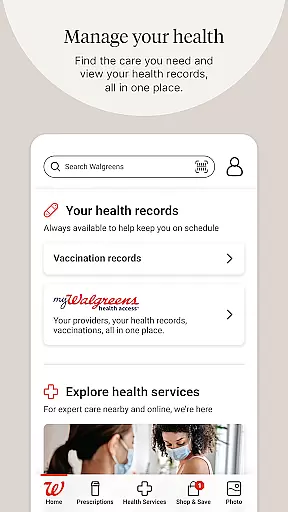
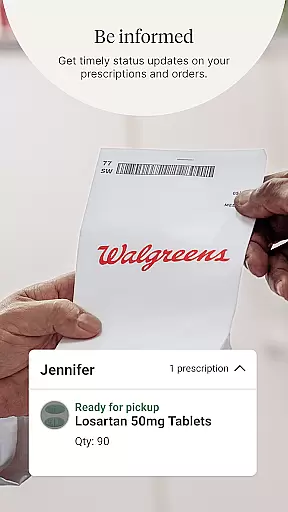
Walgreens is a comprehensive shopping and health management application that allows users to conveniently manage prescriptions, shop for essentials, and access various health services. The app's core functionality revolves around prescription management, enabling users to refill medications by scanning prescription bottles, receive refill updates, and utilize auto-refills with daily medication reminders.
Beyond pharmacy services, Walgreens offers an array of health services including booking vaccinations, scheduling COVID-19 and flu tests, and arranging virtual healthcare visits. Users can also create personalized photo products and enjoy fast in-store pickup options. With its robust set of features, Walgreens serves as a one-stop solution for both health management and everyday shopping needs.
The Walgreens app stands out with its diverse feature set tailored for health-conscious shoppers. One of its key strengths is the streamlined prescription management system, which incorporates innovative scanning technology for effortless refills. The inclusion of Pharmacy Chat provides users with 24/7 access to professional health advice, enhancing the overall healthcare experience.
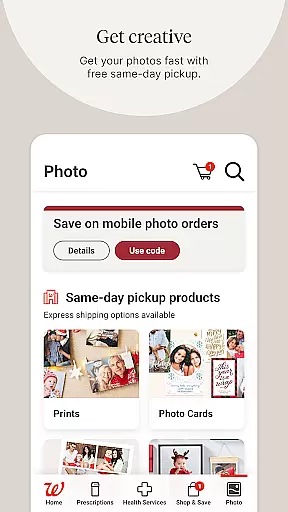
Another notable aspect is the app's integration of telehealth services, allowing users to consult with healthcare providers virtually for non-emergency conditions. The photo printing feature demonstrates creativity and practicality, offering same-day pickup options for customized products. These features collectively create a unique ecosystem where health management and retail shopping seamlessly converge, providing users with unprecedented convenience and time-saving benefits.
When it comes to shopping apps, product variety and clear categorization are essential for a seamless user experience. The Walgreens app excels in this area by offering a wide range of products, from everyday essentials to specialized health items. Users can easily navigate through well-organized categories that make finding what they need quick and efficient.
The app's interface is designed to help customers locate their desired items without hassle. Whether you're looking for prescription refills, health services, or photo printing options, the distinct sections ensure that you won't waste time searching. This logical arrangement extends to promotional deals as well, which are clearly marked and simple to apply during checkout.
Moreover, Walgreens provides an extensive selection within each category, accommodating diverse customer needs. For instance, the photo section allows users to create various personalized products like prints, posters, and calendars. With regular updates on promotions and sales, shoppers have access to competitive pricing and exclusive offers not found elsewhere.
By maintaining a robust inventory across multiple departments and ensuring easy navigation through smart categorization, Walgreens enhances its value proposition. Shoppers benefit from a comprehensive shopping experience that saves time while delivering choice and convenience right at their fingertips.
Pricing transparency is crucial for building trust with consumers, and the Walgreens app delivers this by providing clear information about costs before purchase. Customers can view detailed pricing for prescriptions, health services, and retail items without hidden fees or surprises at checkout. This openness empowers users to make informed decisions based on their budgetary constraints.
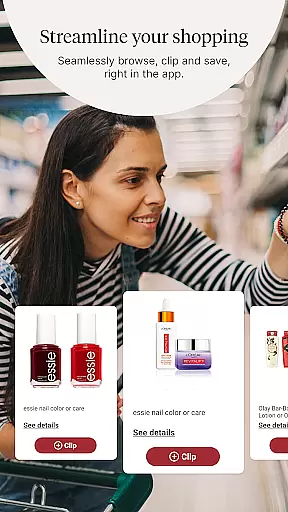
In addition to transparent pricing, Walgreens ensures competitive rates across its offerings. The app frequently updates its deals section, where users can find coupons and special promotions that further reduce costs. These savings opportunities cover everything from medication refills to photo gifts, making it easier for customers to save money while enjoying quality products and services.
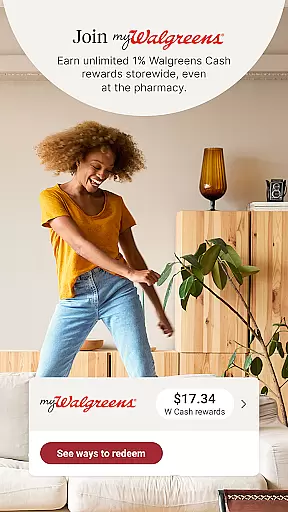
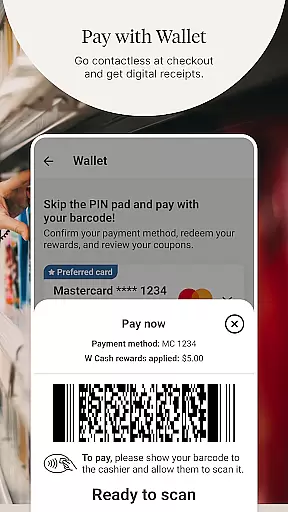
Furthermore, the integration of loyalty programs adds another layer of financial benefit for frequent shoppers. By earning cash rewards and receiving personalized offers, users can maximize their savings potential over time. Such incentives not only enhance customer satisfaction but also encourage repeat business through tangible economic advantages.
Overall, Walgreens' commitment to both pricing clarity and market competitiveness sets it apart in the shopping app landscape. Users gain peace of mind knowing exactly what they will pay upfront while benefiting from ongoing discounts and reward schemes tailored specifically for them.
User-friendly interface
Comprehensive health services
Convenient prescription management
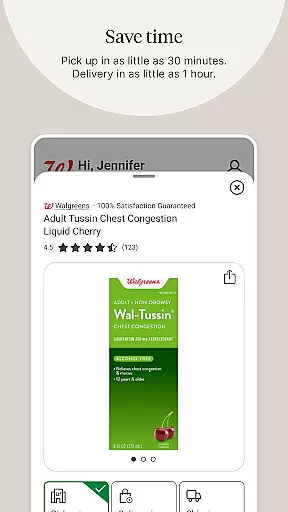
Fast in-store pickup options
Free photo printing services
Limited international availability
Occasional technical issues
Requires multiple permissions
Some features need premium membership
Complex navigation for new users

World’s simplest mobile payment solution for machines.
 4.50
4.50 4.60
4.60
TikTok Shop is an integrated e-commerce platform within the TikTok app, allowing users to discover and purchase products directly through short videos and live streams.
4.10
Save up to 70% on the things you need every day
4.40
The deals you love & beyond!
4.50
Scan receipts, earn gift cards & fetch rewards with CoinOut receipt scanner app.
4.30
Earn cash back and rewards from games, surveys, receipts and more
4.70
Buy & sell local items. Find amazing deals. Join the largest mobile marketplace!
4.40
Shop. Earn. Redeem. Repeat!
4.30
Shop latest fashion trends with fast shipping & thousands of new styles weekly.
4.80
Headwear & Apparel
4.70
Harbor Freight Coupons - Generators, Air Compressors, Tool Storage, and More.
4.70
Online shopping & digital coupons. Deals & local weekly ad in your myDG account
4.70
Affordable prescription eyeglasses, sunglasses, and more eyewear starting at 7!
4.60
Search, browse and shop over a million products directly from The Home Depot.
4.60
wholesale stores
4.10
Buy now, pay later with flexible payments made to fit your budget.
4.00
We constantly evaluate our app so you can have the best experience possible.
3.60
Create Wishes & Get Inspired
3.20
Discover Elfster's gift exchange platform featuring Secret Santa coordination, wish lists, and anonymous messaging. Simplify holiday and group gift giving effortlessly.



User Reviews