
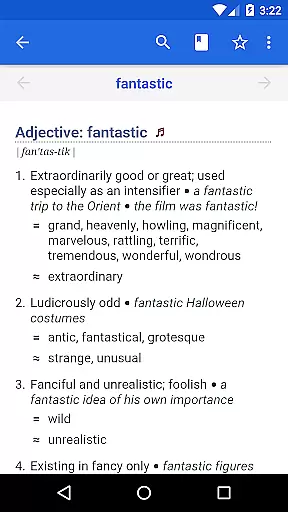
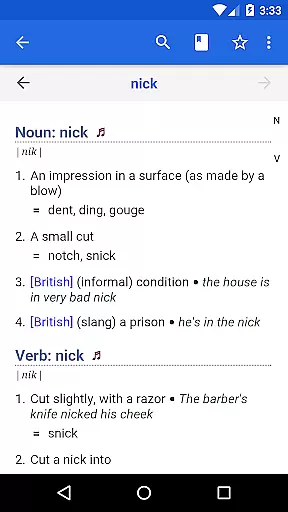
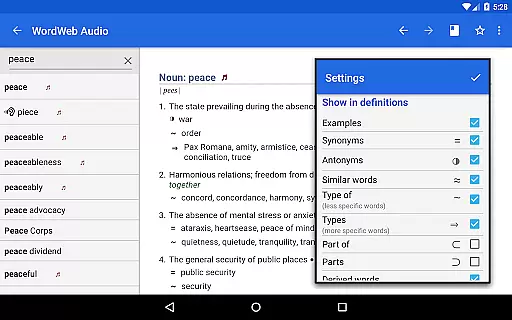
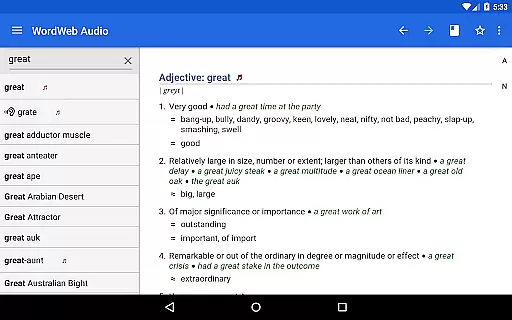

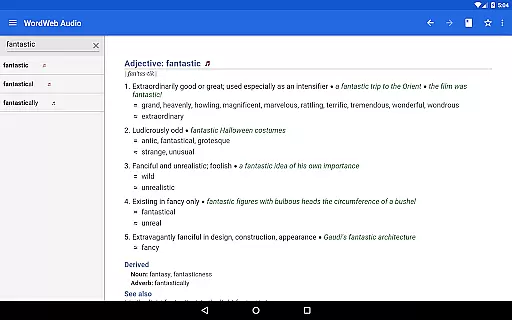
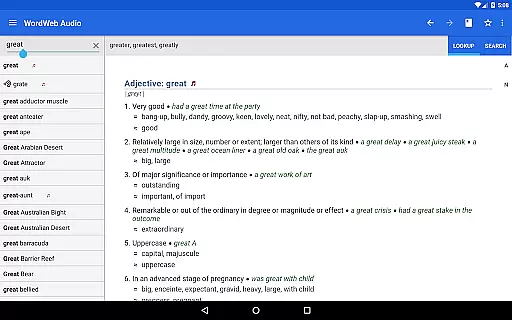
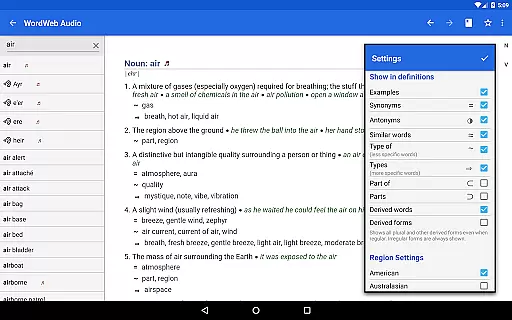
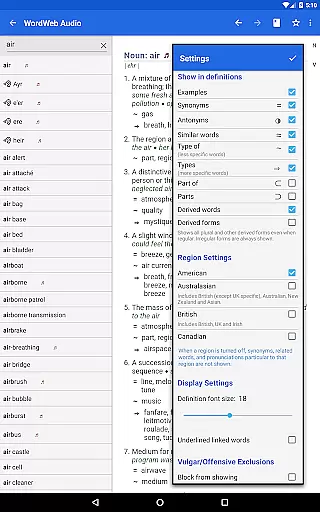
WordWeb Audio Dictionary is an essential reference tool for anyone looking to enhance their English vocabulary. This offline dictionary and thesaurus app provides comprehensive word definitions, synonyms, related terms, and professionally recorded pronunciations. With a vast database of 285,000 words and phrases, it supports multiple English variations including American, British, and Australian.
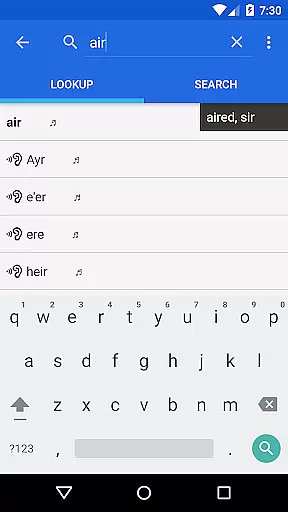
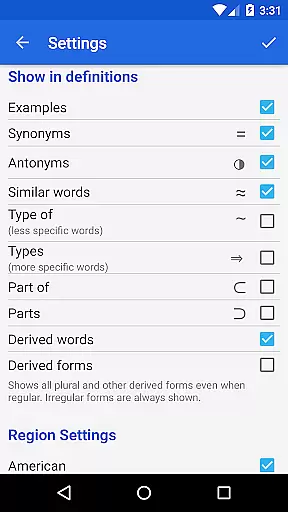
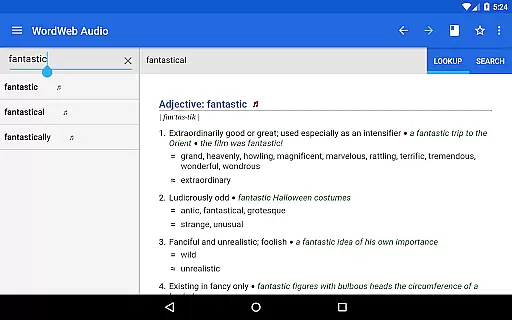
The app's intelligent search functionality offers spelling suggestions, sounds-like matches, and commonly confused words. Additional features include bookmark support, history tracking, and the ability to drill down on any word within a definition. The inclusion of proper nouns and common abbreviations makes this app suitable for both academic and casual use.
Whether you're a student, writer, or language enthusiast, WordWeb Audio Dictionary helps improve pronunciation and enriches your vocabulary without requiring an internet connection. Its user-friendly interface and robust feature set make it an invaluable resource for mastering the English language.
WordWeb Audio Dictionary stands out with its extensive database and advanced search capabilities. The app includes 225,000 word sense definitions, 70,000 usage examples, and 70,000 audio pronunciations, ensuring users have access to accurate and diverse language resources. The inclusion of text pronunciations further enhances the learning experience.
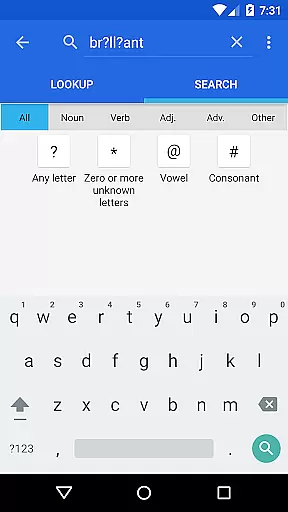
One of the key features is its intelligent word entry system, which suggests correct spellings and lists words that sound similar or are often confused. The app also supports pattern-matching searches using wildcards (*, ?) and allows filtering results by parts of speech such as nouns, verbs, adjectives, and adverbs.
Additional functionalities include alphabetical listing, fast search options, and integration with other apps through Android's pop-up menu. These features collectively create a powerful tool for expanding vocabulary and improving language skills, all while working offline after the initial installation.
WordWeb Audio Dictionary offers an extensive offline library comprising 285,000 words, phrases, and derived forms, ensuring users have access to a vast repository of English vocabulary without needing an internet connection.
The inclusion of 70,000 audio pronunciations and 85,000 text pronunciations not only enriches the learning experience but also guarantees that all content is authentic and legally obtained, respecting copyright laws.
This comprehensive database covers various forms of English, including North American, British, Australian, and international variants, making it a reliable resource for users worldwide.
With additional features like synonyms, related words, and professionally recorded pronunciations, WordWeb stands out as an authoritative reference tool for both students and professionals looking to enhance their language skills.
Beyond its impressive library size, WordWeb Audio Dictionary excels in format compatibility, supporting multiple search functionalities such as alphabetical listing, spelling suggestions, and pattern-matching searches using wildcards (*, ?).
This flexibility allows users to find words quickly and efficiently, whether they are unsure of the exact spelling or looking for words that sound alike.
Moreover, the dictionary's ability to filter search results by noun, verb, adjective, and adverb adds another layer of precision to the user's query, enhancing the overall usability of the app.
By integrating seamlessly with other apps through Android's pop-up menu feature, WordWeb ensures that users can look up words from virtually any application, further solidifying its position as a versatile and indispensable tool for anyone seeking to improve their command of the English language.
Comprehensive word database
Offline functionality
Audio pronunciations
Intelligent search
User-friendly interface
Large storage requirement
No built-in grammar tools
Limited visual aids
Premium version costs
Occasional update delays

Bible, Catechism, Study, Saints, Mass Readings, Rosary, Prayer, Bible in a Year
 4.80
4.80
Cute bedtime story for kids
4.30
Read the KJV Bible with Strong’s offline: reading plans, audio Bibles, and more.
4.70
Offline translator from english to spanish, and from spanish to english.
4.50
Shop over 13 million new and used books at up to 80% off list price
4.20
The dynamic dictionary/reference app for piano chords and scales!
4.80
Holy Bible, a KJIV Bible study, audios & daily verses, talk with God now.
4.80
Watch real short episodes in just minutes— addictive, you won't be able to stop!
4.70
Read Trending Romance Stories
4.00
What’s that bird? Just answer 5 questions, snap a photo, or record its song!
4.90
Read and study the Bible and other content in over 1,000 languages.
4.80
Contains the 365 daily readings and everything other thing needed for catholics
4.70
Discover Stars and Planets: Live Map Shows Current Constellations in Full Detail
4.70
Powerful Bible study tools linked to every verse in an easy-to-use Bible reader!
4.60
Read the Quran in Arabic alongside its translation, with color coded Tajweed.
4.50
Manage collectibles, survey and treasure maps in Elder Scrolls Online.
4.40
A companion for prayer, with Azan alarm, Quibla direction, and Holy Quran book
4.10
Sea tide predictions for all coastal U.S. locations.
4.3
The Psalms for singing
4.0


User Reviews