
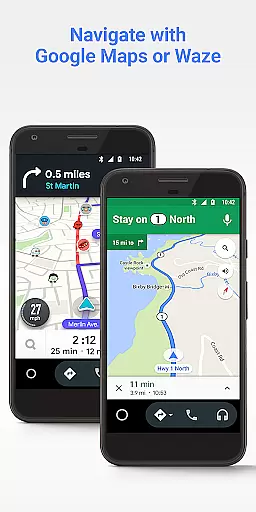
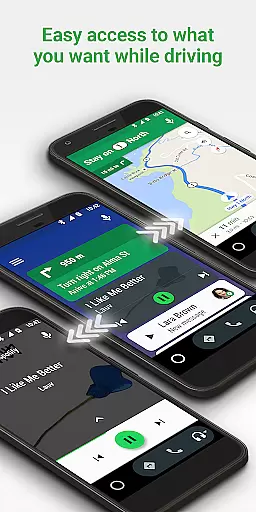
Android Auto is a driving-focused companion app that seamlessly integrates your smartphone with your car's infotainment system. It provides a simplified interface with large buttons and voice commands, making it safer and easier to use while driving. The app supports navigation through Google Maps or Waze, real-time traffic updates, hands-free calling, and messaging across various apps.
Designed for drivers who need to stay connected without compromising safety, Android Auto also offers entertainment options like music streaming from popular services. With compatibility across over 400 car models and growing support for more apps, this application ensures you have access to essential features without distraction.
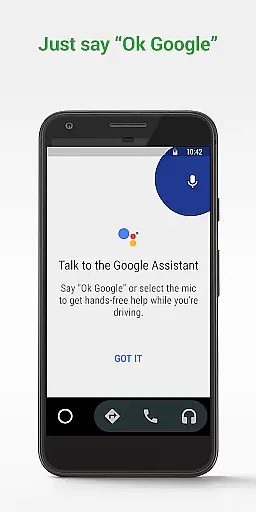
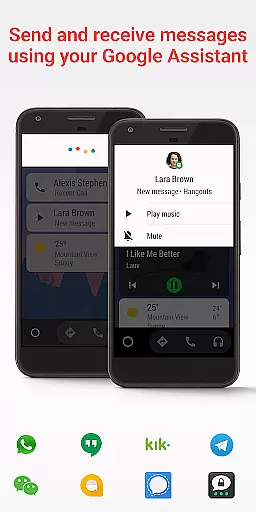
Android Auto stands out with its powerful integration capabilities and user-friendly design tailored specifically for drivers. The app features a streamlined interface optimized for minimal driver distraction, including large touch targets and intuitive menu layouts. Voice actions powered by the Google Assistant allow users to perform tasks hands-free, such as navigating routes, sending messages, or controlling media playback.
One of the key highlights is its extensive compatibility with both car models and third-party applications. Whether you're using messaging apps like WhatsApp or enjoying music on Spotify, Android Auto adapts these services into an easily manageable format within your vehicle. Additionally, it provides real-time updates on navigation routes and estimated times of arrival, ensuring drivers are always informed about their journey status.
Accessing detailed vehicle information is crucial for drivers who want to stay informed about their car's status and performance. Android Auto provides essential details that help users understand their vehicle's metrics while keeping their focus on the road.
This app integrates with your car's system to display important notifications, such as engine warnings or tire pressure alerts directly on the simplified interface. By using large buttons and voice commands, it ensures you can quickly glance or speak to get necessary vehicle data without distraction.
Users benefit from real-time updates on their driving route, estimated time of arrival (ETA), and potential hazards. This feature allows drivers to make informed decisions, enhancing both safety and convenience during travel.
The value lies in its seamless ability to keep drivers updated with minimal effort, ensuring they are always aware of critical vehicle information while maintaining a safe driving environment.
Price transparency in automotive services and applications is vital for users to understand what they are paying for and ensure there are no hidden costs. Android Auto offers clarity regarding the expenses associated with using its connected features.
While the application itself is free, it requires an active data connection which may incur charges based on your mobile plan. The app provides clear guidance on these requirements, allowing users to manage their data usage effectively while enjoying the benefits of connected navigation and entertainment.
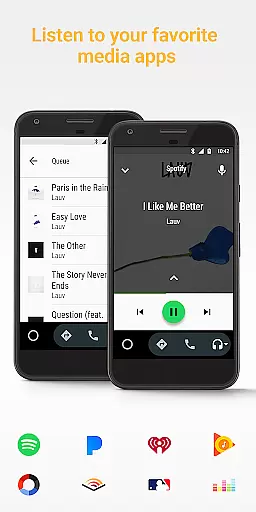
Android Auto supports various media apps like Spotify, Pandora, and Google Play Music, some of which might involve subscription fees. By listing compatible apps at http://g.co/androidauto, it ensures users know exactly what services they might need to subscribe to for full functionality.
This transparency empowers users to make cost-effective choices, knowing upfront any potential costs related to data usage or additional service subscriptions required for an optimal experience.
User-friendly interface
Voice command functionality
Wide app compatibility
Real-time navigation updates
Hands-free operation
Limited to Android devices
Requires compatible car model
Dependent on data connection
Occasional connectivity issues
Not all apps supported

Easily notify car owners in urgent situations, safe, fast, multilingual.
 4.1
4.1
ODB2 based monitoring application for the Chevy Bolt (2017-2021)
4.00
App Mirroring for Tesla Car's Browser
2.80
AlfaOBD software for Fiat Group cars native diagnostic
3.70
Read and delete OBD codes with any ELM327 OBD scanner. Coding functions included
3.40
Lexus app currently supports 2010 or newer vehicles (2018 or newer for Hawaii).
4.80
Find Fast EV Chargers | Charge Your Vehicle at 1,100+ Fast Car Charging Stations
4.60
PayByPhone: A quick and easy way to pay for parking.
3.80
A smarter way to park and reserve your spot ahead of time.
4.40
7-Day Returns on All Cars
4.80
1M+ high-quality auto parts at your fingertips. Fitment guaranteed.
4.70
Buy and sell your boat
4.70
Find Your Local Store or Shop Online for the Car, Truck, or SUV Parts You Need
4.70
Listings of Tesla's with FSD - Included package
4.60
DMV Test Pro offers all the updated FREE DMV tests online.
4.60
OBDII - ELM327 Terminal tool for 96-00 Volvos
4.50
On the CarShield app, you can view contracts, make payments, & request roadside.
4.40
Autotrader is your online solution for buying and selling new and used cars.
4.40
OBD2 car scanner and diagnostics: read Check Engine, DTC, economy....
4.30


User Reviews