
inCarDoc Pro

4.30

Information

Category:

Auto & Vehicles

Price:

$ 4.99

Rank:

15

Rating:

4.30

Overview

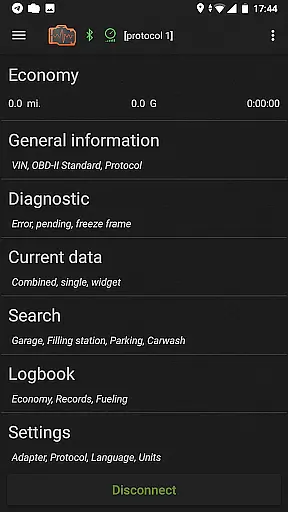
inCarDoc Pro is a comprehensive car diagnostics application that allows users to monitor and manage their vehicle's performance through OBD-II compliant scanners. It offers a variety of features including real-time parameter reading, diagnostics trouble code scanning, fuel economy tracking, and logbook management. inCarDoc Pro can be used on mobile devices, making it a versatile tool for both personal and professional automotive maintenance. One of the best things about inCarDoc Pro is its ability to provide detailed engine data and diagnostic information without requiring physical access to the vehicle's onboard computer. This means that users can quickly identify and address potential issues before they become major problems. And if you're using inCarDoc Pro with an ELM327 compatible scanner, you can even record parameters in the background while driving. Overall, inCarDoc Pro is an excellent application for anyone looking to maintain their vehicle's health and performance. Whether you're interested in monitoring engine parameters, tracking fuel consumption, or managing service records, it's a great option.

Features

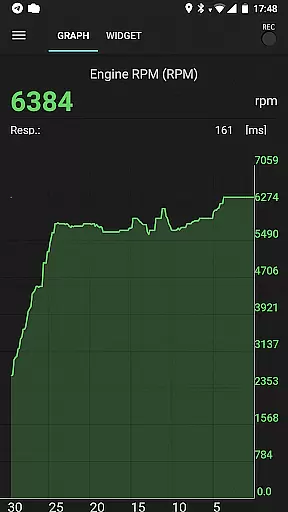
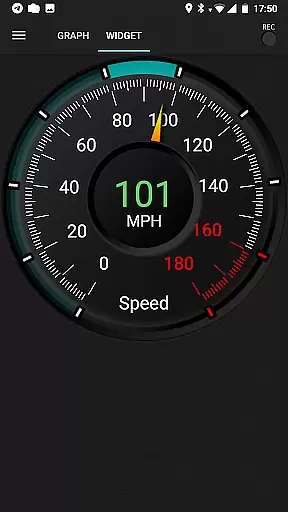
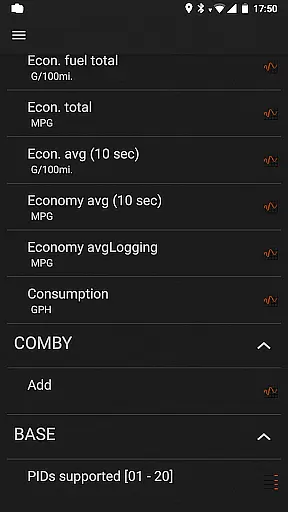
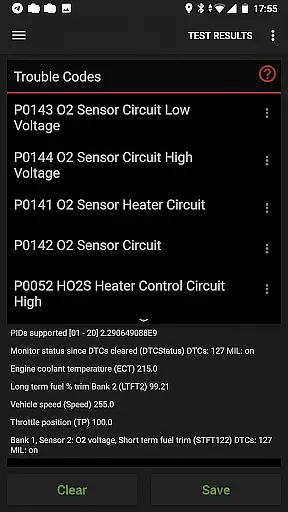
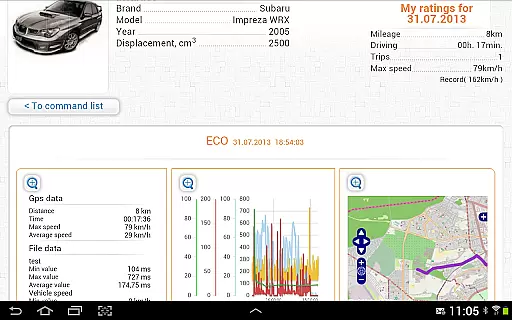
inCarDoc Pro is a popular app with a ton of features and customization options. Here are five of our favorites: 1. Real-Time Diagnostics - The app provides live readings of various engine parameters such as speed, RPM, coolant temperature, and more, allowing users to monitor their vehicle's performance instantly. 2. Diagnostic Trouble Code Reader - Users can scan and clear check engine lights, view freeze frame data, and obtain detailed descriptions of trouble codes, helping them understand and resolve mechanical issues. 3. Fuel Economy Tracker - With support for appropriate OBD2 economy parameters, the app calculates and presents fuel consumption statistics, offering insights into driving efficiency. 4. Logbook Functionality - The logbook feature enables users to keep detailed records of fueling, services, and maintenance activities, ensuring organized and accessible vehicle history. 5. GPS Integration - By utilizing GPS capabilities, the app provides additional data like speed and altitude, enhancing the overall functionality and user experience.

Detailed vehicle information

Accessing detailed vehicle information is crucial for effective car maintenance and diagnostics. inCarDoc Pro provides comprehensive data about your vehicle's performance by connecting to the OBD-II system. This includes real-time parameters such as engine speed, coolant temperature, and oxygen sensor readings.

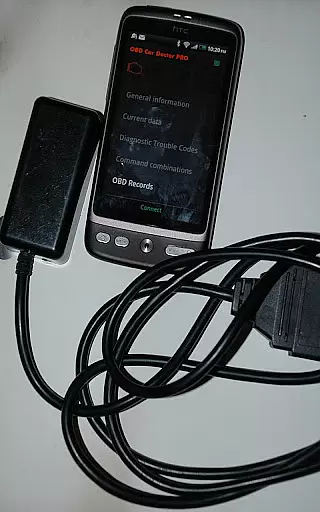
The application reads these diagnostics parameters directly from the ECU of OBD-II compliant cars, ensuring accuracy and reliability. By supporting multiple protocols like Bluetooth, WiFi, and BLE, it delivers precise details regardless of the connection type used with compatible scanners.

Users benefit from having a complete overview of their car's health at their fingertips. Whether you're tracking fuel economy or monitoring engine performance, this app equips you with the necessary insights to make informed decisions about your vehicle's upkeep and repair needs.

Price transparency

Price transparency in automotive tools ensures users understand what they are paying for and can assess the value provided. inCarDoc Pro offers a free version with essential features, allowing users to evaluate its compatibility and functionality before committing financially.

The Pro version removes advertisements and unlocks advanced capabilities such as real-time parameter recording, extended widgets, and GPS trace support. These enhancements provide significant added value, justifying the investment for serious car enthusiasts and professionals alike.

By clearly outlining the differences between the free and Pro versions, potential buyers can make an educated decision based on their specific requirements. This transparent approach not only builds trust but also enhances user satisfaction by delivering precisely what is promised.

FAQs

What is this app and what can I use it for?

inCarDoc Pro is a car diagnostics app that reads real-time parameters from OBD-II compliant cars, helping users monitor vehicle health and performance effectively.

How do I download and install this app on my device?

Download inCarDoc Pro from Google Play Store or Apple App Store, then follow installation instructions provided by your device's app store.

How do I get started after opening the app for the first time?

Upon first opening, pair your OBD-II scanner, grant necessary permissions, and start scanning your vehicle's parameters immediately.

What are the main features and capabilities of this app?

Main features include real-time diagnostics, DTC scanning, fuel economy tracking, logbook management, and GPS integration for enhanced vehicle monitoring.

How can I customize my experience and adjust preferences?

Customize your experience by adjusting settings for preferred units, enabling widgets, and configuring notifications according to your preferences.

How do I save or bookmark my favorite content for later access?

Save favorite content by using the logbook feature to record fueling, service, and maintenance entries for future reference.

How can I share content with friends or on social media?

Share diagnostic data via email or social media directly from the app to get advice or document vehicle issues easily.

How do I access detailed information and explore more content?

Access detailed information through real-time parameter charts, recorded traces, and uploaded server data for comprehensive analysis.

What permissions does this app need and how do I manage them?

The app needs permissions for Bluetooth, location, and storage to function properly; manage these in your device settings.

How do I check for updates and keep the app running smoothly?

Check for updates in your device's app store and ensure your OBD-II scanner firmware is current for optimal app performance.
Show more

User Reviews

{{ comment.reviewer_name }}
{{ comment.review_date_formatted}}
{{ comment.review_content }}
{{ tab.name }}
{{ comment.reviewer_name }}
{{ comment.review_date_formatted}}
{{ comment.review_content }}
No reviews with this rating


















