
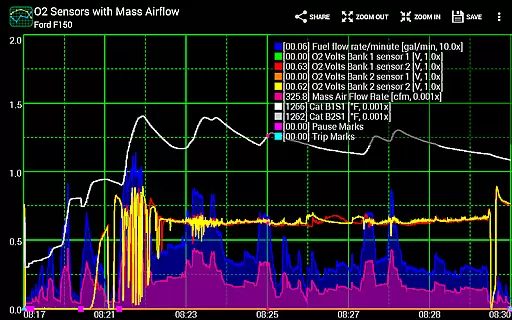
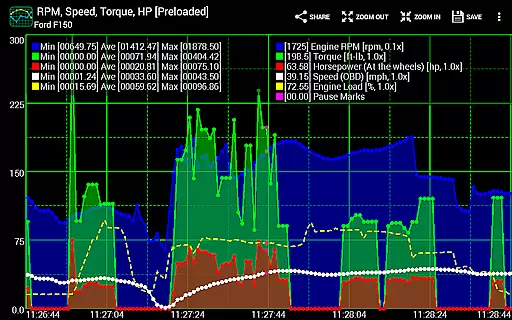
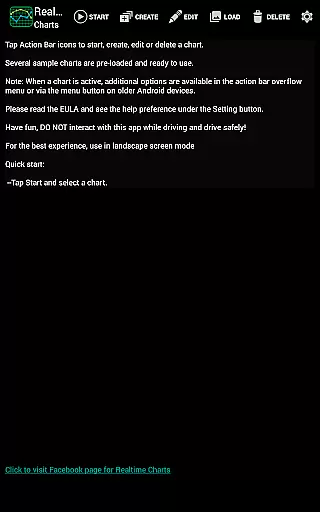
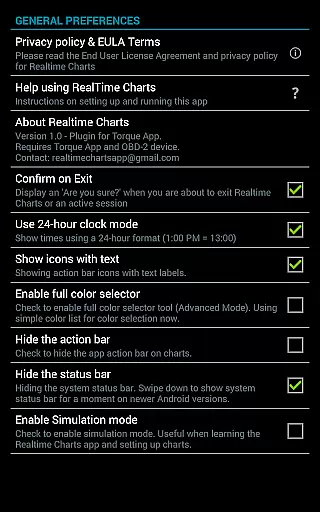
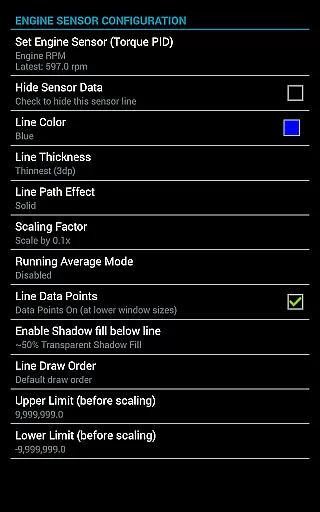
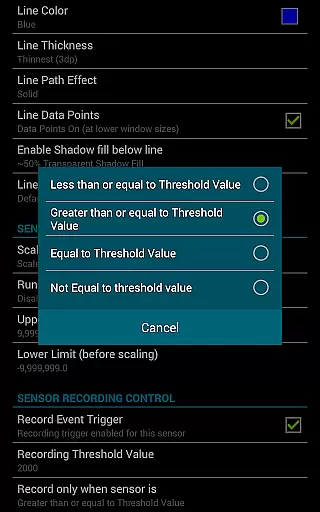
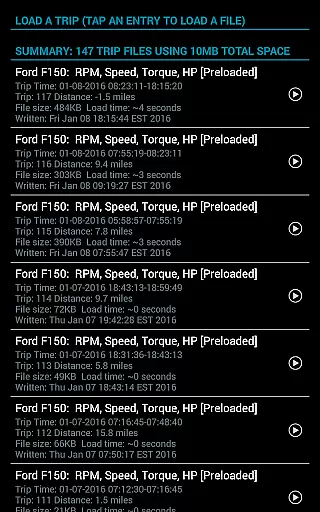
Realtime Charts for Torque Pro is a specialized plugin designed for automotive enthusiasts who require detailed performance monitoring of their vehicles. This app enables users to graph up to 10 engine sensors simultaneously, providing critical insights into vehicle performance on Android devices. With the ability to create custom charts and analyze data through scatter plots, it serves as an essential tool for both professional mechanics and hobbyists.
The application stands out with its advanced features such as real-time data capture based on specific sensor criteria, auto-pause functionality when the vehicle stops, and exporting capabilities to Excel CSV files. These functionalities make it ideal for in-depth vehicle analysis and tuning, allowing users to optimize their vehicle's performance effectively.
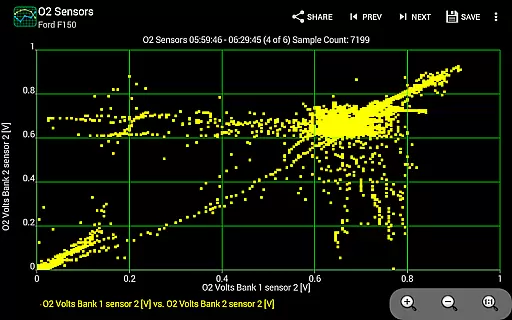
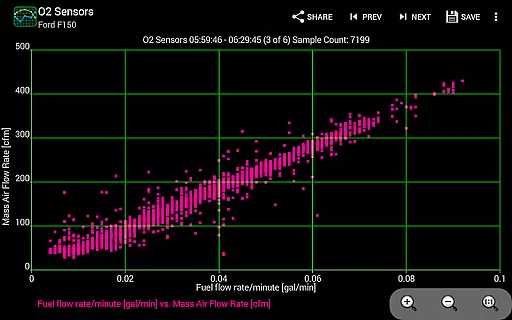
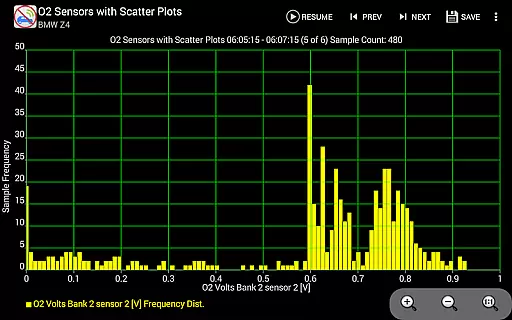
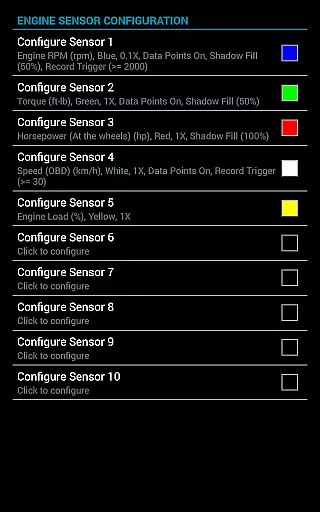
Realtime Charts offers an extensive set of features tailored for comprehensive vehicle diagnostics. Users can monitor and graph multiple engine parameters like RPM, speed, and MPG in real time, which is crucial for performance tuning. The inclusion of scatter plot analysis aids in identifying correlations between different engine metrics, enhancing diagnostic precision.
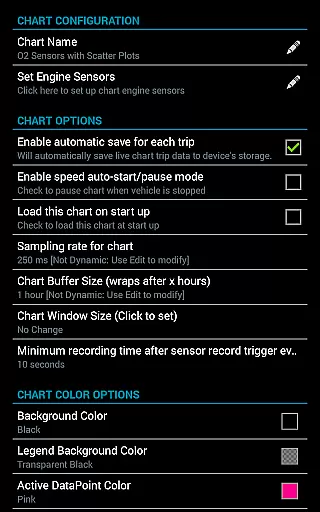
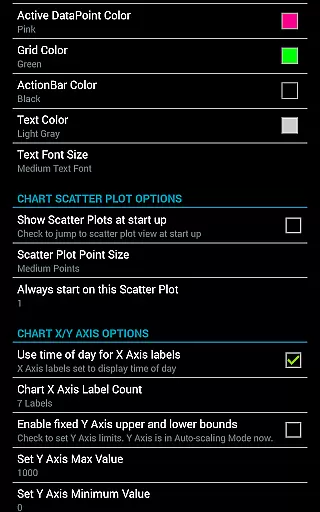
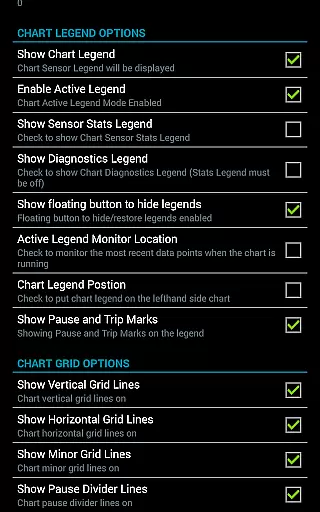
Customization is at the heart of this app, allowing users to tailor chart attributes including colors and sampling frequencies. Advanced options such as dynamic scaling of data points and setting upper/lower sensor limits provide granular control over data visualization. Additionally, the simulation mode lets users design charts without needing an active ECU connection, making it versatile for various use cases.
Realtime Charts for Torque Pro offers unparalleled access to detailed vehicle information by enabling users to monitor and graph up to 10 engine sensors in real-time. This includes critical data such as RPM, speed, MPG, horsepower, and torque, providing automotive enthusiasts with comprehensive insights into their vehicle's performance.
The application allows for the creation of custom charts, with the possibility to specify sensors, sampling frequency, chart colors, and series attributes. This level of customization ensures that users can tailor their monitoring experience to focus on the most relevant aspects of their vehicle's operation, thus optimizing both performance tuning and diagnostic processes.
With features like scatter plot analysis and dynamic scaling of series data points, users are equipped with professional-grade tools to conduct in-depth analyses. These capabilities not only enhance the understanding of a vehicle's operational dynamics but also support more informed maintenance decisions, ultimately leading to improved vehicle health and efficiency.
While Realtime Charts for Torque Pro itself does not directly deal with monetary transactions, it provides significant value through its transparent presentation of essential vehicle data. Users can make cost-effective maintenance and upgrade decisions based on accurate, real-time information about their car's performance.
The app supports setting up custom sensor thresholds for data capture, ensuring that users receive specific, actionable insights without unnecessary information overload. This selective data approach mimics price transparency by delivering precisely what the user needs to know to take action, enhancing the perceived value of the data provided.
Additionally, the ability to save and review trip data, export Excel CSV files, and share chart configurations with others fosters an environment of openness and collaboration. Such features empower users to compare notes, discuss findings, and collectively arrive at solutions that represent the best value for their investment in automotive performance and maintenance.
User-friendly interface
Highly customizable charts
Real-time data analysis
Supports wide range of sensors
Export options for data
Requires Torque Pro app
Needs OBD-II adapter
Complex for beginners
No iOS support
Premium features may cost extra

The Smarter Way Forward
 3.30
3.30
Take Control of Your Car
4.80
Play what you want through Android Auto
4.90
The Texaco App allows you to pay for fuel from the comfort of your car!
4.80
Digital Car Key/Launcher, Screen Mirror, Android Dashboard, Remote Wireless Link
4.40
Boost profits and hit your goals faster with GigU's amazing tools for gigworkers
4.00
Instantly redesign your car with AI. From sporty to futuristic, try it all.
4.50
O'Reilly Pro will streamline your parts lookup and ordering process!
3.20
Easy connect & control your cars from afar. Remote Lock & unlock car and carplay
4.60
View your car’s service records and find out when maintenance is due.
4.70
Your go-to app for car, truck & SUV parts, DIY tools, and expert repair help.
4.70
Quick and easy car diagnostics to get you the right fix.
4.70
On the CarShield app, you can view contracts, make payments, & request roadside.
4.40
Your Path to Driving Licensing Success Begins Here! Develop your driving skills.
4.40
Taximeter; the professional's choice
4.30
* This app needs an adapter cable and a certain OBD2 adapter to work *
4.20
Take state-specific DMV permit tests and ace the exam.
3.90
PayByPhone: A quick and easy way to pay for parking.
3.80
Read and delete OBD codes with any ELM327 OBD scanner. Coding functions included
3.40


User Reviews