
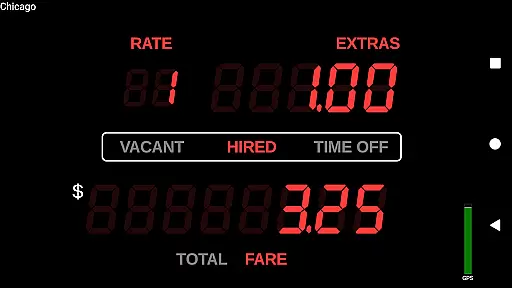
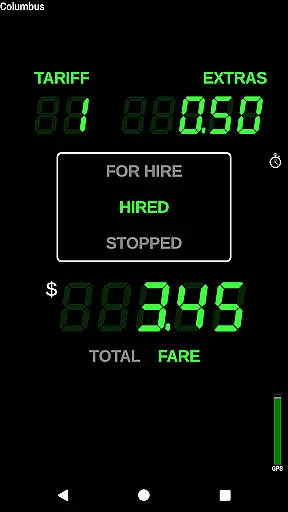
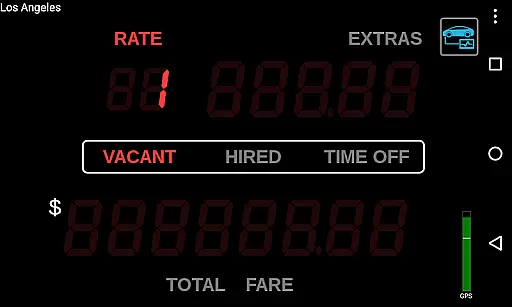
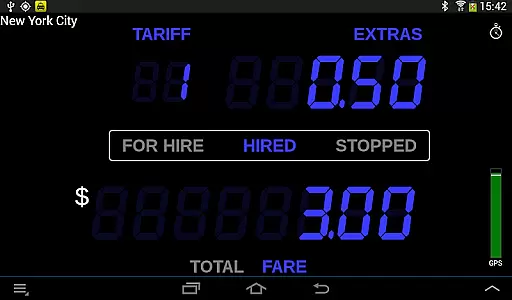
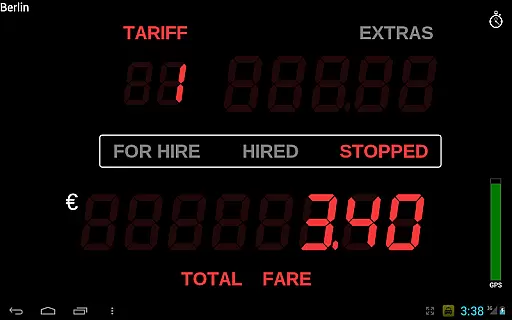
Taximeter is a professional-grade Android application designed specifically for drivers in the Auto & Vehicles industry. This advanced taximeter solution offers realistic LED effect displays and supports over 200 predefined presets across more than 40 countries, making it adaptable to various regulatory environments.
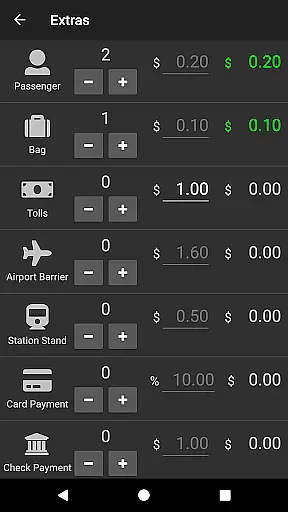
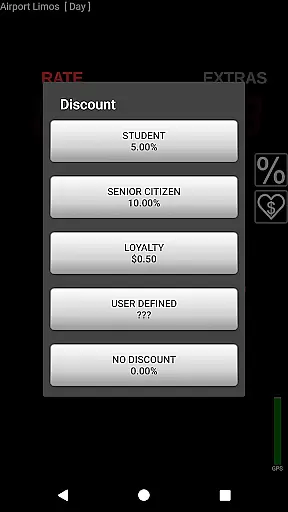
With features like customizable presets, calendar-controlled tariffs, geofencing, and integration with major payment processors such as PayPal Here™ and Square Point of Sale™, this app provides comprehensive fare calculation and management capabilities. The inclusion of extras, discounts, tips, and automatic receipt generation ensures accurate and professional financial transactions.
The app's versatility extends beyond standard taxi services to applications like medical transportation, limousines, couriers, and airport transfers. Its support for OBD speed data, wireless GPS receivers, and cloud-based data logging makes it an essential tool for professional drivers worldwide.
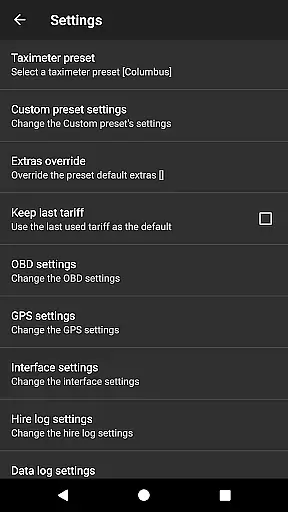
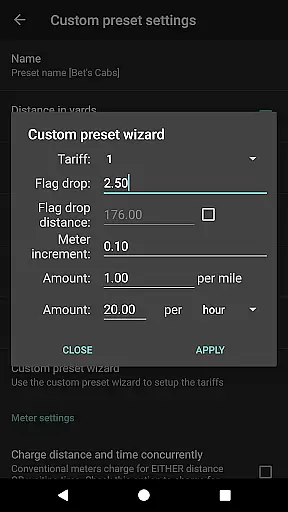
Taximeter stands out with its extensive feature set tailored for professional drivers. The app's customizable preset system allows users to configure up to 10 different tariffs, while the preset wizard simplifies the setup process. Advanced tariff management includes ahead-of-time programming, location-based controls, and automatic switching based on calendar events.
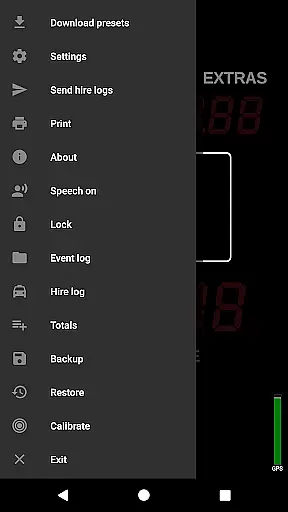
Integration capabilities are exceptional, supporting various payment processing systems including PayPal Here™, Square Point of Sale™, SumUp™, and Zettle™. The app also offers PDF receipt generation, email delivery, and printing options through Android Print Service. For operational efficiency, it includes roof light control, event logging, resettable totals, and talking functionality for visually impaired users.
Technical features include OBD-II speed data integration, wireless GPS receiver support, and API access for third-party dispatch systems. The app maintains compatibility with Samsung Multi Window™, LG Dual Window™, and Android™ Multi-Window, while offering practical utilities like floating widgets, screen savers, and backup/restore functionality.
In the realm of professional driving, having access to precise vehicle data is crucial. Taximeter offers an extensive suite of features that provide detailed insights into vehicle performance and operational metrics. The application supports On-Board Diagnostics (OBD) integration, allowing drivers to utilize speed data from OBD-II compliant vehicles instead of relying solely on GPS. This functionality requires an ELM327 compatible Bluetooth, Wi-Fi, or USB OBD-II adapter, ensuring accurate distance calculations and real-time vehicle status updates.
Furthermore, the app includes an OBD calibration function, enhancing the precision of data collected. This level of detail extends to supporting wireless GPS receivers, broadening the scope of vehicle compatibility. With these capabilities, drivers can maintain optimal vehicle health and performance, contributing to safer and more efficient operations.
The advantages for users are significant. By leveraging Taximeter's detailed vehicle information, drivers gain a comprehensive understanding of their vehicle's condition and efficiency. This knowledge empowers them to make informed decisions regarding maintenance and usage, ultimately extending the lifespan of their vehicle and reducing operational costs.
Taximeter stands out by offering features that cater to both regulatory compliance and driver convenience. Its ability to log GPS positions, meter states, and fares to the cloud not only aids in record-keeping but also provides valuable data for analysis. This ensures that drivers and fleet managers have access to reliable and actionable information, reinforcing the app's role as an essential tool in modern vehicle management.
Price transparency is a cornerstone of customer trust and satisfaction in the transportation industry. Taximeter excels in this area by providing clear and customizable pricing structures. With support for over 200 predefined presets across more than 40 countries, drivers can select tariffs that align with local regulations and market conditions. Additionally, the app allows for the creation of custom presets with up to 10 different tariffs, ensuring flexibility and adaptability to various service scenarios.
The application further enhances price transparency through its calendar-controlled tariff system, which enables automatic switching of rates based on time and location. This feature is complemented by geofencing capabilities, allowing tariffs to adjust dynamically according to predefined zones. Such functionalities ensure that customers are always aware of the applicable rates, fostering trust and reducing disputes over charges.
For users, the benefits of Taximeter's price transparency features are manifold. Drivers can offer their clients accurate fare estimates and detailed receipts, which can be emailed or printed via the Android Print Service. Integration with popular payment processors like PayPal Hereu2122, Square Point of Saleu2122, SumUpu2122, and Zettleu2122 streamlines transactions, making the payment process seamless and transparent.
By prioritizing clarity and customization in pricing, Taximeter not only meets but exceeds industry standards. Its robust set of tools for managing and displaying fares ensures that both drivers and passengers have a clear understanding of costs, promoting fairness and accountability in every transaction. This commitment to transparency solidifies Taximeter's position as a leader in the Auto & Vehicles category.
User-friendly interface
Extensive feature set
Global preset support
Payment integration
Customizable options
Complex setup required
Premium features cost
Hardware dependencies
Subscription fees
Steep learning curve

ODB2 based monitoring application for the Chevy Bolt (2017-2021)
 4.00
4.00
Ferrari inspired analog & digital watch face with quick access and premium style
4.5
Listings of Tesla's with FSD - Included package
4.60
Buy and sell your boat
4.70
Get your personalized financing options and shop for used cars today!
4.20
Blink Charging Mobile app makes finding an EV charger an intuitive experience.
3.80
Monitor your behind-the-wheel behavior to become a safer driver and save.
4.10
Available in select states.
4.00
Get price alerts, vehicle history details and more for cars near you!
4.50
Play what you want through Android Auto
4.90
The Texaco App allows you to pay for fuel from the comfort of your car!
4.80
Car Values, Research and More
4.80
The ExtraMile App allows you to pay for fuel from the comfort of your car!
4.70
1M+ high-quality auto parts at your fingertips. Fitment guaranteed.
4.70
Quick and easy car diagnostics to get you the right fix.
4.70
On the CarShield app, you can view contracts, make payments, & request roadside.
4.40
Your Path to Driving Licensing Success Begins Here! Develop your driving skills.
4.40
Realtime Charts is a plugin for the Torque Pro App (OBD 2 & Car)
4.20
Discover new and used cars in Syria easily! Browse ads and connect with sellers.
3.70


User Reviews