

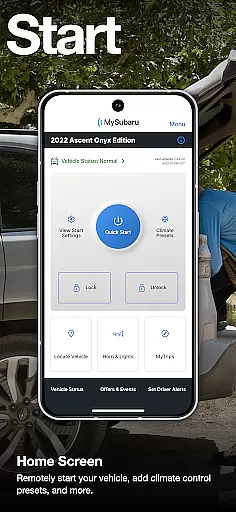
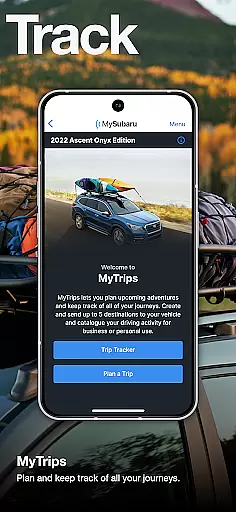
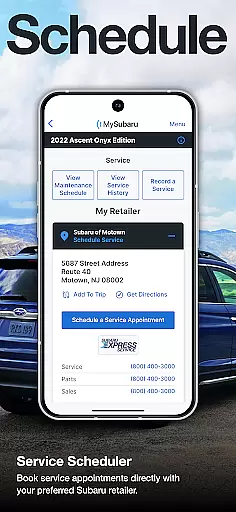
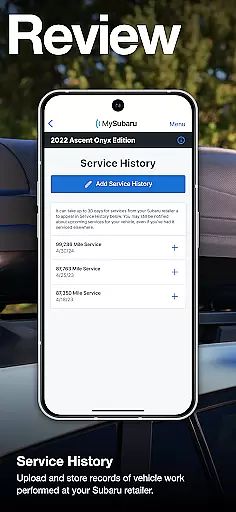
MySubaru is a comprehensive vehicle management application designed specifically for Subaru owners. The app provides an array of remote features including engine start, lock and unlock capabilities, allowing users to control their vehicle's temperature from anywhere. Additionally, it offers service scheduling tools to easily book maintenance appointments and keep track of service history digitally.
Beyond convenience, MySubaru ensures safety with 24/7 roadside assistance and a suite of security features. Whether you need to remotely start your car on a cold morning or schedule a routine check-up at your local dealer, the app puts essential controls right at your fingertips. This makes vehicle ownership more seamless and connected than ever before.
MySubaru stands out with its robust set of features tailored for modern car owners. Remote functionalities allow users to start their vehicle, adjust climate settings, and lock or unlock doors directly from their smartphone. These features are particularly useful in extreme weather conditions or when you need to grant access to someone without physical keys.
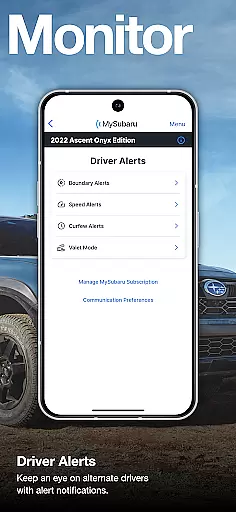
The app also includes advanced service features such as a built-in scheduler that connects directly with participating Subaru retailers. Users can monitor past services, receive reminders for upcoming maintenance, and store important documents like warranty information. Safety features include 24/7 roadside assistance and real-time alerts, ensuring peace of mind every time you hit the road.
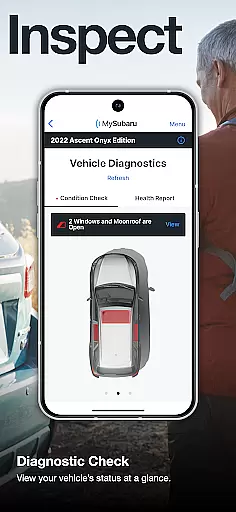
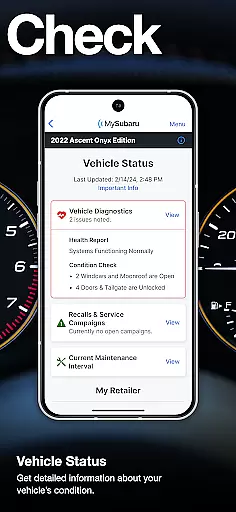
The MySubaru app provides comprehensive access to detailed vehicle information, ensuring that owners are always informed about their car's status. This includes real-time data on various aspects such as fuel level, odometer readings, and tire pressure.
Through the app, users can remotely monitor their vehicle's health and receive alerts for maintenance needs. This proactive approach helps in maintaining optimal vehicle performance and safety.
Additionally, the app offers a digital history of services performed, allowing users to track past repairs and services. This feature ensures transparency and aids in making informed decisions regarding future maintenance.
By providing detailed insights into vehicle specifications and performance data, MySubaru empowers owners with the knowledge needed to manage their Subaru effectively.
MySubaru promotes price transparency by offering clear information on the costs associated with vehicle services and subscriptions. Users can easily view pricing details for different service packages directly within the app.
The app outlines the expenses related to the MySubaru Connected Services subscription, ensuring that owners understand the financial commitment involved in accessing remote features.
Furthermore, when scheduling service appointments, users can anticipate any potential costs, allowing for better budgeting and financial planning. This openness builds trust between Subaru owners and service providers.
With transparent pricing models, MySubaru enhances user confidence in managing their vehicle-related expenses efficiently and effectively.
User-friendly interface
Comprehensive remote controls
Digital service tracking
24/7 roadside support
Enhanced vehicle security
Subscription required
Limited manual transmission
Retailer availability varies
Premium feature costs
Device compatibility issues

The Smarter Way Forward
 3.30
3.30
Attention! This is the theme for the Car Launcher app
4.2
Listings of Tesla's with FSD - Included package
4.60
Read and delete OBD codes with any ELM327 OBD scanner. Coding functions included
3.40
Get more out of your AAWireless adapter with this companion app | aawireless.io
4.80
Car Sounds Engine Sounds app welcomes Auto Lovers to feel Car Simulator Sound
4.20
Autotrader is your online solution for buying and selling new and used cars.
4.40
Easy connect & control your cars from afar. Remote Lock & unlock car and carplay
4.60
Shop, finance, or sell today.
4.80
The Texaco App allows you to pay for fuel from the comfort of your car!
4.80
Browse millions of cars, track vehicle listings or sell your car today
4.70
CVT diagnostics with ELM327 for Nissan-based vehicles
4.40
Instant diesel savings. No credit checks or fees. Nationwide growing network.
4.40
Secure mobile payments & fuel savings at Phillips 66®, Conoco® and 76® stations
4.40
myAudi offers users services and Audi connect services for Audi drivers
4.10
ODB2 based monitoring application for the Chevy Bolt (2017-2021)
4.00
Simplify your drive
3.90
BlueDriver® is a Premium Diagnostic OBD2 Scan Tool. www.BlueDriver.com
3.90
AlfaOBD software for Fiat Group cars native diagnostic
3.70


User Reviews