
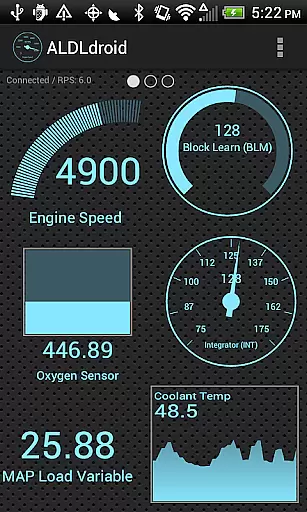
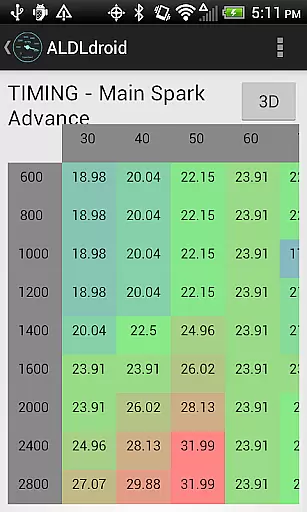
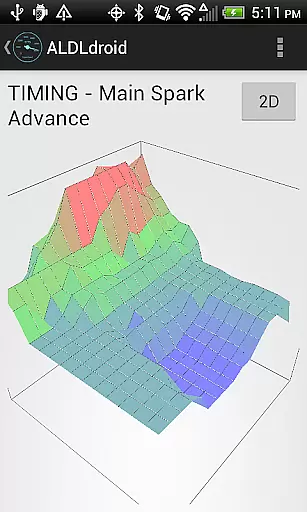
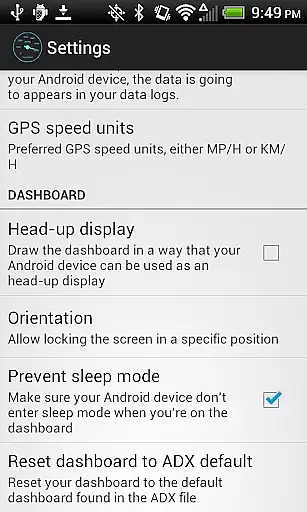
ALDLdroid is a specialized application designed for OBD1 GM (ALDL) ECMs, compatible with both 160 baud and 8192 baud protocols. This app allows users to perform data logging using TunerPro files (ADX), provided they have the correct ADX file for their specific ECM. Beyond GM ECMs, ALDLdroid extends its utility to other car and motorcycle brands such as BMW N54, Buell, DSM, Ducati, Ford, Holden, Nissan, Porsche, Volvo, Fiat, and Renault, given the availability of the proper XDF file.
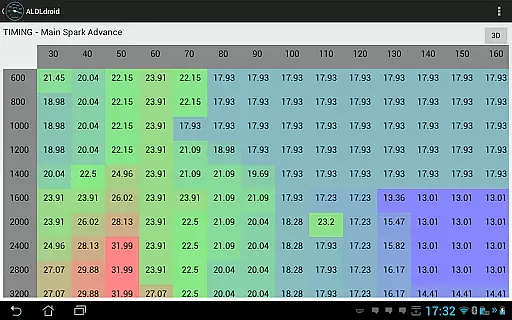
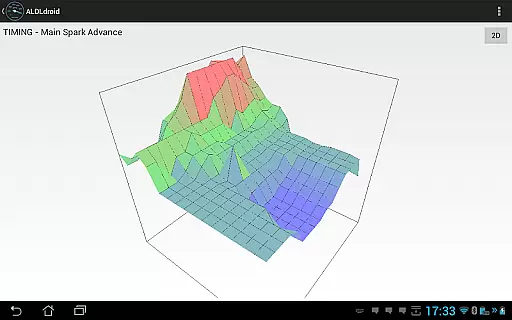
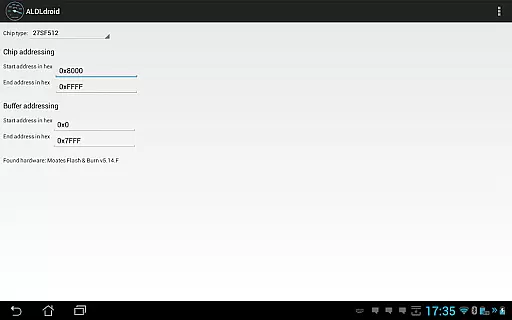
The tuning functionality supports real-time adjustments with Moates Ostrich and AutoProm hardware, along with chip programming via Moates BURN1/BURN2 devices. Connection to the ECM can be established through Bluetooth or USB (FTDI), ensuring compatibility with most modern Android devices. With features like dashboard customization, alarm settings, and multiple log viewers, ALDLdroid offers an extensive toolkit for vehicle diagnostics and tuning.
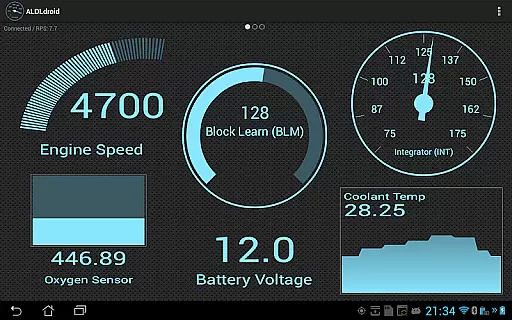
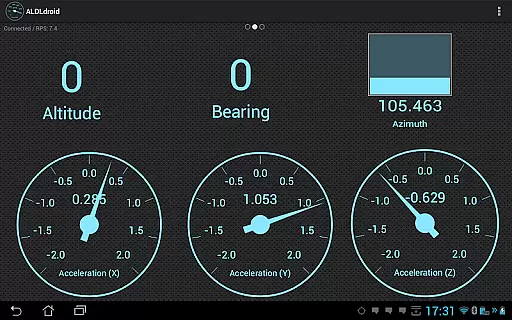
ALDLdroid boasts a comprehensive set of features tailored for automotive enthusiasts and professionals. The app's compatibility with TunerPro files (ADX and XDF) enables detailed data logging and tuning capabilities. Users can edit BIN files and perform real-time tuning on supported ECUs, including NVRAM-based systems. Dashboard customization is intuitive, allowing users to add, edit, or delete indicators in various formats such as gauge, basic readout, bar graph, or histogram, with customizable colors and alarms.
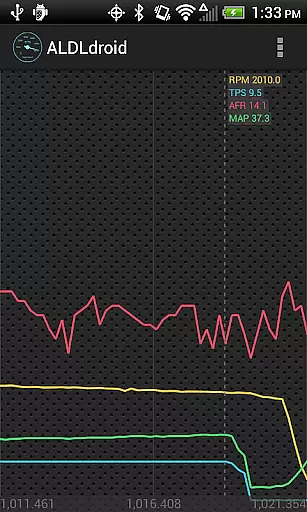
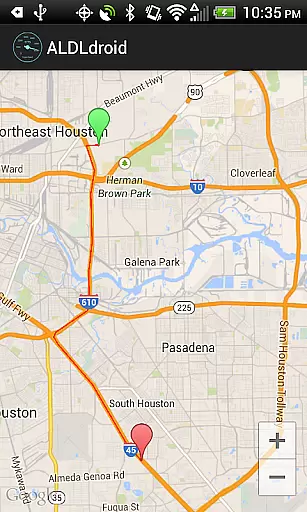
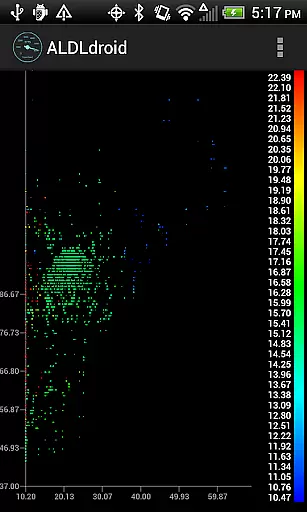
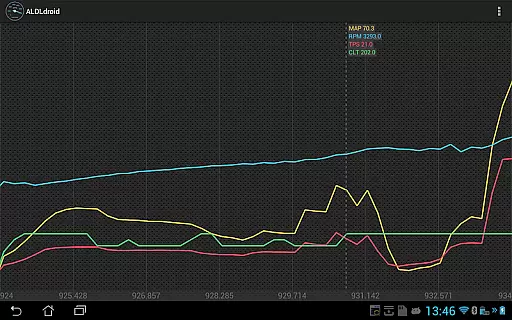
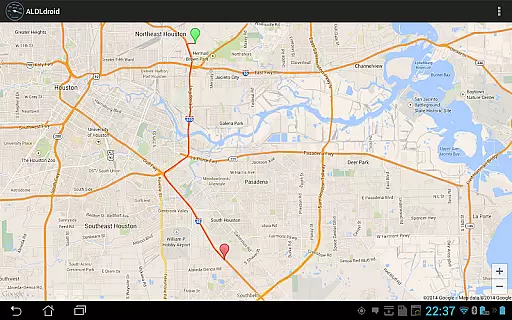
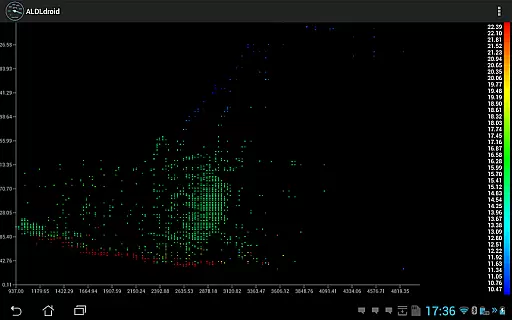
For data analysis, ALDLdroid provides multiple log viewers. Users can visualize data logs in scatter plot format, view GPS data on maps, and explore time series data from log files. These features are complemented by robust connectivity options, supporting both Bluetooth and USB connections. Whether you're diagnosing issues or optimizing performance, ALDLdroid equips you with the tools needed for effective vehicle management.
ALDLdroid provides comprehensive access to detailed vehicle information by interfacing with OBD1 GM ECMs and other supported brands. The application supports both 160 baud and 8192 baud protocols, ensuring compatibility with a wide range of vehicles.
Through the use of TunerPro files (ADX and XDF), users can perform data logging and tuning file editing for various car and motorcycle brands beyond GM ECMs. This includes BMW N54, Buell, DSM, Ducati, Ford, Holden, Nissan, Porsche, Volvo, Fiat, and Renault, provided the appropriate XDF file is sourced.
The app's real-time tuning capabilities are supported by Moates hardware, allowing users to make live adjustments to engine parameters. Additionally, chip programming is possible using Moates BURN1/BURN2 hardware, giving advanced users the ability to modify their vehicle's performance characteristics directly.
ALDLdroid maintains price transparency by offering a clear purchase process and disclosing all necessary requirements before buying. Users need to ensure they have the correct ADX or XDF file for their specific ECM, which may need to be added manually after installation.
For connectivity, ALDLdroid works with Bluetooth or USB (FTDI) adapters, and it is crucial that users verify their Android device's compatibility with these connection methods. Links to compatible ALDL adapters are provided, enabling users to make informed decisions about additional hardware purchases.
While the app does not offer refunds after Google Play's 15-minute window, it encourages potential buyers to consult online communities for compatibility feedback. This approach ensures users understand the costs and technical prerequisites involved in using ALDLdroid effectively.
User-friendly interface
Wide protocol support
Real-time tuning capability
Dashboard customization
Multiple log viewers
Limited ECM compatibility
No iOS version available
Requires additional hardware
Complex setup process
Premium pricing model

ODB2 based monitoring application for the Chevy Bolt (2017-2021)
 4.00
4.00
Attention! This is the theme for the Car Launcher app
4.2
Ferrari inspired analog & digital watch face with quick access and premium style
4.3
CVT diagnostics with ELM327 for Nissan-based vehicles
4.40
The Texaco App allows you to pay for fuel from the comfort of your car!
4.80
The ExtraMile App allows you to pay for fuel from the comfort of your car!
4.70
Mobile Phone Parking - So easy to park
3.70
Your car is talking. Start listening.
4.30
Your go-to app for car, truck & SUV parts, DIY tools, and expert repair help.
4.70
Buy and sell your boat
4.70
Find Fast EV Chargers | Charge Your Vehicle at 1,100+ Fast Car Charging Stations
4.60
OBDII - ELM327 Terminal tool for 96-00 Volvos
4.50
Find, search, and browse 40,000+ used cars, SUVs, and trucks.
4.50
Digital Car Key/Launcher, Screen Mirror, Android Dashboard, Remote Wireless Link
4.40
OBD2 car scanner and diagnostics: read Check Engine, DTC, economy....
4.30
Car Sounds Engine Sounds app welcomes Auto Lovers to feel Car Simulator Sound
4.20
Monitor your behind-the-wheel behavior to become a safer driver and save.
4.10
By enthusiasts, for enthusiasts
4.00
AlfaOBD software for Fiat Group cars native diagnostic
3.70


User Reviews