
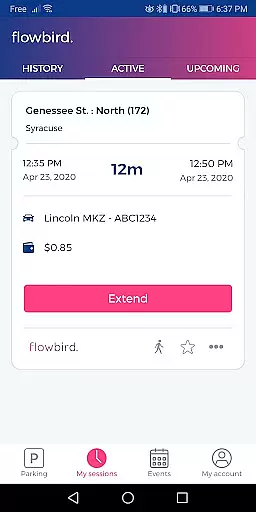
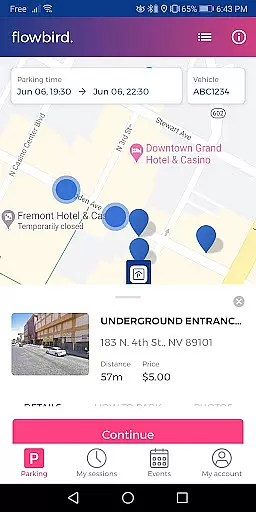
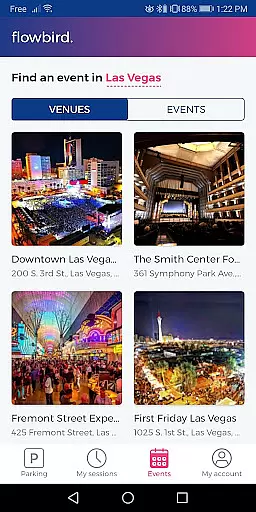
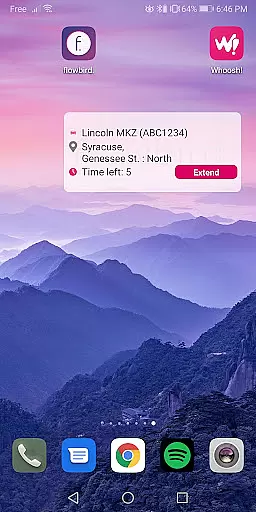
Flowbird Parking is a mobile application designed to simplify the parking experience for users. With this app, you can pay for parking directly from your smartphone, receive notifications when your parking time is about to expire, and extend your parking session without needing to return to a physical meter. The app also offers additional features such as displaying parking pressure in certain areas, helping you locate your parked car, and enabling fingerprint login for quick access. Flowbird Parking is particularly useful in urban environments where parking spaces are limited and time-sensitive.
The app's core value lies in its ability to save users time and reduce stress associated with finding and paying for parking. By digitizing the parking process, it eliminates the need for physical payment at meters and helps avoid potential fines due to expired parking sessions. Whether you're a daily commuter or an occasional city visitor, Flowbird Parking provides a convenient solution that enhances your overall parking experience.
Flowbird Parking stands out with its comprehensive set of features tailored to improve the parking experience. One of the key functionalities is the ability to make mobile payments directly through the app or via the web. This feature not only streamlines the payment process but also ensures that transactions are secure and compliant with Payment Card Industry Data Security Standards. Additionally, the app provides a unique Parking Pressure display for select locations, allowing users to gauge the availability of parking spots in real-time.
Another notable feature is the 'Find my car' functionality, which is invaluable for those who tend to forget where they've parked. Coupled with the convenience of fingerprint login, these features ensure that users have a seamless and efficient interaction with the app. Each feature is designed to address common pain points associated with parking, making Flowbird Parking a versatile tool for modern urban mobility.
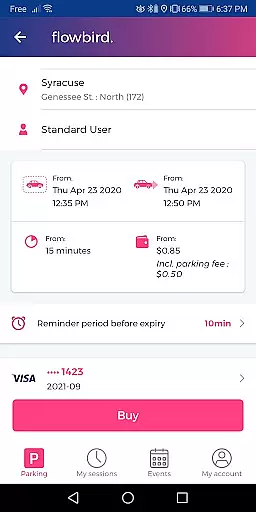
Detailed vehicle information is crucial for ensuring a seamless parking experience. The Flowbird Parking app allows users to input and manage multiple vehicle license plates, making it easy to switch between different vehicles when parking.
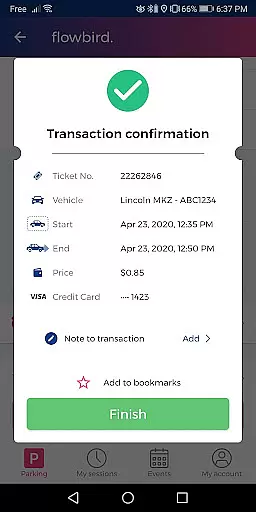
Upon registration, users can add their vehicle details directly through the app interface. This feature not only simplifies the process of selecting the correct vehicle for each parking session but also ensures that parking sessions are accurately recorded against the right vehicle.
The app's ability to store detailed vehicle information provides significant benefits to the user. It eliminates the need to remember and manually enter license plate numbers each time they park, thus reducing errors and saving time.
This functionality ultimately enhances the overall user experience by providing a reliable and efficient way to manage vehicle data, which is essential for modern urban parking solutions.
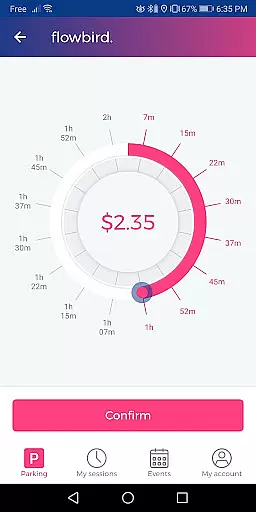
Price transparency in parking apps like Flowbird Parking ensures users have clear information about parking costs before confirming their sessions. This transparency builds trust and helps users make informed decisions about where and how long to park.
Flowbird Parking displays all relevant pricing details based on the selected location and duration. Users can view the exact cost of parking before finalizing their payments, with no hidden fees or surprises.
This level of openness benefits users by allowing them to budget effectively and avoid unexpected charges. Additionally, the app may show variations in pricing across different locations, enabling users to choose more economical options when available.
By prioritizing price transparency, Flowbird Parking not only meets user expectations for clear communication but also sets a standard for ethical business practices in the parking industry.
User-friendly interface
Secure payment processing
Real-time parking updates
Convenient account management
Time-saving functionality
Limited location coverage
Requires internet connection
Parking rules vary by area
No offline mode available
Fingerprint sensor required

The Smarter Way Forward
 3.30
3.30
OBD1 ECMs application. Data log or tune directly from your phone or tablet!
4.60
Attention! This is the theme for the Car Launcher app
4.1
AlfaOBD software for Fiat Group cars native diagnostic
3.70
Autolist - The Largest Selection of Local Used Cars and Trucks
4.50
Trip computer+car diagnostic tool with widest variety of features and dashboard!
4.70
Find Your Local Store or Shop Online for the Car, Truck, or SUV Parts You Need
4.70
Marathon ARCO Rewards members earn rewards & apply the rewards for fuel savings!
4.80
Autotrader is your online solution for buying and selling new and used cars.
4.40
Take Control of Your Car
4.80
Get more out of your AAWireless adapter with this companion app | aawireless.io
4.80
On the CarShield app, you can view contracts, make payments, & request roadside.
4.40
CVT diagnostics with ELM327 for Nissan-based vehicles
4.40
Your Path to Driving Licensing Success Begins Here! Develop your driving skills.
4.40
Your car is talking. Start listening.
4.30
Realtime Charts is a plugin for the Torque Pro App (OBD 2 & Car)
4.20
OBD diagnostics, Live Data, DPF regeneration for BMW
4.00
PayByPhone: A quick and easy way to pay for parking.
3.80
Earn and save with Fuel Rewards®
3.20


User Reviews