
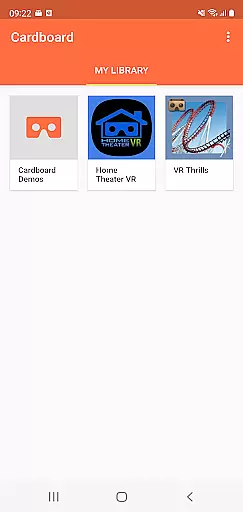
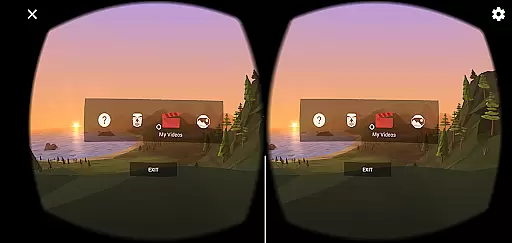
Cardboard is an innovative virtual reality platform that transforms your smartphone into a VR device. This app serves as the gateway to immersive VR experiences, allowing users to explore new worlds and interact with digital content in unprecedented ways. With its user-friendly interface, Cardboard makes it easy to discover apps, launch VR experiences, and set up your viewer.
The application's core functionality lies in its ability to seamlessly integrate with various VR apps, providing a centralized hub for all your virtual reality needs. Whether you're a casual user looking for entertainment or a developer testing new VR concepts, Cardboard offers the tools necessary to dive into virtual environments. Its compatibility with affordable Cardboard viewers makes high-quality VR accessible to everyone.
Perfect for educational purposes, gaming, or virtual tours, Cardboard demonstrates its value by bringing professional-grade VR technology to consumer-level devices. The app's intuitive setup process and comprehensive support resources ensure users can quickly begin enjoying VR content, while its integration with Google's ecosystem provides access to a vast library of VR experiences.
Cardboard stands out through its unique combination of accessibility and functionality. The app features a streamlined discovery system that helps users find new VR applications and experiences tailored to their interests. Its automatic viewer detection and configuration capabilities eliminate technical barriers, making VR setup as simple as possible for users of all technical backgrounds.
Among its notable features is the integrated VR viewer setup wizard, which guides users through the calibration process to ensure optimal performance. The app also includes advanced lens distortion correction algorithms that enhance visual quality across different smartphone models. These technical innovations work together to deliver smooth, immersive VR experiences without requiring specialized equipment or technical expertise.
For developers and power users, Cardboard offers sophisticated tools for creating and testing VR content. The app's SDK integration capabilities and comprehensive documentation resources enable seamless development workflows. Additionally, its support for multiple VR platforms and formats makes it a versatile tool for both content consumption and creation, establishing Cardboard as a complete VR solution for various user needs.
Functionality completeness in a virtual reality app like Cardboard is crucial for delivering an immersive experience. This app offers everything from launching VR experiences to setting up the viewer, ensuring users have all the tools they need.
The app's functionality covers various aspects of virtual reality usage. It helps users not only to start their favorite VR apps but also to discover new ones, enhancing the overall VR ecosystem on smartphones.
By providing comprehensive setup guidance for Cardboard viewers, the app ensures that users can easily assemble and start using their devices. This contributes to a seamless transition from traditional smartphone use to immersive VR environments.
Ultimately, the completeness of Cardboard's features allows users to fully engage with virtual reality content without needing additional resources. This self-contained approach enhances user satisfaction and promotes wider VR adoption.
Usability and operational smoothness are essential for any technology aiming to provide a pleasant user experience, especially in the realm of virtual reality. Cardboard excels by offering intuitive controls and straightforward navigation.
The app is designed to be user-friendly, allowing both beginners and experienced users to effortlessly find and launch VR applications. Its interface minimizes learning curves, making virtual reality accessible to a broader audience.
Operational smoothness is evident in how seamlessly the app integrates with the Cardboard viewer. Users can expect fluid transitions between different VR environments without noticeable lag or performance issues.
This smooth operation extends to the discovery of new VR apps, where updates and recommendations are efficiently presented. As a result, users enjoy a frictionless journey through the virtual reality landscape, enhancing their overall engagement and enjoyment.
User-friendly interface
Affordable VR solution
Wide app compatibility
Easy setup process
Comprehensive support
Limited advanced features
Basic graphics quality
Device compatibility issues
Occasional tracking lags
No dedicated customer support

View your cameras anywhere and anytime
 4.20
4.20
Record with Double Camera Video Recording using Dual Camera Front and Back Video
3.00
Android secret code for smart phone, mobile codes, with secret codes app
4.20
charging your phone by other phone easly
4.00
TV USB connector app provides you a seamless cast option from your phone to tv.
4.70
Connect and Find your smart tag via our app.our app is compatible with smarttag.
3.30
Mobile Connect To TV - HDMI USB & WiFi Screen Mirroring
3.70
Now Available on Android ™
3.40
Unlock the hidden menus of your phone with our mobile secret codes app.
4.20
Expo is a free & open source platform to build apps using JavaScript and React.
4.70
An essential GFX utility developed for specific FPS mobile games
4.50
A Pydroid Quick Install repository provider.
4.00
Connect your phone to any endoscope camera, USB camera, or borescope with ease.
3.70
Ps2 plugins for 64 bit artitechture
3.70
Mirror phone to TV effortlessly! Stream, share & connect with Airplay ease.
3.60
Looking to connect your phone to your car screen? Mirror Link is the solution.
3.20
Collection of high-quality, trendy skins and outfits!
4.1
Zlink Carplay Android a mirror link app with a Carplay interface style
4.4
Enjoy hours of entertainment with our Roblox mobile games app
4.4


User Reviews