
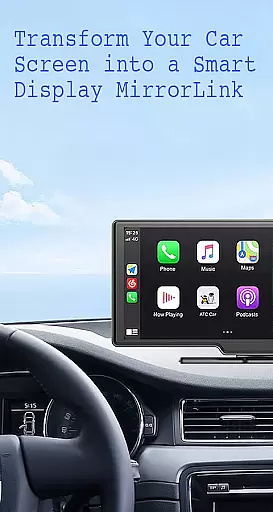
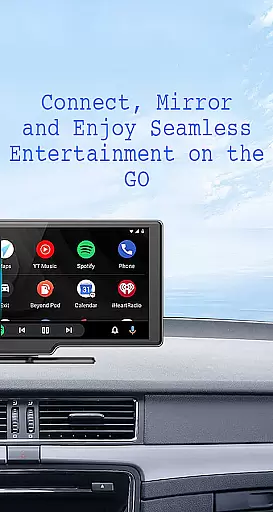
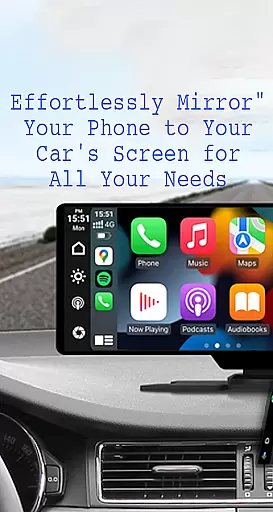
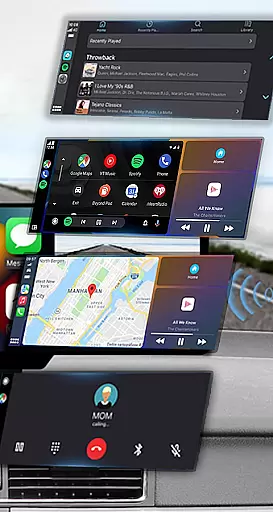
Mirror Link is a cutting-edge application designed to seamlessly connect your smartphone with your car's display system. This innovative solution allows users to project their phone's screen onto the vehicle's larger display, promoting safer driving conditions by minimizing distractions. The app supports both wireless and USB connections, ensuring compatibility across various devices and vehicles.
With its user-friendly interface, Mirror Link facilitates effortless access to essential phone features such as navigation, music, and communication tools while driving. Whether you're looking to stream multimedia content, manage calls hands-free, or utilize advanced car automation features, this app provides a comprehensive solution for enhancing your in-car technology experience.
The application is particularly beneficial for drivers who frequently use navigation apps or need constant access to their mobile devices while on the road. By mirroring your phone's display to the car's screen, Mirror Link ensures that all important information is readily accessible without compromising safety, making it an indispensable tool for modern motorists.
Mirror Link boasts an impressive array of features designed to revolutionize your driving experience. One of its standout capabilities is static screen sharing, which enables users to display their smartphone's interface on their car's screen with remarkable stability and clarity. This feature supports both wireless and USB connection methods, providing flexibility based on user preference and device compatibility.
The app excels in facilitating seamless multimedia access within vehicles. Users can enjoy their favorite music, watch videos, send texts, make calls, and view maps directly on their car's display. Its intelligent automation system automatically plays and pauses media when connecting to the car display, creating a truly intuitive user experience. Additionally, the full mirror link functionality allows complete replication of the phone's interface on the car screen.
What sets Mirror Link apart is its universal compatibility with all car brands and devices equipped with built-in web browsers. The application works harmoniously with both older and newer car models, while also integrating smoothly with popular systems like Mirror Link CarPlay and Android Auto. This versatility makes it an invaluable tool for drivers seeking to enhance their vehicle's technological capabilities regardless of their car's make or model year.
Functionality completeness in Mirror Link ensures that users can seamlessly integrate their smartphones with their car's display system. This app offers both wireless and USB connection options, catering to different user preferences and vehicle capabilities.
The app covers a wide range of essential features including static screen sharing, multimedia access, and automation functionalities. Users can enjoy music, make calls, send texts, and use navigation maps directly from their car's touchscreen, enhancing convenience and safety during drives.
Mirror Link stands out with its universal compatibility, working with all car brands and devices equipped with built-in web browsers. It also supports popular systems like MirrorLink CarPlay and Android Auto, ensuring that users with various types of vehicles and devices can benefit from this application.
By providing comprehensive functionality, Mirror Link allows drivers to focus on the road while still having easy access to their phone's features. The app's ability to automatically play and pause media when connected to the car display adds an extra layer of convenience, making it a versatile tool for modern driving experiences.
Usability is a critical aspect of Mirror Link, designed to provide a smooth and intuitive user experience. With one-click connections, users can quickly establish a link between their phone and car display, minimizing setup time and maximizing convenience.
The app's interface is crafted to be user-friendly, allowing even those who are not tech-savvy to easily navigate and utilize its features. Simple instructions guide users through enabling Miracast or Wireless display options on both their phone and car systems, ensuring a hassle-free setup process.
Operational smoothness is evident in how Mirror Link handles multimedia tasks such as playing music, watching videos, and using navigation maps. These functions operate without interruption, delivering a seamless experience whether you're commuting or on a long road trip.
Additionally, Mirror Link enhances usability by supporting smart mirror link capabilities compatible with both older and newer car models. This adaptability ensures that regardless of your vehicle type, you can enjoy enhanced driving safety and entertainment options, making every journey more enjoyable and secure.
User-friendly interface
Wireless and USB connectivity
Universal compatibility
Automatic media control
Comprehensive feature set
Limited to compatible devices
Requires Miracast support
Potential connection issues
No official brand partnerships
Basic automation features

Collection of high-quality, trendy skins and outfits!
 4.3
4.3
Wireless reverse charging using phone now is possible
4.30
Demo for Key Attestation feature of the Android system.
4.80
With Endoscope Camera Connector you can connect your phone with endoscope cam
3.70
TV USB connector app provides you a seamless cast option from your phone to tv.
4.70
Mirror Link Car Display to share your screen with car dashboard wirelessly
4.5
Mobs maker Minecraft help MCPE creators make their own mob by using Blockbench
3.50
DamonSx2 is the open Source LGPL Emulator
3.20
Game booster GFX may reduce interruptions and improve gaming experience.
4.50
SmartCast mirrors Android phone to TV screen With Cast Screen, Chromecast.
4.80
Study Bible King James Version: the correct way to learn the Bible with audio
4.80
The Free Catholic Latin American Bible in complete Spanish
4.60
Manage apps & elevate your gaming experience with Game Launcher: Gaming Hub app.
4.30
Easily evaluate the performance of Scandit's barcode and ID scanning SDK
4.10
charging your phone by other phone easly
4.00
Connect your phone to any endoscope camera, USB camera, or borescope with ease.
3.70
Connect and find your Smart Tag 2 devices through our app.
3.60
Now Available on Android ™
3.40
Collection of Maps and Mods for Dmod
3.30


User Reviews