
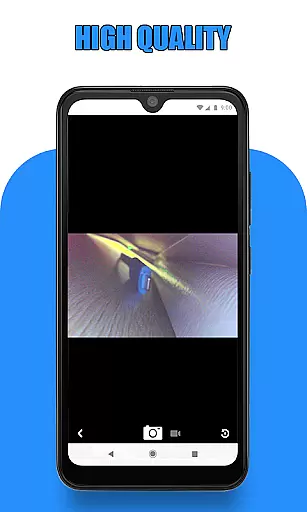
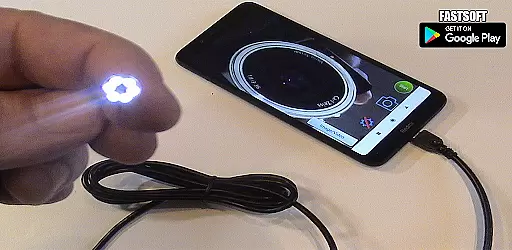
Endoscope Camera Connector is a specialized app designed to connect Android devices with external cameras such as endoscopes, USB cameras, or Borescope cameras. This versatile tool allows users to view live feeds, record videos, and capture images from these external devices directly on their smartphones. The app functions similarly to an OTG viewer, enabling seamless integration with UVC-compatible cameras through USB OTG or Type-C connections.
The application's core functionality revolves around its ability to interface with various inspection cameras used in plumbing, sewer inspections, and industrial applications. Users can conveniently check their device's OTG compatibility through the built-in USB OTG checker feature. With practical applications ranging from drain blockage diagnosis to detailed equipment inspections, this app serves as a valuable tool for both professional technicians and DIY enthusiasts.
By bridging the gap between mobile technology and specialized camera equipment, Endoscope Camera Connector provides a cost-effective solution for remote visual inspections. Its intuitive interface and essential features make it particularly useful in scenarios where traditional cameras might be impractical or inaccessible, delivering real-time visual data directly to the user's mobile device.
The app offers several distinctive features that enhance its functionality and usability. Primarily, it provides seamless integration with external cameras through USB OTG or Type-C connections, allowing users to view live video feeds directly on their Android devices. The application supports basic camera operations including photo capturing, video recording with audio, and media playback through its integrated gallery system.
A notable feature is the built-in USB OTG checker, which helps users verify their device's compatibility before attempting to connect external cameras. The app maintains a straightforward user interface where users can easily access camera controls and manage their media files. It supports both image and video management through its gallery system, enabling users to view, delete, and organize their captured content efficiently.
What sets Endoscope Camera Connector apart is its specific optimization for inspection tasks. The app caters to various professional applications, including plumbing diagnostics, sewer line inspections, and industrial equipment examination. Its ability to work with different types of external cameras makes it a versatile tool for technicians and maintenance professionals who require reliable visual inspection capabilities in their daily operations.
Endoscope Camera Connector offers a comprehensive solution for connecting your mobile device with various external cameras, including endoscopes, USB cameras, and Borescope cameras. This app ensures that users can access the full functionality of their external devices directly from their Android phones.
The app supports essential features such as video recording with sound and photo capturing, making it versatile for different use cases. Whether you're conducting sewer inspections or examining blocked drains, this app provides the necessary tools to get the job done efficiently.
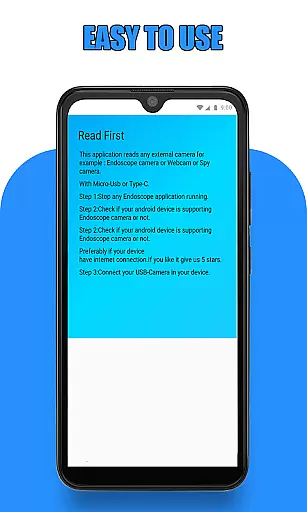
Before using the app, users are guided to check if their device supports USB OTG technology and whether their USB camera is UVC-compatible. These preliminary steps ensure seamless integration and optimal performance, providing peace of mind regarding compatibility issues.
By covering a wide range of functionalities, Endoscope Camera Connector stands out in the Libraries & Demo category, offering extensive support for various external cameras and ensuring users have all the tools they need at their fingertips.
Usability is a key aspect of Endoscope Camera Connector, designed to provide a smooth and intuitive user experience. The app simplifies the process of connecting an external camera to your phone, allowing users to start recording videos and taking photos with minimal hassle.
Upon opening the app, users can easily navigate through its interface to access the camera functions. By clicking on the camera icon and confirming the connection, users can quickly view live footage from their endoscope or Borescope camera. This straightforward operation ensures that even those unfamiliar with such technology can use the app effectively.
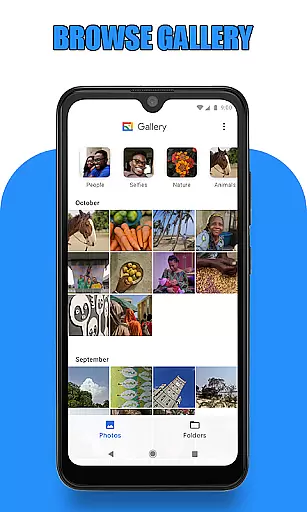
In addition to capturing media, the app includes a gallery feature where users can manage their photos and videos. With simple gestures like sliding to switch between media types and long-pressing to delete files, the app maintains an easy-to-use environment that enhances productivity without complicating tasks.
Overall, Endoscope Camera Connector excels in operational smoothness, providing a reliable and user-friendly platform for managing external cameras. Its focus on usability makes it an excellent choice for both professionals and hobbyists looking to streamline their inspection processes.
User-friendly interface
Wide device compatibility
Real-time video streaming
Integrated media management
Essential inspection tools
Limited advanced features
Basic video quality settings
No cloud integration
Manual file management
Device compatibility issues

Game Booster GFX for smoother gaming experience. Enjoy 120 FPS and 4x Game Space
 4.20
4.20
Collection of high-quality, trendy skins and outfits!
4.1
Identify securely online
3.10
Android secret code for smart phone, mobile codes, with secret codes app
4.20
Test DPC is a sample device policy controller for use with Android Enterprise.
4.20
Looking to connect your phone to your car screen? Mirror Link is the solution.
3.20
Turn your phone into a wireless Xbox controller – play, stream & control anytime
4.0
DamonSx2 is the open Source LGPL Emulator
3.20
Game booster GFX may reduce interruptions and improve gaming experience.
4.50
Explore The Holy Quran Majeed for Muslim. Listen to MP3 Quran & Al Quran Kareem.
4.80
Study Bible King James Version: the correct way to learn the Bible with audio
4.80
The Free Catholic Latin American Bible in complete Spanish
4.60
An essential GFX utility developed for specific FPS mobile games
4.50
MirrorLink for connecting your Android phone to your car’s infotainment screen.
4.50
Phone Software Update Quick Checker helps you to keep your phone apps up to date
4.50
Wireless reverse charging using phone now is possible
4.30
Unlock the hidden menus of your phone with our mobile secret codes app.
4.20
Connect and find your Smart Tag 2 devices through our app.
3.60
If you are looking for melon playground mod that fun you deffinitely try our app
2.70


User Reviews