
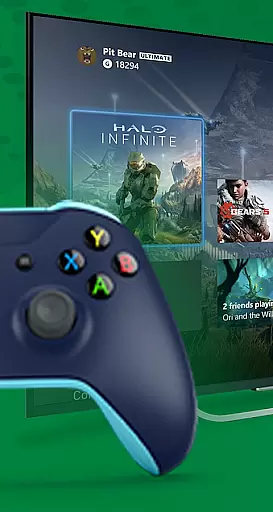
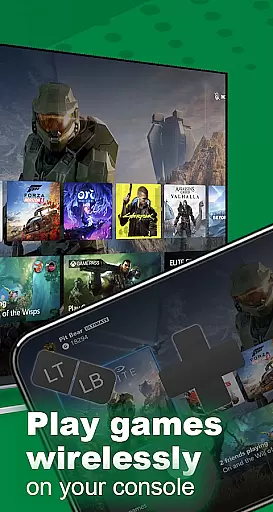
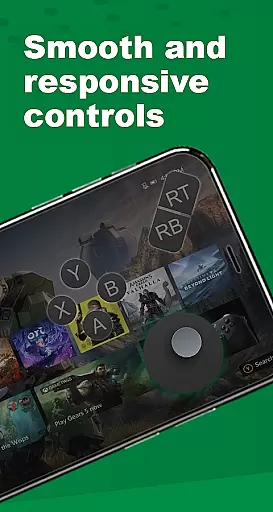
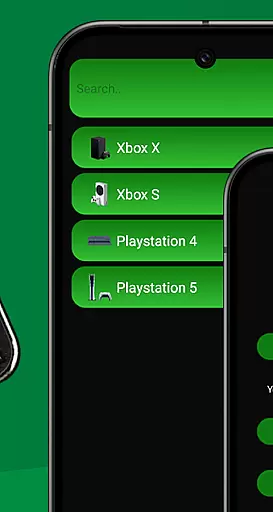
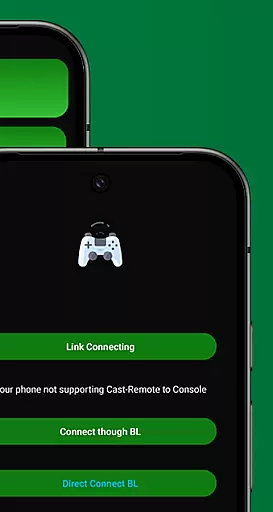
XB Game Controller is a powerful tool that transforms your smartphone into a versatile wireless Xbox remote. This application allows users to seamlessly control their Xbox Series X/S or Xbox One consoles directly from their mobile devices, eliminating the need for a physical controller. With its cutting-edge technology, the app delivers an ultra-responsive gamepad experience, mapping every button, trigger, and joystick function just like a traditional Xbox controller.
Beyond basic control, XB Game Controller supports real-time game streaming with minimal latency, making it perfect for gaming on the go. Whether you're at home or away, you can enjoy smooth 1080p gameplay over Wi-Fi or mobile data. Additionally, the app offers multiplayer support, enabling friends to join gaming sessions using their phones as controllers. Its intuitive interface and quick setup process make it accessible for all types of users, enhancing both casual and competitive gaming experiences.
XB Game Controller stands out with its comprehensive feature set tailored for modern gamers. The app provides two primary modes: Remote Play and Gamepad Mode. In Remote Play, users can stream their Xbox games in high-definition with ultra-low latency, ensuring an immersive experience. Gamepad Mode replicates the layout of an actual Xbox controller, offering customizable buttons to suit individual preferences and playstyles.
Additional functionalities include seamless audio and chat support, allowing users to communicate via their phone’s microphone during gameplay. The app also supports Bluetooth peripherals such as keyboards and headsets, further expanding its utility. With features like multiplayer support over Wi-Fi and effortless device switching, XB Game Controller ensures a dynamic and uninterrupted gaming session. Its lightweight design and modern interface make navigation and operation smooth and efficient, catering to both novice and experienced gamers alike.
Functionality completeness refers to the extent to which an application provides features that cover all necessary use cases for its intended purpose. For XB Game Controller, this means offering a comprehensive set of tools that allow users to fully interact with their Xbox consoles remotely.
The app excels in functionality by providing not only basic control options but also advanced features such as customizable buttons and seamless device switching. This ensures gamers can tailor their experience according to personal preferences while maintaining optimal performance levels.
Users benefit from having access to both remote play capabilities and gamepad mode within a single platform. Whether they're looking to stream games directly onto their smartphones or simply navigate menus on their console, XB Game Controller has them coveredu2014making it an indispensable tool for any avid gamer.
Usability is a critical factor when evaluating mobile applications, especially those designed for gaming purposes like XB Game Controller. It encompasses how intuitive the interface is, how quickly users can perform tasks, and overall satisfaction during usage.
XB Game Controller boasts a modern, streamlined design that makes navigation effortless even for newcomers. With quick setup steps guiding you through connecting your devices and starting gameplay, getting started couldn't be easier. The inclusion of voice chat support further enhances communication between players without interrupting gameplay flow.
Operational smoothness translates into low-latency streaming at 1080p resolution, ensuring crisp visuals accompany responsive controlsu2014a must-have combination for immersive gaming experiences. By prioritizing these aspects, XB Game Controller sets itself apart as a top choice among virtual controllers available today.
Intuitive Interface
Low Latency Streaming
Customizable Controls
Multiplayer Support
Voice Chat Integration
Wi-Fi Dependency
Limited Offline Use
Occasional Bugs
Not Officially Affiliated
Device Compatibility Issues

Game Booster GFX for smoother gaming experience. Enjoy 120 FPS and 4x Game Space
 4.20
4.20
Enjoy Minecraft Mod Scary Neighbor Granny for Minecraft PE.
4.30
TV USB connector app provides you a seamless cast option from your phone to tv.
4.70
Block, disable and secure phone camera from secretly taking photos by spyware.
4.50
Connect and Find your smart tag via our app.our app is compatible with smarttag.
3.30
Demo version of the mcpro24fps manual video camera. Try and buy a full version!
4.00
Looking to connect your phone to your car screen? Mirror Link is the solution.
3.20
Manage apps & elevate your gaming experience with Game Launcher: Gaming Hub app.
4.30
Expo is a free & open source platform to build apps using JavaScript and React.
4.70
The Free Catholic Latin American Bible in complete Spanish
4.60
Block and secure the microphone and protect from secret listening and recording.
4.50
Popular mods fnaf mods for melon playground
4.50
Easily evaluate the performance of Scandit's barcode and ID scanning SDK
4.10
A Pydroid Quick Install repository provider.
4.00
Mirror link car connector to share your screen with car dashboard
3.80
Use your Phone as Drone Controller.
3.70
Connect your phone to any endoscope camera, USB camera, or borescope with ease.
3.70
Ps2 plugins for 64 bit artitechture
3.70
Mobs maker Minecraft help MCPE creators make their own mob by using Blockbench
3.50


User Reviews