
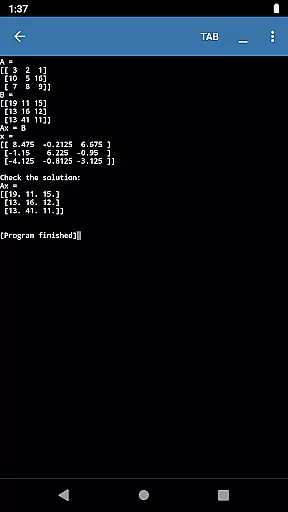
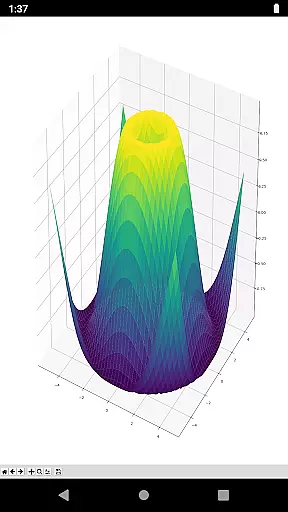
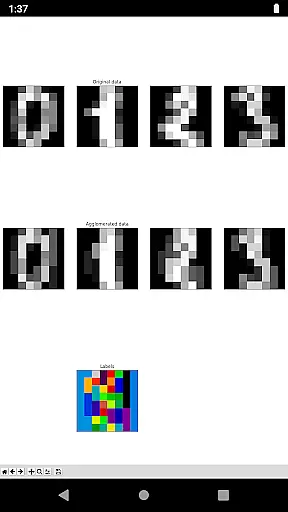
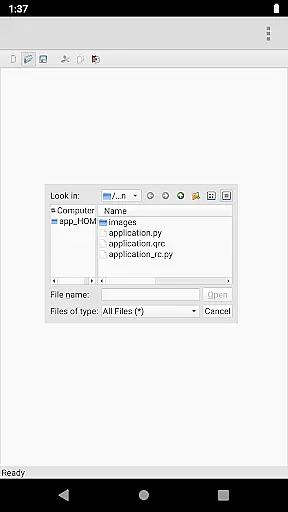
Pydroid Repository Plugin is a specialized tool designed to facilitate the installation of prebuilt packages containing native libraries for Pydroid. This plugin ensures compliance with Developer Program Policies regarding executable code downloads.
By using this plugin, users can conveniently access a Quick Install repository, streamlining the process of integrating essential libraries without the need to build from source code. This saves significant time and effort, especially for those new to Python development on Android.
The plugin is particularly useful for developers who require quick access to necessary libraries while working within the Pydroid environment. It simplifies library management and enhances productivity by reducing setup complexities.
One of the key features of Pydroid Repository Plugin is its ability to provide a seamless installation process for prebuilt packages. This eliminates the need for manual builds, which can be time-consuming and technically challenging.
The plugin strictly adheres to licensing terms, ensuring that only Pydroid-related applications can utilize these packages. This maintains legal compliance and protects intellectual property rights.
Additionally, users have the flexibility to opt-out of using the prebuilt libraries repository. They can choose to build libraries from source code if preferred, although this requires more technical expertise and patience due to longer build times.
Functionality completeness in a library or demo application refers to the extent to which the tool provides necessary features and capabilities to meet user needs. For Pydroid repository plugin, this means offering a comprehensive collection of prebuilt packages that contain native libraries essential for Python development within the Android environment.
The plugin ensures that developers using Pydroid have access to critical components without violating Developer Program Policies regarding executable code downloads. This is achieved by housing these elements in a separate Quick Install repository, thereby maintaining compliance while enhancing functionality.
Users benefit from this approach as it streamlines the setup process, allowing them to focus on coding rather than configuring dependencies manually. The ability to quickly install required libraries significantly reduces setup time and complexity, making mobile development more accessible and efficient.
Usability and operational smoothness are crucial factors in evaluating any software tool, especially for libraries and demo applications like the Pydroid repository plugin. Usability encompasses how easily users can interact with the application, understand its features, and achieve their goals efficiently.
In the case of Pydroid, despite the inconvenience of installing a separate app, the plugin offers a straightforward method to enhance Pydroid's capabilities. Users can enable or disable the use of prebuilt libraries through simple settings adjustments, providing flexibility based on individual preferences or requirements.
Operational smoothness is demonstrated through seamless integration with Pydroid, ensuring that updates and installations occur without disrupting the main applicationu2019s performance. This reliability fosters trust among developers who rely on consistent behavior when working on projects, ultimately improving productivity and satisfaction.
Time-saving
Easy-to-use
Compliance assurance
Streamlined installation
Enhanced productivity
Separate installation
Limited to Pydroid
Manual dependency handling
Potential inconvenience
Source build required

SmartCast mirrors Android phone to TV screen With Cast Screen, Chromecast.
 4.80
4.80
Connect and find your Smarttag devices through our app.
4.00
Identify securely online
3.10
An essential GFX utility developed for specific FPS mobile games
4.50
TV USB connector app provides you a seamless cast option from your phone to tv.
4.70
Enjoy hours of entertainment with our Roblox mobile games app
4.4
Connect and Find your smart tag via our app.our app is compatible with smarttag.
3.30
Ps2 plugins for 64 bit artitechture
3.70
Mirror phone to TV effortlessly! Stream, share & connect with Airplay ease.
3.60
Read Holy Quran Feel Like Real Quran & Listen Al Quran Mp3 Audio Online Offline.
4.70
The best PS2 games from your childhood come to life in their mobile version!
4.00
Sad ringtones full of feeling, sad music ringtones
3.90
a wireless controller that provides a seamless and gaming experience for players
3.80
CloudEye 365 is a easy-handling APP
3.60
Mobs maker Minecraft help MCPE creators make their own mob by using Blockbench
3.50
Simulator of real black light
3.50
Experience virtual reality on your smartphone with Cardboard.
3.50
Collection of Maps and Mods for Dmod
3.30
Mirror Link Car Display to share your screen with car dashboard wirelessly
4.5


User Reviews