
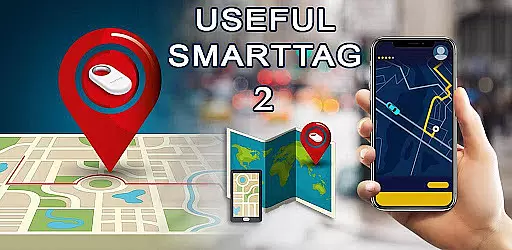
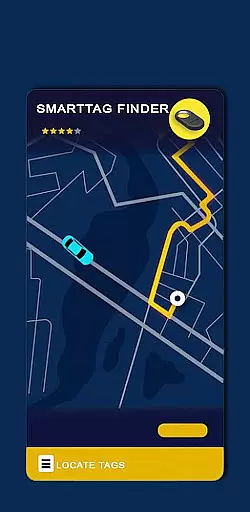
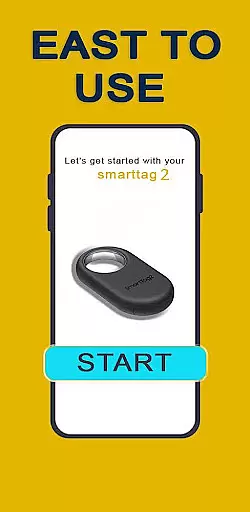
Samsung Galaxy SmartTag is an innovative device tracker that helps users locate their lost items with precision. This app serves as a comprehensive guide for Samsung's SmartTag 2, providing detailed instructions and information about its setup, usage, and maintenance. The application is designed to work seamlessly with Samsung Galaxy devices, offering users a reliable way to keep track of their belongings.
Through this app, users can access step-by-step procedures for configuring their SmartTag devices, replacing batteries, and arranging their tracking devices effectively. It also provides helpful advice on using the smart beacon feature and understanding the general settings of the SmartTag 2. Whether you're setting up your device for the first time or looking to optimize its functionality, this app ensures you have all the necessary knowledge at your fingertips.
The Galaxy SmartTag app offers a range of features designed to enhance the user experience with Samsung's tracking devices. One of its key features is the detailed setup guide for Galaxy SmartTag2 and SmartTag+, which includes instructions on configuring smart tags and general settings. This ensures that users can easily set up and start using their devices without any hassle.
Another notable feature is the comprehensive battery replacement guide for Galaxy SmartTag 2 and SmartTag+. Users can learn how to maintain their devices efficiently, ensuring long-term usability. Additionally, the app provides valuable advice on utilizing the smart beacon functionality, helping users maximize the effectiveness of their tracking devices. With these features, the app serves as an essential companion for anyone using Samsung Galaxy SmartTags.
Functionality completeness is a critical aspect of any application, especially in the Libraries & Demo category. The Samsung Galaxy SmartTag app offers a comprehensive suite of features that cater to users who need to manage and locate their SmartTag devices effectively. This includes functionalities such as setting up your SmartTag, configuring settings, and getting advice on how to use the smart beacon.
The app covers various aspects of SmartTag usage, from general setup to specific configurations like battery replacement and device arrangement. By providing detailed guidance on each of these areas, it ensures that users have all the tools they need at their disposal. Such extensive coverage allows for seamless interaction with the physical devices, enhancing user experience through well-rounded support.
For users, this means having everything required to maximize the utility of their Samsung Galaxy SmartTags. Whether it's understanding how to replace batteries or arranging multiple devices efficiently, the app serves as an essential resource. Ultimately, its thoroughness translates into greater convenience and peace of mind when managing valuable belongings.
Usability and operational smoothness are key factors that determine how easily users can interact with an application. In the case of the Samsung Galaxy SmartTag app, significant attention has been given to ensuring that operations within the app are intuitive and straightforward. Users can effortlessly navigate through different sections related to SmartTag management without encountering unnecessary complexity.
This ease-of-use extends beyond mere navigation; it encompasses every interaction point within the app. For instance, tasks such as configuring settings or seeking advice on using smart beacons are designed to be completed smoothly without hiccups. This operational fluidity not only enhances user satisfaction but also reduces the learning curve associated with new technology adoption.
Ultimately, by prioritizing usability and smooth operation, the app empowers users to focus more on utilizing their SmartTags effectively rather than struggling with complicated interfaces. This results in a more enjoyable and efficient user experience overall, making daily interactions with the app both productive and stress-free.
User-friendly interface
Comprehensive setup guide
Detailed maintenance instructions
Smart beacon utilization tips
Reliable tracking assistance
Limited to Samsung devices
No official support
Bluetooth dependency
Basic educational content
Occasional connectivity issues

If you are looking for melon playground mod that fun you deffinitely try our app
 2.70
2.70
Connect your phone to any endoscope camera, USB camera, or borescope with ease.
3.70
Popular mods fnaf mods for melon playground
4.50
Collection of Maps and Mods for Dmod
3.30
use your smartphone as Remote control drones .
4.20
Explore The Holy Quran Majeed for Muslim. Listen to MP3 Quran & Al Quran Kareem.
4.80
Turn your phone into a wireless Xbox controller – play, stream & control anytime
4.2
Mobile Connect To TV - HDMI USB & WiFi Screen Mirroring
3.70
Ps2 plugins for 64 bit artitechture
3.70
MirrorLink for connecting your Android phone to your car’s infotainment screen.
4.50
Phone Software Update Quick Checker helps you to keep your phone apps up to date
4.50
Al QURAN-القرأن الكريم app to read Quran offline just like an actual Quran book
4.30
Manage apps & elevate your gaming experience with Game Launcher: Gaming Hub app.
4.30
Test DPC is a sample device policy controller for use with Android Enterprise.
4.20
Do you want to drive easy ? do you wanna full mirror link Mobile with your car
4.10
CloudEye 365 is a easy-handling APP
3.60
Simulator of real black light
3.50
Record with Double Camera Video Recording using Dual Camera Front and Back Video
3.00
Zlink Carplay Android a mirror link app with a Carplay interface style
4.2


User Reviews