
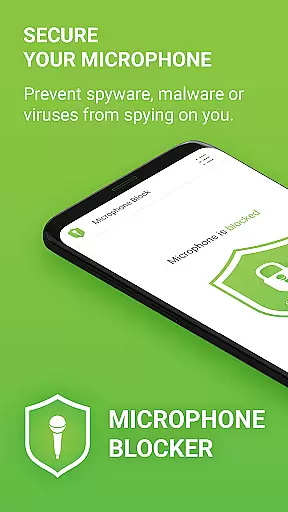

Microphone Blocker is a privacy-focused application designed to secure and block access to your device's microphone, ensuring that no apps can secretly listen or record you. The app requires no root access and guarantees uninterrupted phone call functionality while protecting your privacy. With over 6,000 five-star ratings, it has gained significant trust among users who prioritize security.
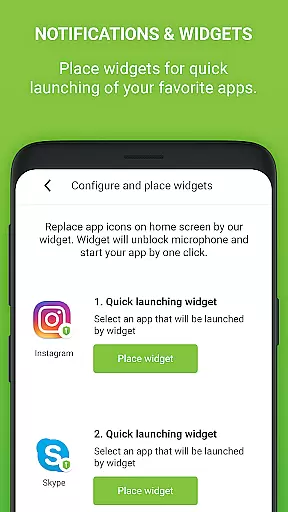
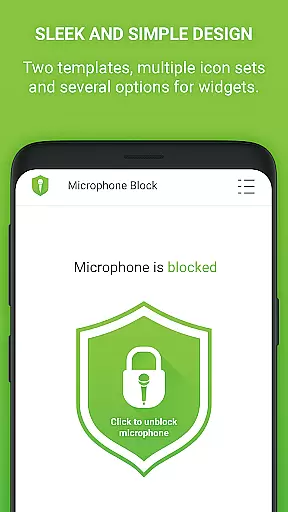
The app offers a one-click solution to disable microphone access, effectively preventing spyware, malware, and viruses from compromising your privacy. It also includes features like a microphone detector and guard, which monitor apps with microphone access and notify you of any new permissions granted. Additionally, the app provides a simple interface with dark mode and several icon sets, along with home screen widgets for quick access to blocking functions.
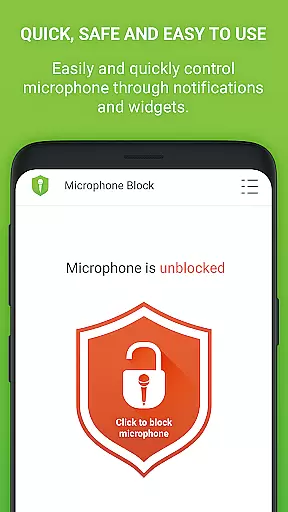
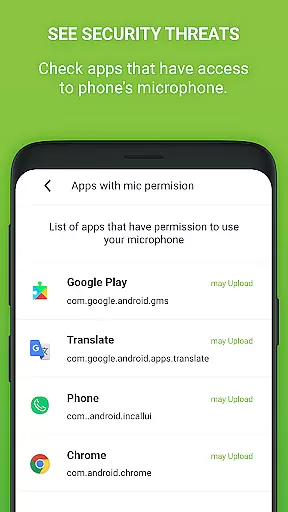
Microphone Blocker stands out with its comprehensive set of features tailored to enhance user privacy. One of its core functionalities is the ability to block microphone access with just a single click, making it easy for users to protect themselves from potential eavesdropping. This feature is complemented by the app's capability to monitor and display which apps have access to the microphone, allowing users to stay informed about their privacy status.
In addition to these primary features, Microphone Blocker offers advanced options such as setting automatic blocking times and providing a microphone detector and guard. These tools help users maintain constant vigilance over their privacy settings. The app also includes a tutorial that educates users on Android permissions and suggests ways to remove apps that may pose a risk to privacy. For those seeking an ad-free experience, the PRO version offers unlimited protection, no ads, and no data collection, ensuring a seamless and secure user experience.
Microphone Blocker offers comprehensive functionality to secure your microphone access and protect against unauthorized surveillance. The app provides a one-click solution to block, disable, and deactivate microphone access, ensuring that spyware, malware, and viruses cannot secretly record or listen to you.
The app's coverage extends beyond just blocking access; it also monitors apps that have permission to use your microphone. With features like automatic blocking times and a built-in microphone detector, users can maintain control over their privacy settings. Additionally, the app includes a home screen widget and notifications for quick access to its blocking capabilities.
For those seeking advanced protection, the PRO version offers unlimited 24-hour protection, removing the limitations of the free version which turns off between 20:00-22:00. This ensures continuous security without interruptions.
Usability is at the core of Microphone Blocker's design. It features a simple and clear interface with dark mode and several icon sets, making it accessible and visually comfortable for all users. The straightforward tutorial guides users through increasing their protection level, enhancing the overall user experience.
Operational smoothness is evident in the app's ability to function without requiring root access, ensuring that phone calls remain uninterrupted while still providing robust security. Its intuitive design allows users to easily monitor and manage apps that have access to their microphone.
Furthermore, the app's reliability is supported by over 6,000 five-star ratings, reflecting its effectiveness and ease of use. By addressing common concerns about privacy and offering practical solutions, Microphone Blocker delivers both usability and operational efficiency.
Easy-to-use interface
Effective privacy protection
No root access required
Over 6,000 five-star ratings
Automatic blocking feature
Limited free version
PRO version comes at a cost
Requires manual checks
Occasional notifications
Dependent on user action

Connect and find your Smart Tag 2 devices through our app.
 3.60
3.60
Connect and find your Smarttag devices through our app.
4.00
An essential GFX utility developed for specific FPS mobile games
4.50
Block, disable and secure phone camera from secretly taking photos by spyware.
4.50
Recite Quran Majeed القران with special 16 line real Kuran page in hand
4.30
Study Bible King James Version: the correct way to learn the Bible with audio
4.80
Al QURAN-القرأن الكريم app to read Quran offline just like an actual Quran book
4.30
Ps2 plugins for 64 bit artitechture
3.70
Now Available on Android ™
3.40
An impressive collection of tools, characters, weapons, skins and more!
4.30
use your smartphone as Remote control drones .
4.20
Game Booster GFX for smoother gaming experience. Enjoy 120 FPS and 4x Game Space
4.20
Unlock the hidden menus of your phone with our mobile secret codes app.
4.20
Easily evaluate the performance of Scandit's barcode and ID scanning SDK
4.10
Mobile Connect To TV - HDMI USB & WiFi Screen Mirroring
3.70
Identify securely online
3.10
A great tool help you to format Micro SD memory Card
3.10
Collection of high-quality, trendy skins and outfits!
4.5
Read Quran pak offline & listen online mp3 Quran in Al Quran Majeed app
4.2


User Reviews