










Study Bible with Explanation is a comprehensive offline Bible study app featuring the King James Version (KJV) with integrated audio and Matthew Henry's commentaries. This Libraries & Demo app provides users with a rich biblical study experience, allowing them to explore 66 books of the Bible while accessing insightful explanations. The app is designed for both personal devotion and academic study, offering features like verse highlighting, note-taking, and customizable reading settings.
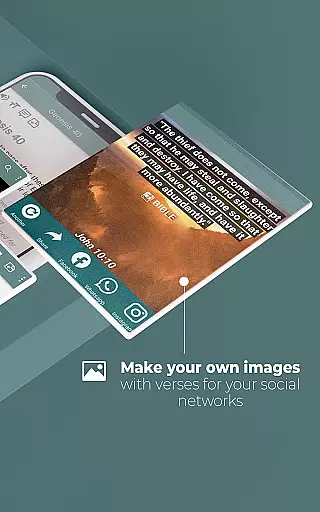
The app's key value lies in its accessibility and depth of resources. Users can engage with the Word through high-quality audio readings, search across books and verses effortlessly, and even create shareable content for social media. Whether at home, in church, or on the go, this app ensures that users have a complete Bible study toolkit at their fingertips without requiring an internet connection.
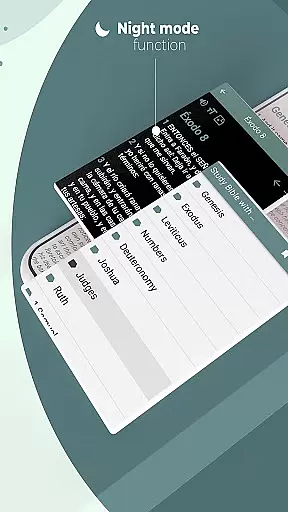
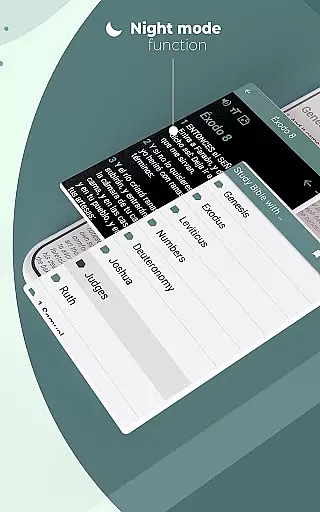
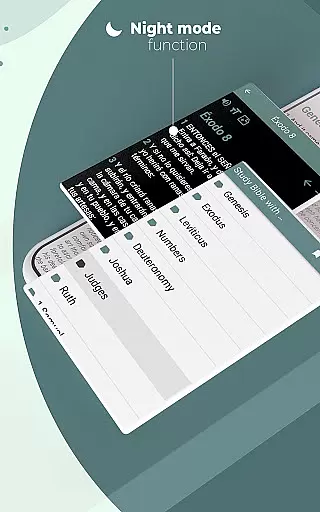
Study Bible with Explanation stands out with its innovative features tailored for modern Bible study. The app includes advanced search functionality, enabling users to quickly locate specific books, chapters, or verses using keywords. It also offers tools such as customizable verse highlighting, adjustable font sizes, and night mode for comfortable reading in low-light environments.
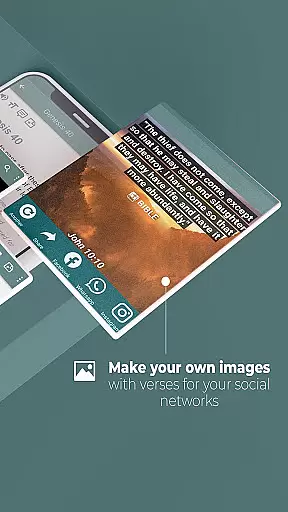
Additional standout features include the ability to bookmark favorite passages, write personal notes, and generate shareable images of Bible verses. These capabilities empower users to personalize their learning experience and foster spiritual growth. With its robust combination of traditional biblical texts and contemporary digital tools, this app caters to a wide range of study preferences and needs.
When evaluating a Bible study app, functionality completeness is crucial for an optimal user experience. The Study Bible with explanation app offers a comprehensive suite of features that cater to various study needs. It includes the full King James Version (KJV) Bible with Matthew Henry's commentaries, all available offline.
The app provides innovative tools such as keyword search for books, chapters, or verses, and customizable highlighting options in different colors. Users can add notes, create favorites lists, adjust font sizes, and even mark verses with dates. These features ensure that users have everything they need for in-depth Bible study without requiring additional resources.
Practical benefits include the ability to continue studying where you left off, thanks to the app's memory of your last read verse. Night mode offers eye protection by dimming the screen in dark environments. With these complete functionalities, users can engage deeply with the text at any time.
Usability is a key factor in determining how effectively users can interact with a Bible study application. The Study Bible with explanation app excels in providing a user-friendly interface that makes navigation intuitive and straightforward. Its design ensures that even those new to digital Bible study can easily find their way around.
Operational smoothness is evident in the app's high-quality audio Bible feature, which allows users to listen to scriptures without interruptions. The app operates seamlessly offline, removing concerns about internet connectivity while traveling or in areas with poor reception.
Additional usability features include easy sharing of verses on social media and converting texts into images for broader dissemination. Inspirational verses delivered daily enhance user engagement. Such smooth operations and thoughtful features make this app a reliable companion for spiritual growth.
User-friendly interface
Completely free
High-quality audio
Offline functionality
Customizable reading options
Limited translations
No advanced analytics
Basic design layout
Few interactive elements
Occasional bugs reported

Read Holy Quran Feel Like Real Quran & Listen Al Quran Mp3 Audio Online Offline.
 4.70
4.70
Collection of high-quality, trendy skins and outfits!
4.1
Enjoy Minecraft Mod Scary Neighbor Granny for Minecraft PE.
4.30
With Endoscope Camera Connector you can connect your phone with endoscope cam
3.70
charging your phone by other phone easly
4.00
Looking to connect your phone to your car screen? Mirror Link is the solution.
3.20
Mirror link car connector to share your screen with car dashboard
3.80
Mobile Connect To TV - HDMI USB & WiFi Screen Mirroring
3.70
The best PS2 games from your childhood come to life in their mobile version!
4.00
The Free Catholic Latin American Bible in complete Spanish
4.60
Tune your game graphics with our GFX optimizer for optimal gaming experience
4.50
Wireless reverse charging using phone now is possible
4.30
View your cameras anywhere and anytime
4.20
use your smartphone as Remote control drones .
4.20
Easily evaluate the performance of Scandit's barcode and ID scanning SDK
4.10
Connect and find your Smart Tag 2 devices through our app.
3.60
CloudEye 365 is a easy-handling APP
3.60
Zlink Carplay Android a mirror link app with a Carplay interface style
4.2
Mirror Link Car Display to share your screen with car dashboard wirelessly
4.2


User Reviews