
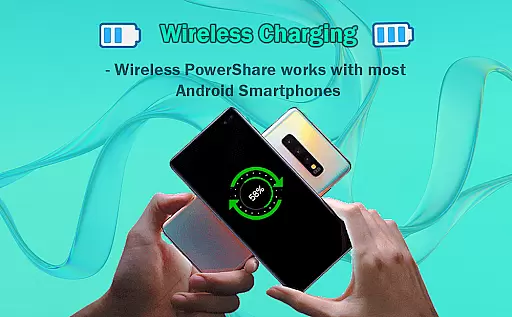
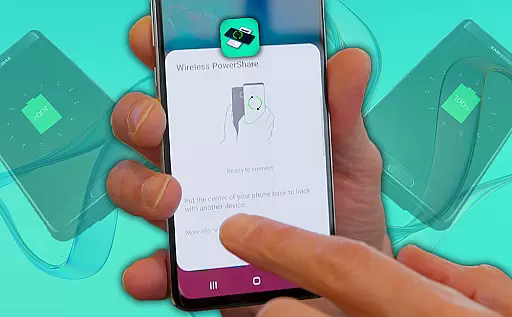
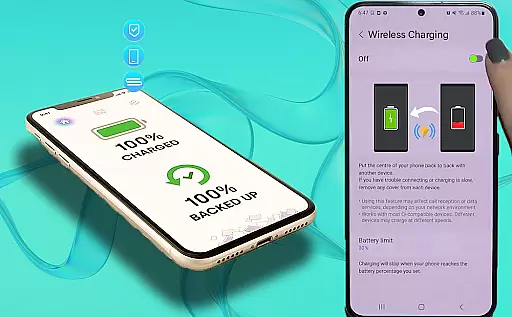
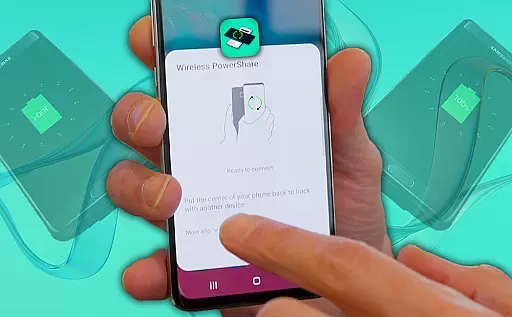
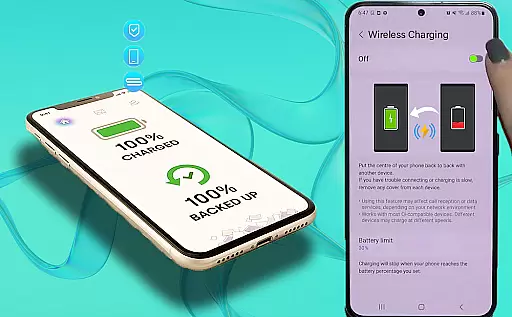
Wireless Reverse Charging is an innovative app designed to enable wireless power exchange between smartphones. The core functionality allows users to transfer and receive electric power by simply placing their phone on the rear face of another compatible smartphone. This creates a convenient charging solution when traditional outlets are unavailable.
The application serves as a wireless charging checker, helping users verify device compatibility before initiating the power exchange process. By supporting this wireless charging capability, the app provides a practical solution for emergency situations or when users forget their chargers. The overall value lies in its ability to turn any compatible smartphone into a portable power bank.
This Libraries & Demo category app showcases several notable features that enhance the wireless charging experience. The primary function allows users to check wireless charging compatibility between devices, ensuring safe and effective power transfer. The Wireless Charging Checker tool provides detailed information about device capabilities and limitations.
While the current feature set focuses on compatibility checking and basic power transfer functions, the app's developers promise many more features coming soon. These future enhancements are expected to include advanced power management tools, charging speed optimization, and improved efficiency monitoring. The app's demo nature makes it particularly valuable for developers exploring wireless charging technologies.
Wireless Reverse Charging demonstrates a comprehensive approach to functionality by offering users the ability to both transfer and receive electric power. This app ensures that users can utilize their smartphones not just as devices to be charged, but as tools to charge other compatible smartphones.
The app's compatibility checker is an essential feature, allowing users to verify if their device supports wireless charging capabilities. By providing this service, Wireless Reverse Charging empowers users with the knowledge needed to use the app effectively and safely.
With plans for additional features in future updates, the app promises an expanding range of functionalities. Users can look forward to enhancements that will further streamline the process of wireless power exchange between devices.
Usability is at the forefront of Wireless Reverse Charging, ensuring that even those unfamiliar with wireless charging technology can easily navigate and operate the app. The straightforward steps required to initiate a charge make it accessible to a broad audience, enhancing its appeal.
Operational smoothness is evident in the seamless interaction between devices. Simply placing one phone on the rear face of another initiates the charging process without any complicated setup or configuration, making it an operationally efficient solution for power sharing.
As the app continues to evolve, upcoming features are expected to refine usability further, promising an even smoother operational experience. These ongoing improvements highlight the developer's commitment to quality and user satisfaction.
User-friendly interface
Compatibility checker
Innovative concept
Emergency power solution
Convenient usage
Limited features
Device restrictions
Slower charging
Beta version
Power loss

If you are looking for melon playground mod that fun you deffinitely try our app
 2.70
2.70
use your smartphone as Remote control drones .
4.20
Study Bible King James Version: the correct way to learn the Bible with audio
4.80
Mirror Link Car Display to share your screen with car dashboard wirelessly
4.5
Looking to connect your phone to your car screen? Mirror Link is the solution.
3.20
MirrorLink for connecting your Android phone to your car’s infotainment screen.
4.50
CloudEye 365 is a easy-handling APP
3.60
Simulator of real black light
3.50
Mirror phone to TV effortlessly! Stream, share & connect with Airplay ease.
3.60
Explore The Holy Quran Majeed for Muslim. Listen to MP3 Quran & Al Quran Kareem.
4.80
TV USB connector app provides you a seamless cast option from your phone to tv.
4.70
Recite Quran Majeed القران with special 16 line real Kuran page in hand
4.30
Sad ringtones full of feeling, sad music ringtones
3.90
Mirror link car connector to share your screen with car dashboard
3.80
Connect your phone to any endoscope camera, USB camera, or borescope with ease.
3.70
With Endoscope Camera Connector you can connect your phone with endoscope cam
3.70
DamonSx2 is the open Source LGPL Emulator
3.20
Identify securely online
3.10
Record with Double Camera Video Recording using Dual Camera Front and Back Video
3.00


User Reviews