
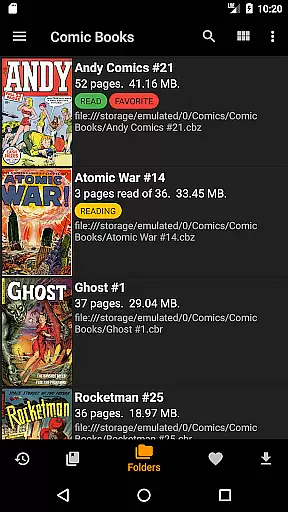
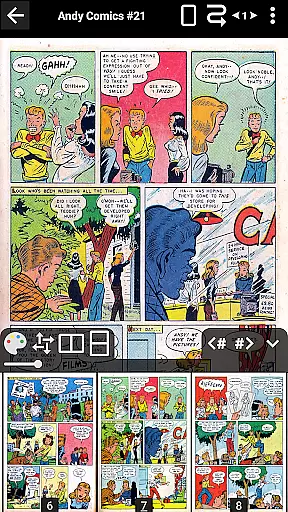
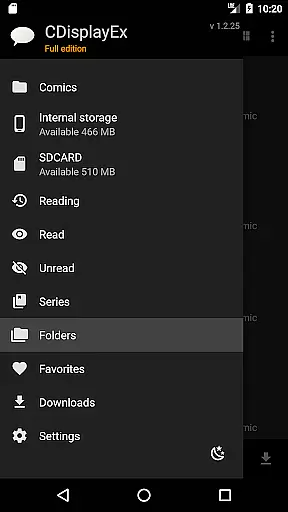
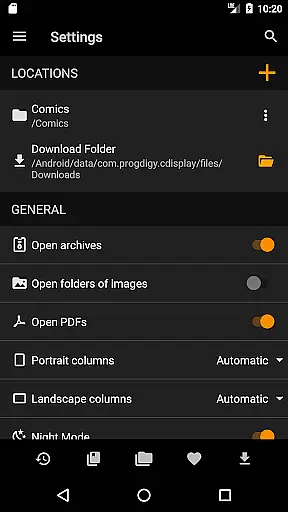
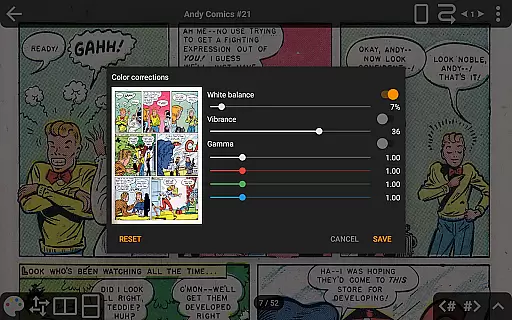
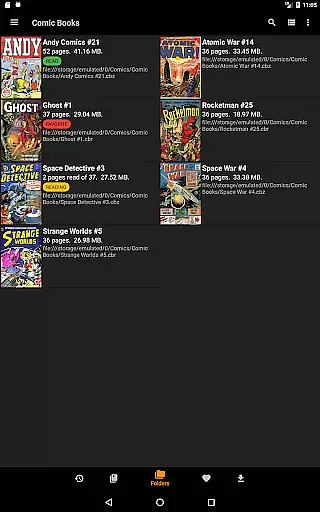
CDisplayEx Comic Reader is a premier comic book reading application designed for both casual readers and dedicated collectors. This app supports all major comic formats including CBR, CBZ, and PDF files, ensuring users can access their entire library without compatibility issues. The intuitive interface provides seamless navigation through comics with features like continuous page scrolling, advanced scaling options, and bookmark support.
Beyond basic reading capabilities, the Pro version offers enhanced functionality such as cloud integration with OneDrive, Dropbox, and other popular services. Users can enjoy an uninterrupted reading experience with network file opening and preload options. The app's sophisticated library management system automatically organizes collections by series and suggests the next volume to read, making it an essential tool for managing extensive comic libraries.
Whether you're commuting or relaxing at home, CDisplayEx ensures optimal reading comfort with its customizable display settings, night mode, and multi-directional page transitions. The application's efficient loading system and smooth rendering make it perfect for both smartphones and tablets, delivering professional-grade comic reading on mobile devices.
CDisplayEx distinguishes itself through its comprehensive feature set tailored specifically for comic enthusiasts. The application's core strength lies in its universal format support, accommodating all major comic file types while maintaining exceptional performance. Its innovative continuous page scrolling - available in both horizontal and vertical orientations - revolutionizes mobile comic reading by eliminating traditional page-turning limitations.
The Pro version expands functionality with advanced tools including precise page scaling controls that allow users to customize their reading experience down to the smallest detail. Network integration capabilities enable direct access to remote storage solutions without requiring full file downloads, while the integrated library management system intelligently organizes collections and tracks reading progress. Additional professional-grade features include image export functionality, S-Pen optimization, and multilingual interface support.
Particularly noteworthy is the application's sophisticated caching system, which ensures smooth page transitions even with large files. The built-in search function and series organization tools make managing extensive collections effortless, while the customizable interface allows users to tailor the reading environment to their preferences. These features collectively create a premium comic reading experience that caters to both casual readers and serious collectors.
CDisplayEx Comic Reader offers an extensive and versatile comic library that supports all major comic book formats including .cbr, .cbz, and .pdf files. This ensures that users can access a wide variety of comics without worrying about compatibility issues.
The application allows seamless integration with cloud services such as Onedrive, Dropbox, Komga, Kavita, and Mega in its Pro version, providing users with the flexibility to manage and read their comics from different sources. This feature significantly enhances the diversity and accessibility of the comic library.
With an integrated library management system, CDisplayEx groups comics by series and suggests the next album to read, making it easy for users to organize and navigate through their collection. The built-in search function further simplifies finding specific volumes instantly.
Overall, the vast array of supported formats and integrated cloud services make CDisplayEx a comprehensive tool for comic enthusiasts looking to build and manage an extensive and diverse library.
One of the key strengths of CDisplayEx Comic Reader is its commitment to content authenticity and proper licensing. The app supports legitimate comic book files, ensuring that users are accessing legally obtained content. This is crucial for both copyright compliance and supporting creators.
While the app itself does not provide licensed content directly, it facilitates the reading of legally purchased or freely available comics by supporting various file formats and integrating with cloud storage services where users might store their legally acquired comics.
Additionally, the Pro version offers advanced features like network file opening without full download and image export functions, which enhance user experience while maintaining respect for content ownership and authorship rights.
By focusing on these aspects, CDisplayEx ensures that users can enjoy their comics with peace of mind, knowing they are engaging with authentic and properly licensed materials.
User-friendly interface
Universal format support
Advanced library management
Cloud service integration
Customizable reading options
No Google Drive support
Pro features are paid
Interface can be complex
Large file loading times
Limited free features

Alpha Manga is a Japanese manga app where you can read isekai manga.
 4.10
4.10
The best app for digital comics - Welcome to Lezhin!
3.10
More fun from BOM! Hurry up and do the following self-test, if you meet more than one item, come and experience the brand new world of comics!
3.40
Webtoons, comics, web novels, and e-books are all here! RIDI, my own space to enjoy stories
4.30
Free Comic Book Collection Management & Price Guide
4.60
Comic Scanner - Book Value - Identify and sell your comic collection with AI.
3.80
Read your favorite mangas for free
4.50
Read official webcomics, webtoons, Korean manga & webnovels
3.70
Read comics & manga
4.70
Find free mangas in Spanish
4.70
File management and show images, comics and pictures in compressed cbr, pdf file
4.70
See the newest comic book releases and manage your comic collection or pull list
4.70
매일 매일 새로운 네이버 웹툰
4.50
The fastest and most convenient comic book reader - comics of all formats
4.40
Kodansha official Manga app
4.30
Read webcomics & webnovels
4.20
Become a real PKM Card Maker, create or custom any Poke TCG cards and share them
4.10
Toomics is a premium comic service with every genre for all readers to enjoy!
4.00
You can create comics, manga and manwha using AI with Arcstory comic book maker
2.70


User Reviews