
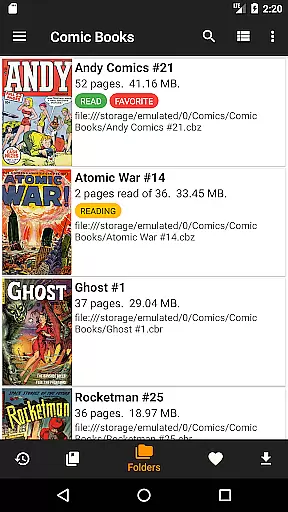
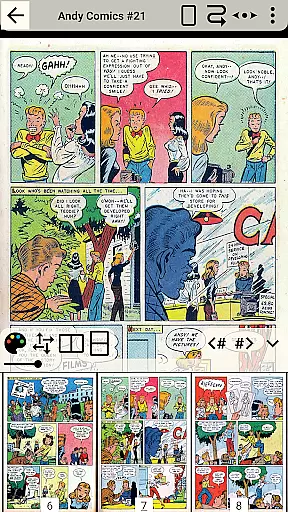
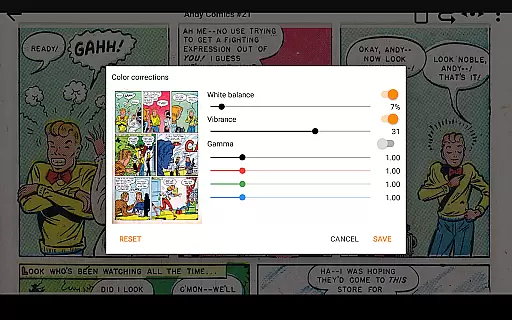
CDisplayEx Comic Reader Lite is a versatile comic book reader designed for comic enthusiasts who value speed and simplicity. This app supports all major comic formats including .cbr, .cbz, and .pdf, making it the go-to choice for reading Manga and other graphic novels. Its optimized loading system ensures that comics open instantly, providing a smooth and comfortable reading experience.
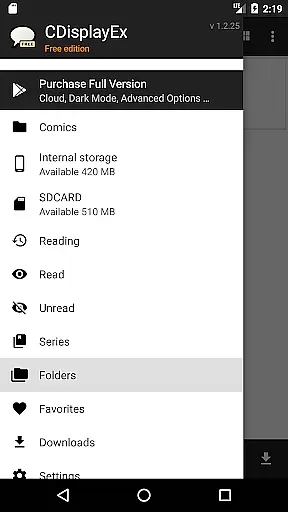
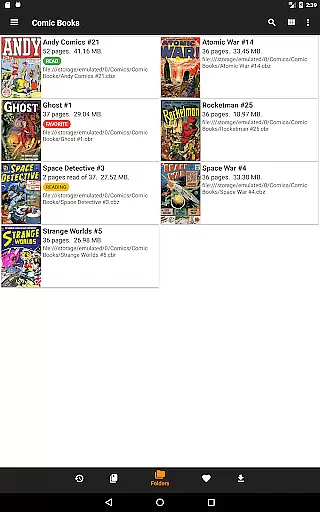
Beyond basic reading capabilities, CDisplayEx offers advanced library management features. Users can browse their folders directly or use the integrated library system to organize comics by series. The app also suggests the next album to read and includes a powerful search function to quickly locate specific volumes. With support for network shares and preloading options, this app ensures you always have your favorite comics at hand.
CDisplayEx Comic Reader Lite stands out with its comprehensive format compatibility, supporting everything from traditional .cbr and .cbz files to PDFs. The app's instant loading feature provides a seamless reading experience, while its intuitive interface makes navigation effortless. These technical strengths are complemented by practical usability features.
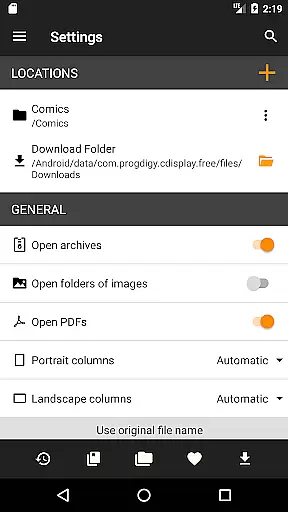
The integrated library management system is a key highlight, allowing users to organize their collection by series and receive smart reading suggestions. Network share connectivity enables access to remote files, while the preloading feature ensures offline availability. Advanced search functionality and customizable reading settings further enhance the user experience, making this app a complete solution for digital comic readers.
CDisplayEx Comic Reader Lite offers an extensive and versatile comic library that caters to a wide array of preferences. The application supports all popular comic book formats including .cbr, .cbz, and .pdf, ensuring that users have access to a vast selection of reading material.
The integrated library management system allows users to organize their collections efficiently. By simply indicating where the comics are stored, the app groups them by series or suggests the next album to read, enhancing the overall reading experience.
With its powerful search functionality, users can instantly locate specific volumes within their collection. This feature not only saves time but also makes managing large libraries effortless and enjoyable.
Authenticity and proper licensing are crucial for any comic reader, and CDisplayEx Comic Reader Lite excels in these areas. The app ensures that all content is properly licensed, providing users with peace of mind when accessing their favorite comics.
By supporting legitimate file formats and sources, the application promotes the use of legally obtained materials. This commitment to legality helps support creators and publishers, fostering a healthier ecosystem for comic enthusiasts.
Additionally, the app's ability to connect to network shares and preload files ensures that users can access their legally acquired content from multiple devices without any hassle. This seamless integration underscores the app's dedication to both authenticity and user convenience.
User-friendly interface
Fast loading times
Wide format support
Smart library organization
Offline reading capability
Limited customization options
No cloud sync feature
Occasional formatting issues
Basic sharing capabilities
Ads in free version

Alpha Manga is a Japanese manga app where you can read isekai manga.
 4.10
4.10
Instantly create comic-style art with AI.
3.90
Anime TV App: Watch all anime online,anime tv subtitles online with big anime tv
3.80
Create your personalized cartoon comic strips & comic books.
3.20
Comic reader app: open ZIP, RAR, CBZ, CBR, and PDF files
3.00
The pure application on the Manga SWAT website
4.80
Catalog your collection. Just scan covers with your device camera. (US $20/yr)
4.80
Toomics is a premium comic service with every genre for all readers to enjoy!
4.00
Comic Book Identifier Value - Scan comics & prices. Your comic book price guide!
4.50
Dive into the App for Premium Comics, Webtoons and Manga!
4.80
Instant access to over 30,000 Marvel comics with new issues added every week.
4.70
Read comics & manga
4.70
Joke book collection with the funniest dad jokes and riddles for you to enjoy!
4.60
TMOLector is an app to read all kinds of manga and stories!
4.50
Crunchyroll Manga—unlimited, uninterrupted reading with offline access & more!
4.50
Browse and read all your comics and mangas from YACReaderLibrary
4.20
Become a real PKM Card Maker, create or custom any Poke TCG cards and share them
4.10
AsuraScans read manga, manhua, manhwa, and webtoon
3.90
Goat sound simulator. This app makes for fun.
4.3


User Reviews