
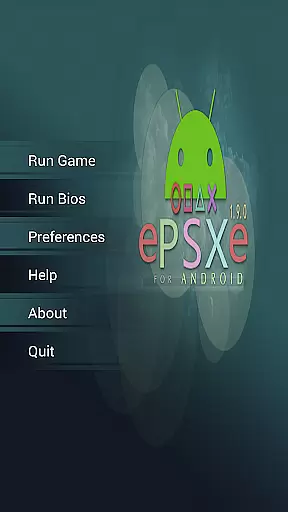
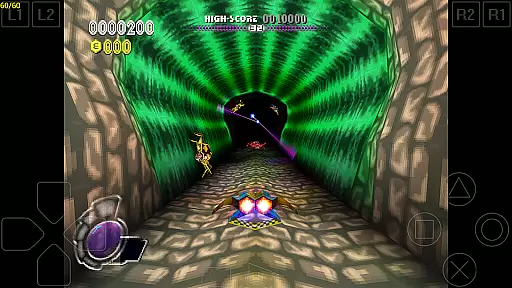
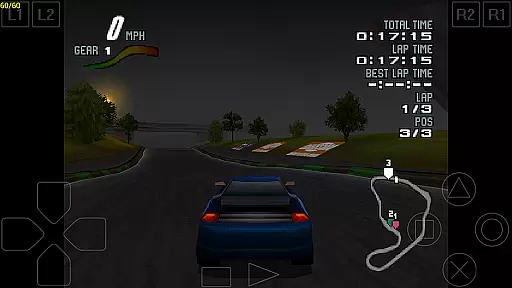

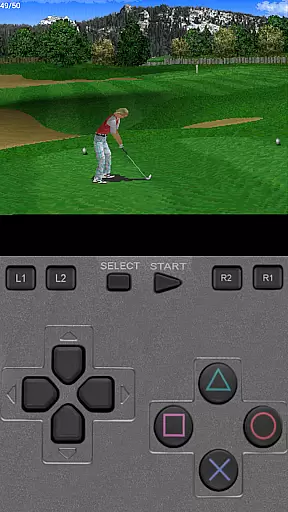
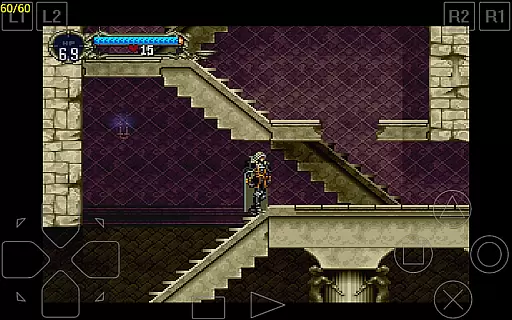
ePSXe for Android is a highly compatible Playstation emulator, bringing PSX and PSOne gaming to mobile devices. With compatibility rates exceeding 99%, it ensures smooth gameplay and accurate sound reproduction. Designed for both smartphones and tablets, the app supports single-player and multiplayer modes, including an engaging split-screen option for two players.
The emulator offers advanced features such as virtual touchscreen controls, hardware button mapping, and support for external gamepads via Bluetooth or USB. It also includes HD enhanced graphics with multiple rendering options, cheat codes, savestates, and memcard compatibility. These features make ePSXe a versatile tool for nostalgic gamers who want to relive classic Playstation experiences on modern mobile devices.
ePSXe stands out with its comprehensive feature set tailored for an optimal mobile gaming experience. The app supports various control schemes, including virtual touchscreens, Xperia Play, external Bluetooth, and USB gamepads like WiiMote, Sixaxis, Xbox 360, Moga, and Ipega. This flexibility allows users to choose their preferred method of interaction.
Graphics are another strong point, with support for HD enhancement through 2x/4x software rendering and OpenGL renderers. The emulator also provides native support for ARM and Intel Atom X86 architectures, ensuring broad device compatibility. Additional functionalities include cheat code support, savestate management, and compatibility with memcards from the PC version, making it a robust solution for playing Playstation games on the go.
Arcade authenticity and nostalgia are essential elements for any arcade-style application, ensuring that users experience the true essence of classic gaming. ePSXe for Android excels in this area by providing a highly compatible Playstation emulator that supports both PSX and PSOne games. With compatibility rates exceeding 99%, users can enjoy an extensive library of games just as they remember them from the original consoles.
The emulator goes beyond basic game support by including enhanced features such as HD graphics, various rendering options, and cheat codes. These enhancements not only preserve the nostalgic value but also elevate the gaming experience to modern standards. The inclusion of savestates and memcards further ensures that gameplay can be picked up and resumed seamlessly, mimicking the convenience of contemporary gaming while maintaining the classic feel.
For enthusiasts seeking an authentic arcade experience, ePSXe offers multiple control options, including virtual touchscreen pads, hardware button mapping, and external gamepad support. This versatility allows users to play with their preferred input method, whether it's on a smartphone, tablet, or using specialized controllers like WiiMote, Sixaxis, Xbox 360, Moga, or Ipega. Such comprehensive support guarantees that players can relive the golden age of arcade gaming with the utmost accuracy and enjoyment.
Control responsiveness is crucial for an immersive and enjoyable gaming experience, particularly in arcade-style applications where precision and timing are key. ePSXe for Android delivers exceptional responsiveness through its advanced input mapping capabilities, supporting a wide range of control methods. Users can choose between virtual touchscreen controls, hardware buttons, and external gamepads, ensuring that every action is registered accurately and without delay.
The emulator's support for external controllers, including popular models like WiiMote, Sixaxis, Xbox 360, Moga, and Ipega, enhances the precision and fluidity of gameplay. By allowing players to use physical buttons and analog sticks, ePSXe provides a tactile and responsive interface that closely mirrors the experience of playing on original console hardware. This level of control fidelity is essential for competitive gaming and complex game scenarios where every input counts.
In addition to traditional control schemes, ePSXe offers innovative features such as split-screen mode for two-player games, making it an ideal choice for multiplayer sessions. The ability to map controls to different devices and customize input settings ensures that users can tailor the experience to their preferences, resulting in a highly personalized and responsive gaming session. Whether playing solo or with friends, ePSXe's commitment to control excellence guarantees an engaging and seamless experience.
High compatibility rate
Accurate sound reproduction
Supports external controllers
HD enhanced graphics
Multiplayer options
No included games
Complex setup required
Consumes significant storage
Limited touchscreen responsiveness
Requires technical knowledge

R-TYPE game
 4.60
4.60
Three awesome new levels for The Impossible Game.
4.30
Granny keeps you locked in her house.
4.30
Amid the vastness of the universe, you are a Black Hole about to be swallowed!
5.00
It's quite possibly the world's hardest game!
3.90
Infinite Arcade
4.2
NEOGEO's masterpiece game is now available in the app!
4.10
The only Sega Saturn emulator for Android
4.40
You are a Black Hole, escaping the darkness trying to swallow you!
3.60
Join the breathtaking chase!
4.80
PC Engine/TurboGrafx-16 Emulator
4.50
Jump and fly your way through danger in this rythm-based action platformer!
4.50
Jump and fly your way through danger in this rythm-based action platformer!
4.50
Outrun cops, ignite the thrill of a high-speed chase!
4.50
Stack the blocks as high as you can!
4.30
Antistress & relaxing games,stress relief; Antistress toys, calming games.
4.20
Slice up a juicy storm!
4.20
John GBA is GBA emulator. This emulator is easy to use.
3.10
Machine Gun Fire Rumbles in the Jungle
4.0


User Reviews